140
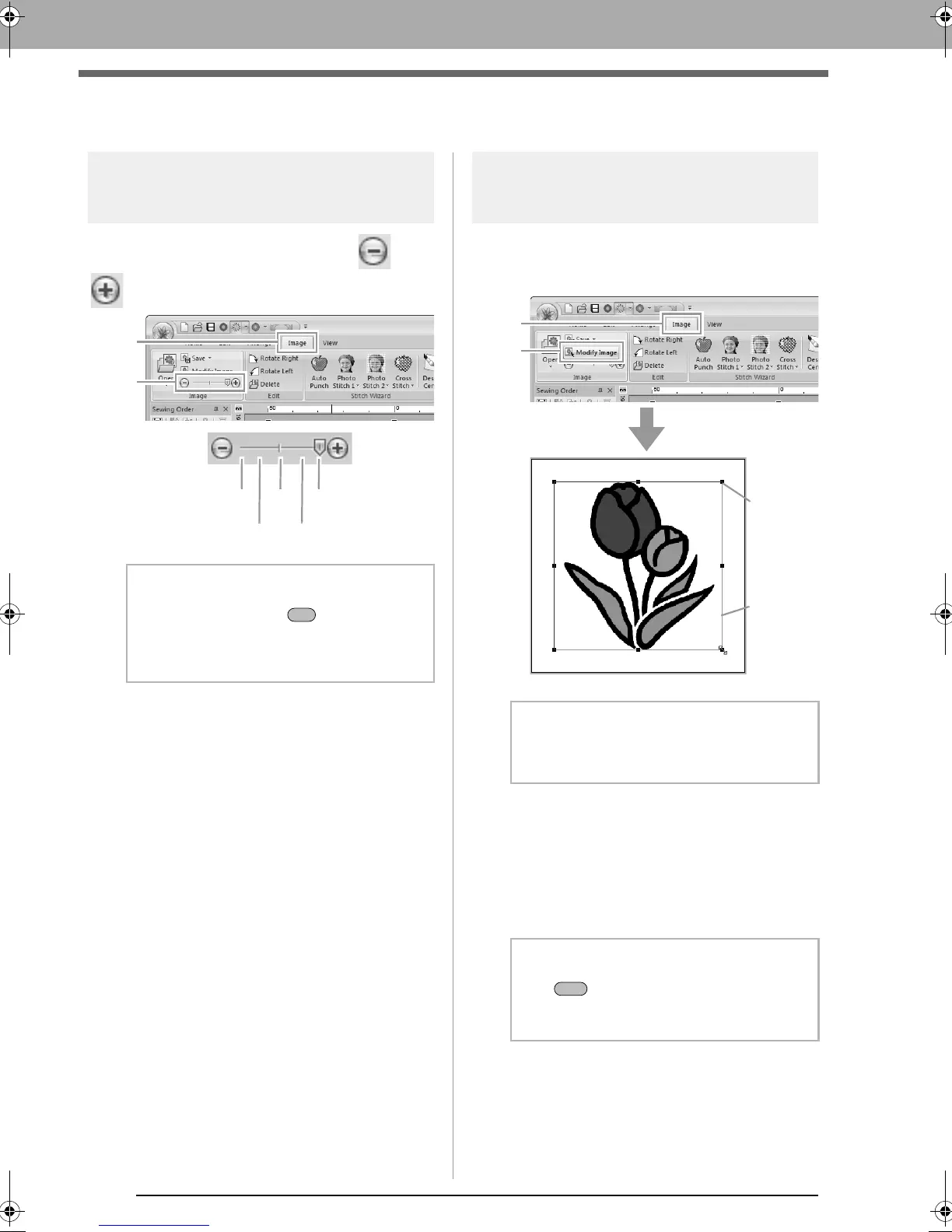
Changing the Image Settings
Changing the Image Settings
Adjusting the density of the
background image
Click 1, then drag the slider (2), or click or
.
Changing the size, angle
and position of the image
Selecting an image:
Click 1, then 2.
Moving an image:
Drag the selected image to the desired location.
Scaling an image:
Drag the handle to adjust the image to the desired
size.
b Memo:
Press the shortcut key ( ) to switch
between displaying the image (
On (100%)
) to
displaying it faded at each density (
75%
,
50%
and
25%
) to hiding the image (
Off
).
b Memo:
The status bar shows the dimensions (width
and height) of the image.
b Memo:
If the key is held down while a handle is
dragged, the image is enlarged or reduced
from the center of the image.
XE8656-001.book Page 140 Monday, May 24, 2010 5:44 PM



 To Next Page
 Loading...


