52
Editing Embroidery Designs
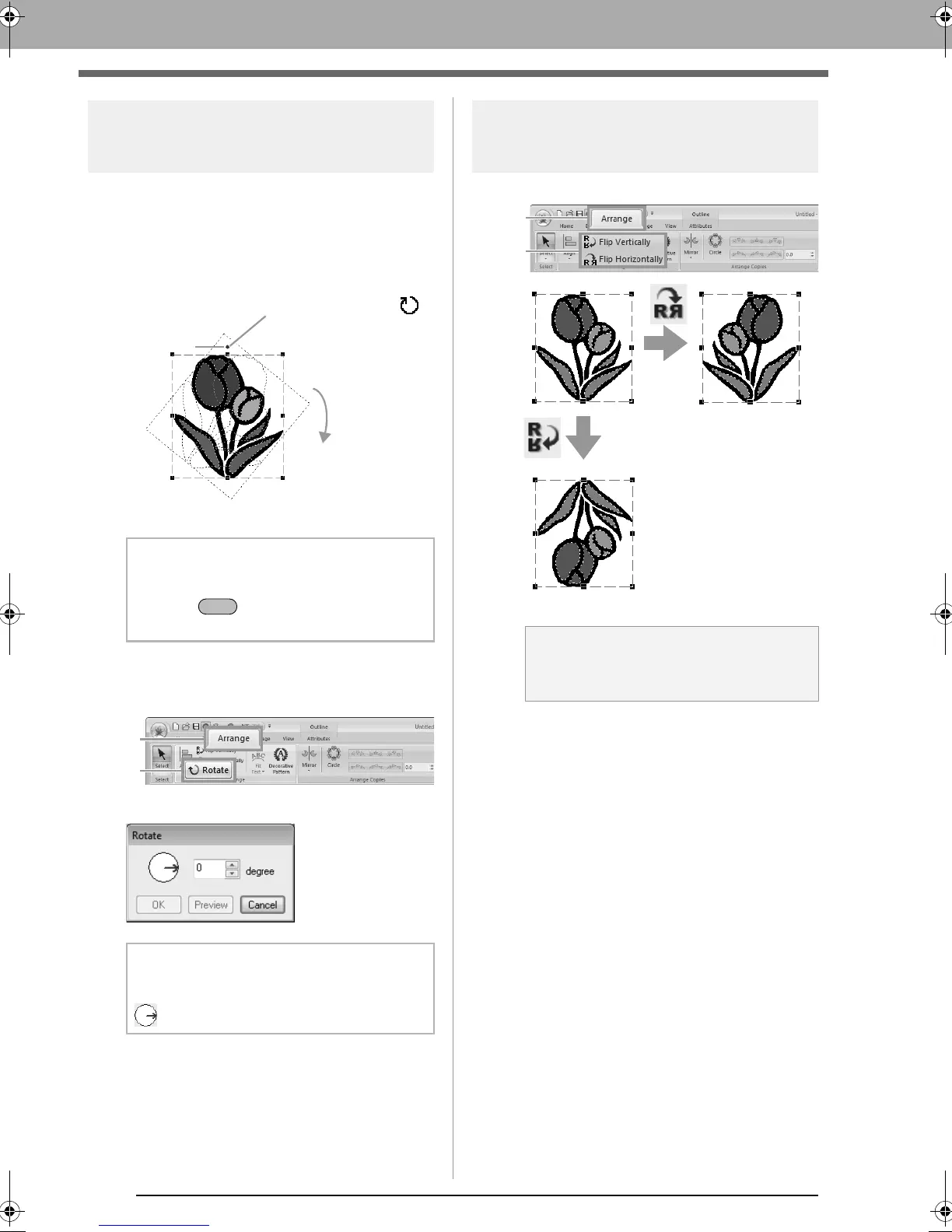
Rotating patterns
■ Rotating manually
1. Select the pattern(s).
2. Drag the rotation handle.
■ Rotating numerically
1. Select the pattern(s), and then click 1, then 2.
2. Type or select the rotation angle. Click OK.
Flipping patterns
horizontally or vertically
Select the pattern(s), and then click 1, then 2.
b Memo:
To rotate the pattern in 15° increments, hold
down the key while dragging the
handle.
b Memo:
An angle can also be selected by dragging
in the
Rotate
dialog box.
1. The shape of pointer changes to
2. Rotate
Rotation
handle
a Note:
Some patterns imported from embroidery
cards cannot be flipped.
XE8656-001.book Page 52 Monday, May 24, 2010 5:44 PM



 To Next Page
 Loading...


