63
Reshaping Embroidery Patterns
Basic Layout & Editing Operations
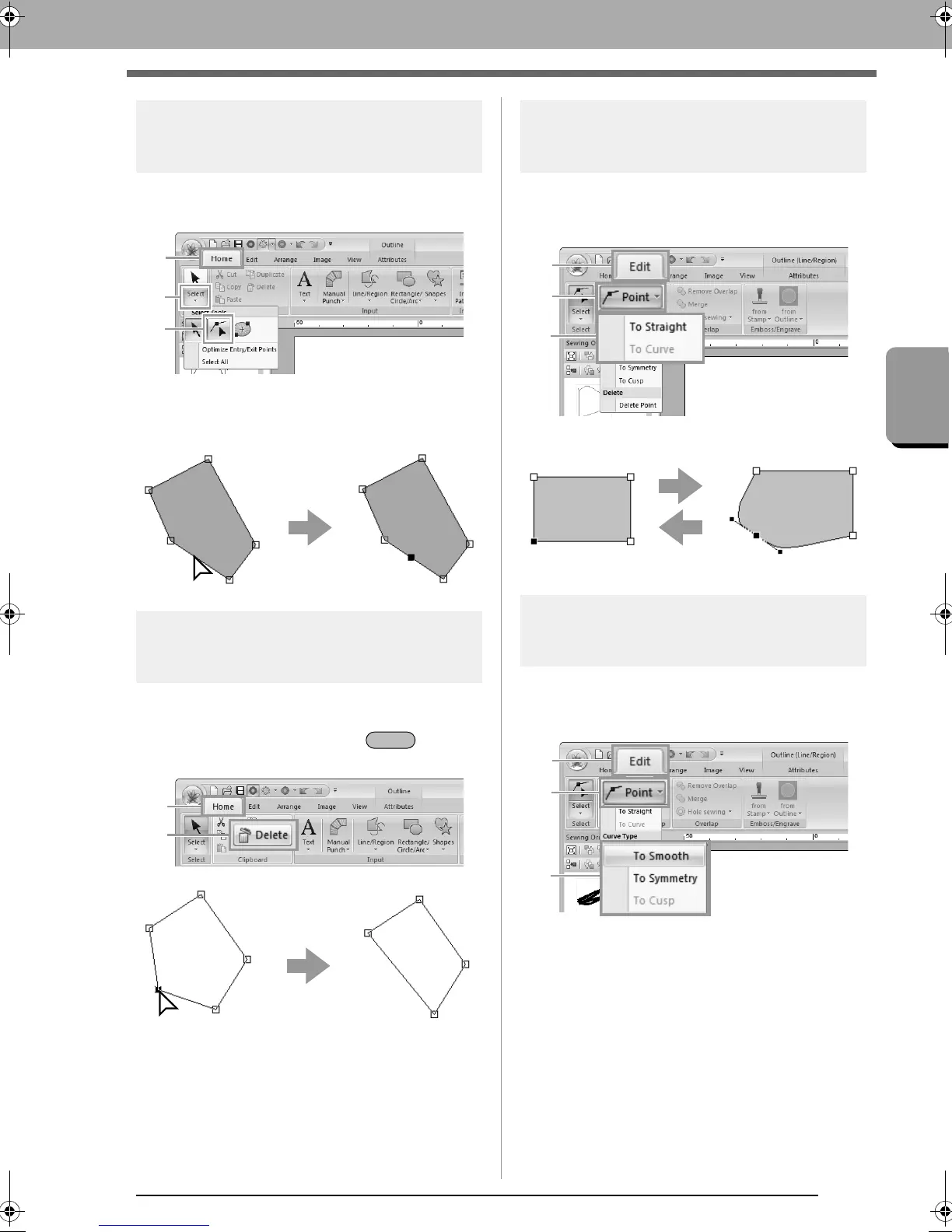
Inserting points
1. Select the Select Point tool by clicking 1, then
2, then 3.
2. Click the pattern.
3. Click the outline to add a point.
Deleting points
1. Select the point.
2. Click 1, then 2, or press the key to
remove the point.
Transforming straight lines into
curves or curves into straight lines
1. Select the point.
2. Click 1, then 2, then 3.
Changing the curve type
1. Select a point on a curve.
2. Click 1, then 2, then 3.
XE8656-001.book Page 63 Monday, May 24, 2010 5:44 PM



 To Next Page
 Loading...


