39
Drawing Shapes
Basic Layout & Editing Operations
Drawing Shapes
Drawing rectangle, circle or
arc shape
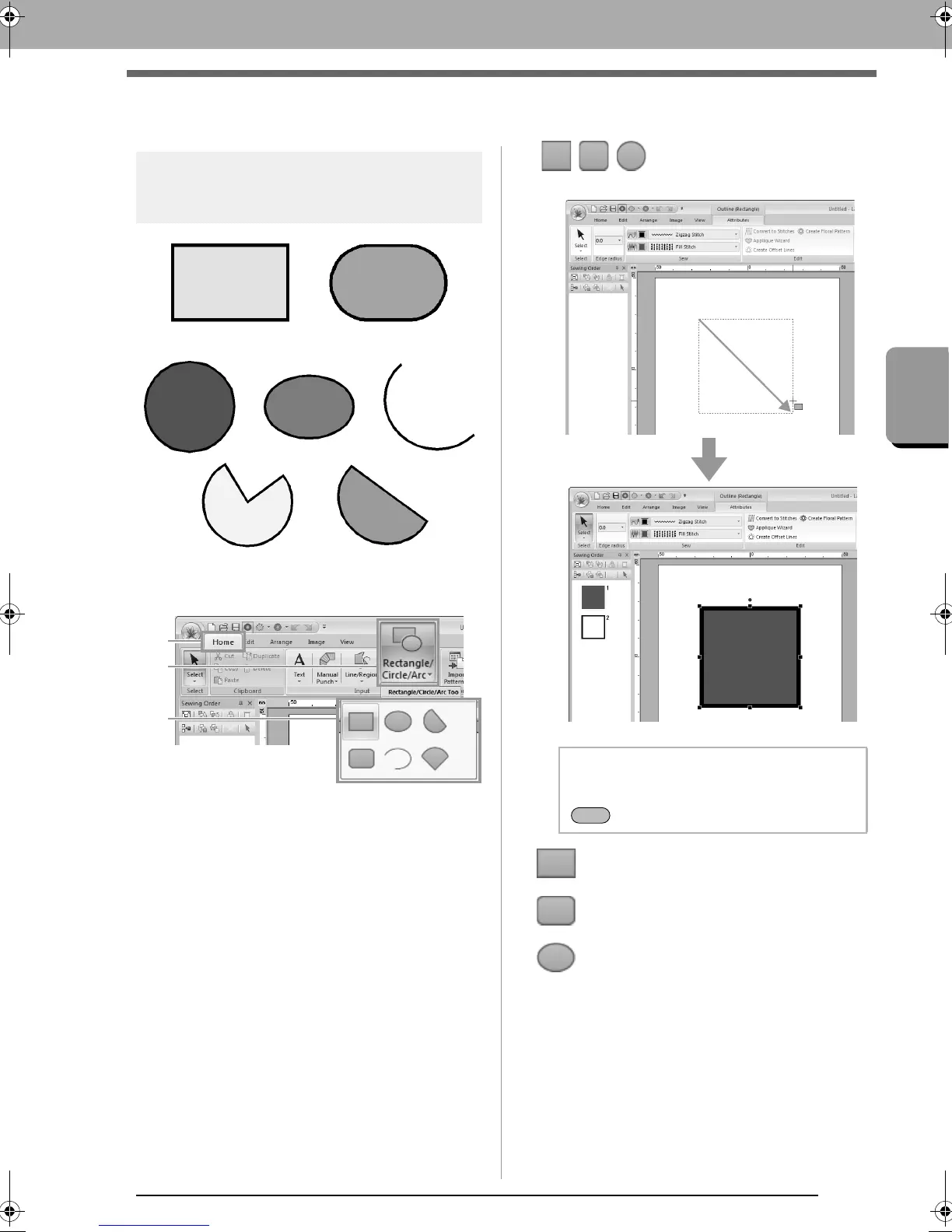
First, select the Rect/Circle/Arc tool. Click 1, then 2,
then 3.
■ //
Drag the pointer in the Design Page.
: Rectangle
: Rectangle with rounded corners
: Circle or Oval
Circle
Oval
Arc
Fan shape
Arc & string
b Memo:
To draw a circle or square, hold down the
key while dragging the pointer.
XE8656-001.book Page 39 Monday, May 24, 2010 5:44 PM



 To Next Page
 Loading...


