22
Understanding Windows
Specifying Basic Software Settings
Adjusting on-screen
measurements
(Screen Calibration)
Measurements can be adjusted so that objects will
be displayed at the same size as the actual
embroidery at a zoom ratio of 100%. Once this
adjustment is made, it will not need to be done again
later.
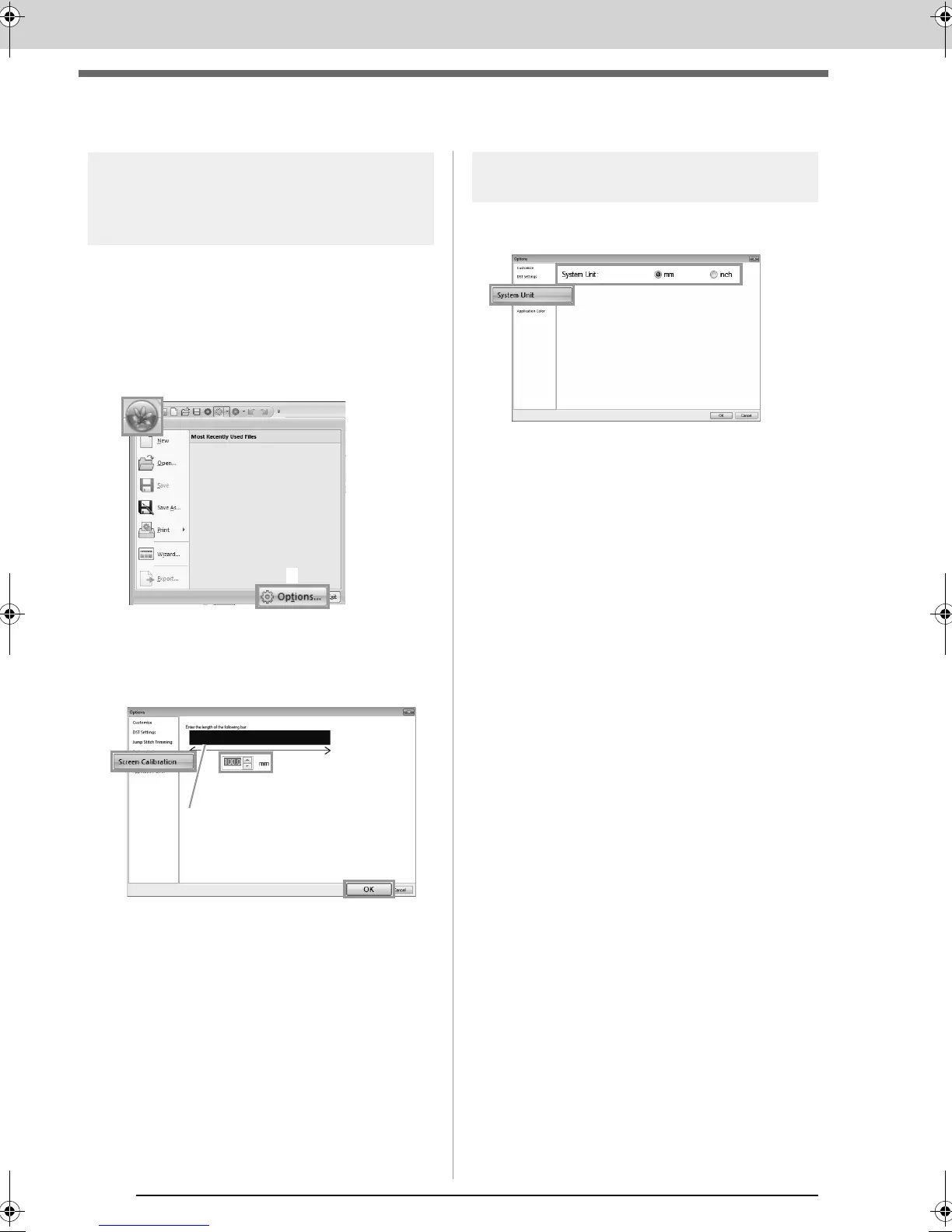
1. Click 1, then 2.
2. Click Screen Calibration (1). Hold a ruler
against the screen to measure the length of 2.
Next, enter the value at 3, and then click OK
(4).
Be sure to enter the length in millimeters. A
value in inches is invalid.
System unit
1. Click System Unit, and then select the
desired measurement units (mm or inch).
XE8656-001.book Page 22 Monday, May 24, 2010 5:44 PM



 To Next Page
 Loading...


