244
Changing the Settings
3. Click Save.
Changing the
Settings
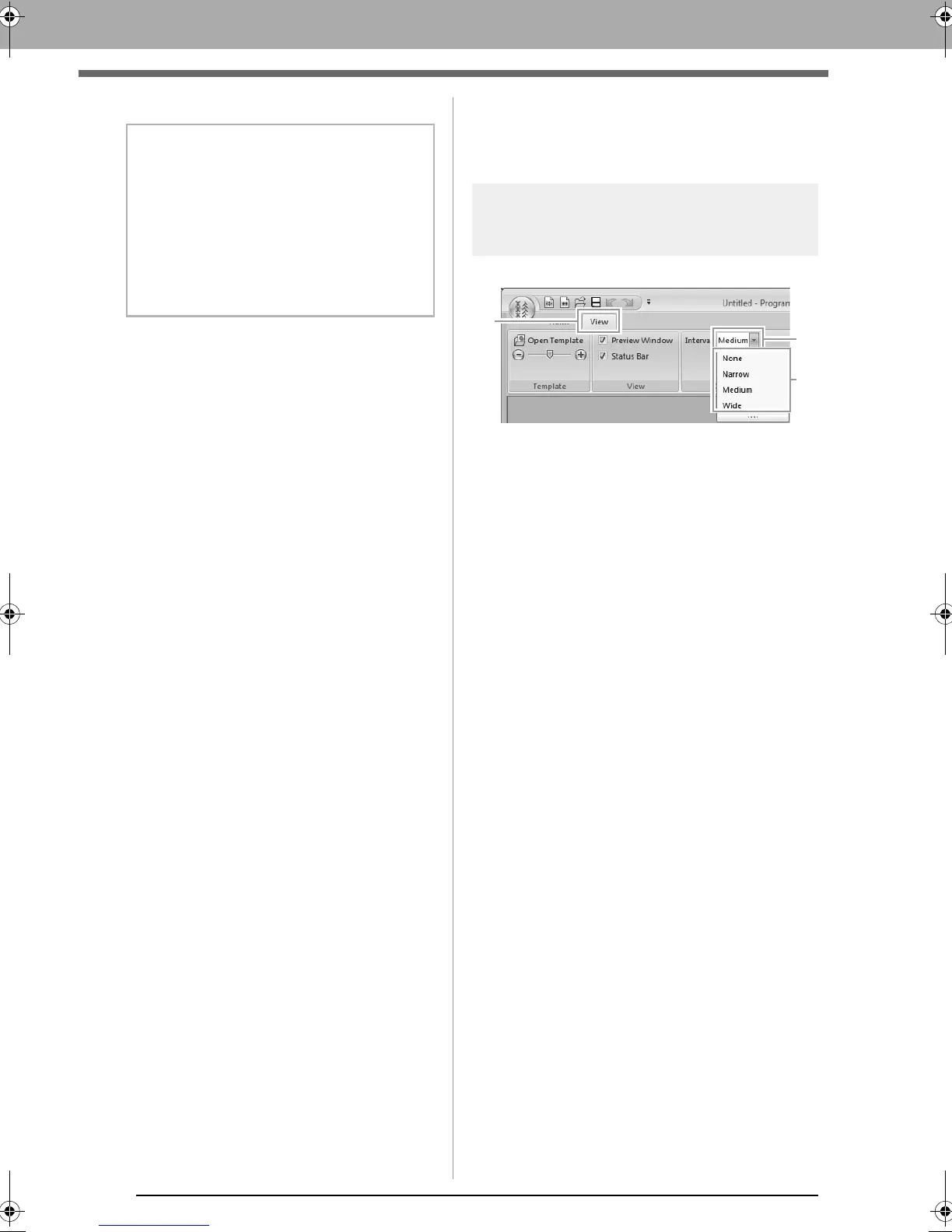
Changing the grid settings
Click 1, then 2, then 3.
None: No grid is displayed.
Narrow: The spacing of the grid lines is
changed to 1/32 of the Design Page
width.
Medium: The spacing of the grid lines is
changed to 1/16 of the Design Page
width.
Wide: The spacing of the grid lines is
changed to 1/8 of the Design Page width.
b Memo:
Saved files can be used in Layout & Editing or
Design Center.
c
“Step 5 Using the edited fill/stamp
stitch patterns in Layout &
Editing” on page 233 and “Step 4
Using the edited motif stitch
pattern in Layout & Editing” on
page 239
XE8656-001.book Page 244 Monday, May 24, 2010 5:44 PM



 To Next Page
 Loading...


