97
Creating Embroidery Patterns Containing Text
Advanced Operations for Entering Text
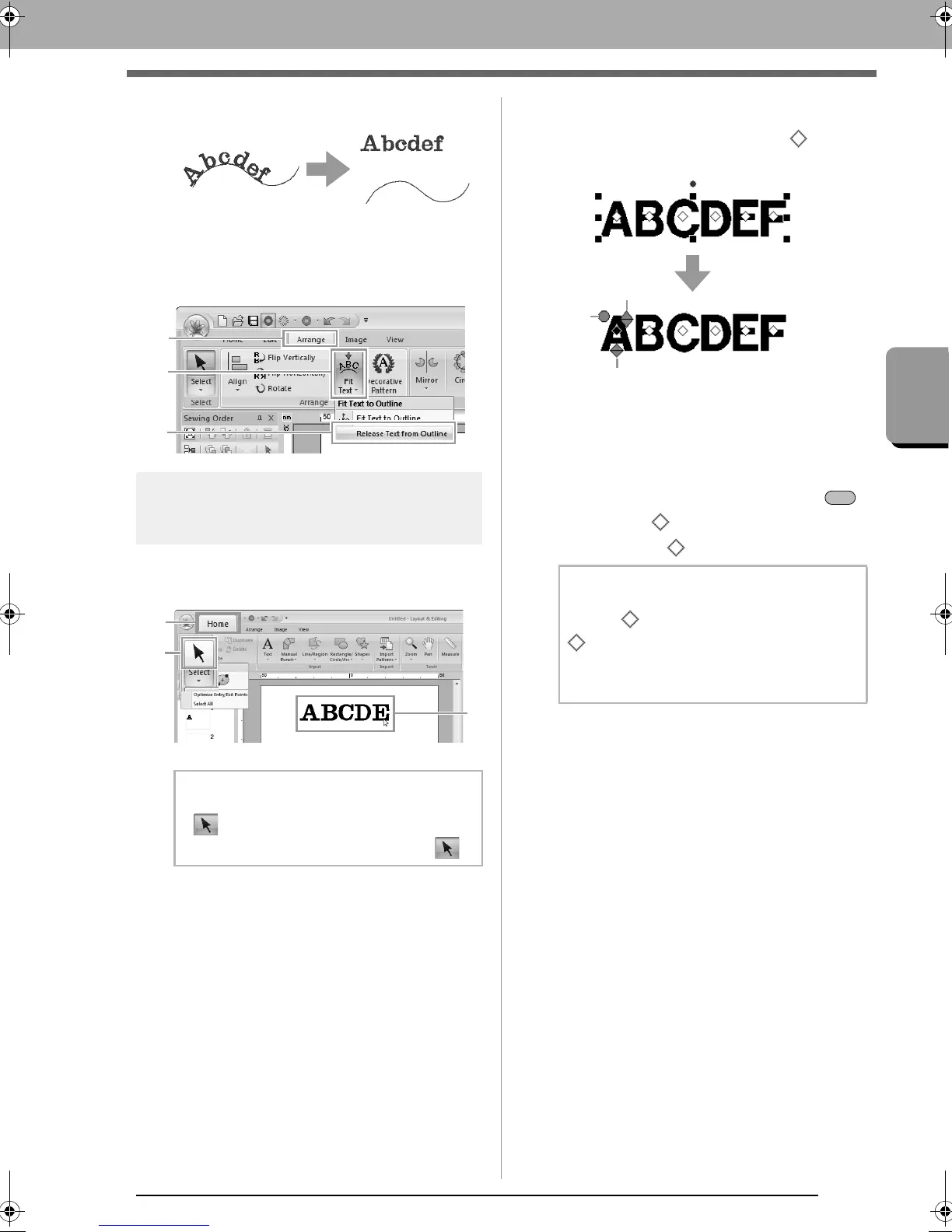
■ Releasing text from an outline
1. Select text or small text that is arranged on an
outline.
2. Click 1, then 2, then 3.
Selecting characters
1. Select the text.
Click 1, then 2, then 3.
2. Select characters in the text.
To select a single character, click for the
character.
(1) Rotation handle
(2) Size handle
(3) Vertical offset handle
To select multiple characters, hold down the
key and click each for the other characters, or
drag the pointer over of characters.
b Memo:
If is not displayed at
2
, click the arrow at
the bottom of the button, and then click .
b Memo:
Multiple can be selected and the selected
can be changed in the same way that
embroidery pattern points are selected.
c
“Selecting points” on page 62
XE8656-001.book Page 97 Monday, May 24, 2010 5:44 PM



 To Next Page
 Loading...


