69
Checking Embroidery Patterns
Basic Layout & Editing Operations
Checking Embroidery Patterns
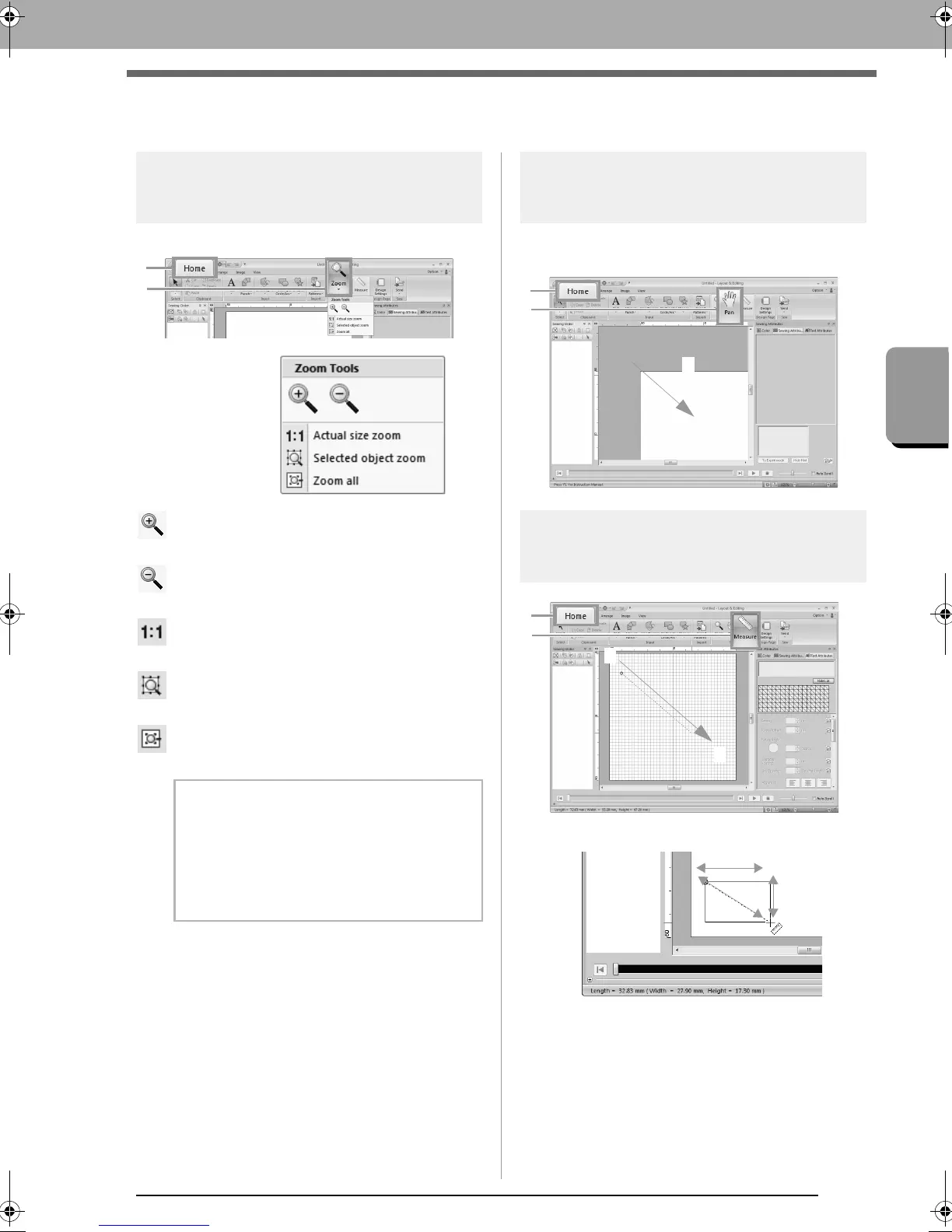
Zooming
Click 1, then 2, then 3.
: Click the Design Page to zoom in.
(Right-click the Design Page to zoom out.)
: Click the Design Page to zoom out.
(Right-click the Design Page to zoom in.)
: The Design Page is displayed at its actual
size.
: The Design Page is zoomed to display only
the selected objects.
: The entire Design Page is displayed to fit
within the window.
Using the Pan tool
The part of the work area that is displayed can easily
be changed by using the Pan tool.
Using the Measure tool
The length appears in the status bar.
b Memo:
Zooming is also possible by dragging the
Zoom slider in the status bar or clicking the
Zoom ratio.
c
“Layout & Editing Window” on
page 19
XE8656-001.book Page 69 Monday, May 24, 2010 5:44 PM



 To Next Page
 Loading...


