47
Drawing Shapes
Basic Layout & Editing Operations
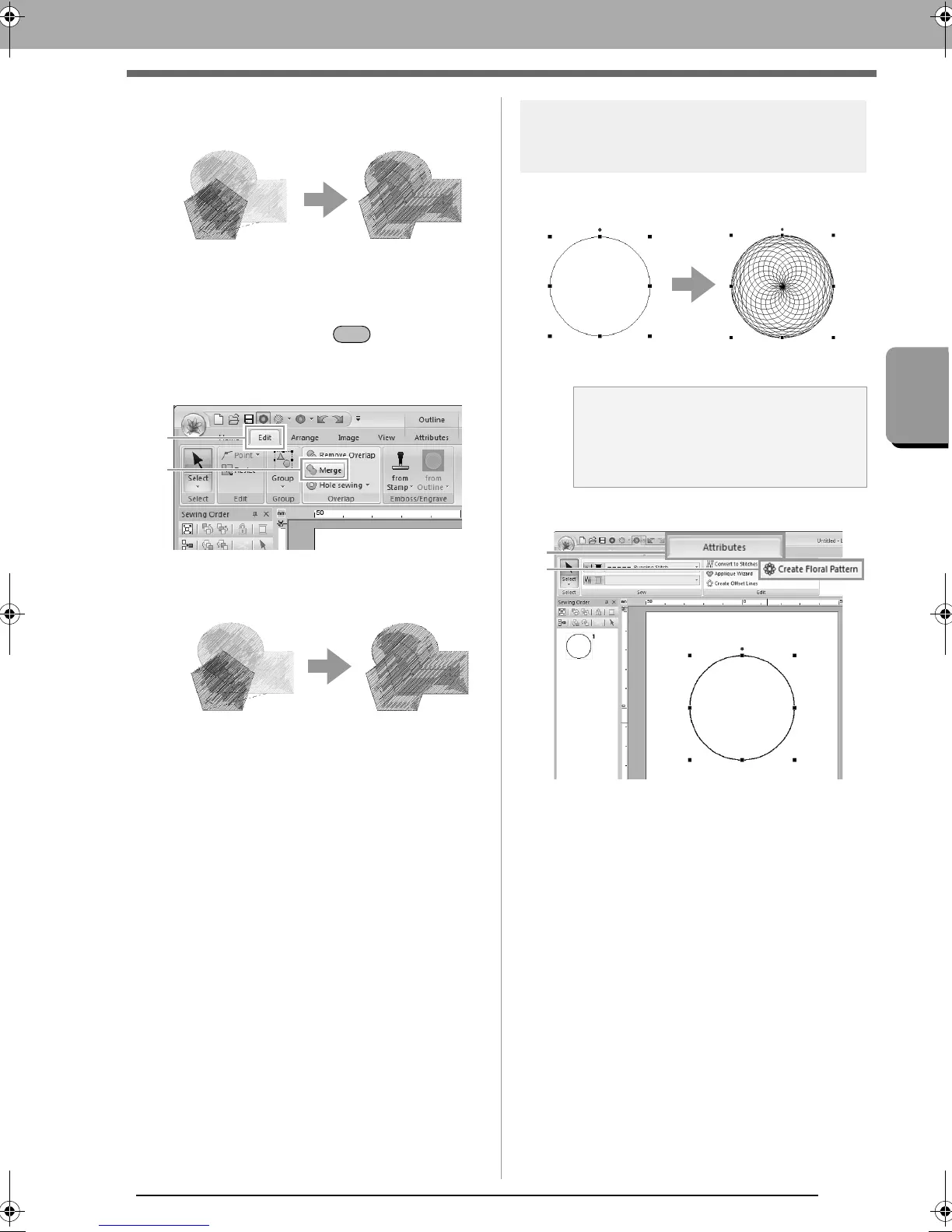
■ Merging
Overlapped pattern can be merged together.
The color and sew type of the last pattern
drawn (topmost pattern) is applied to the
merged pattern.
1. While holding down the key, click two or
more overlapped patterns to select them.
2. Click 1, then 2.
If this cannot be applied to the selected
patterns, an error message appears.
• When partially overlapped
Creating a floral pattern
Line stitching in a floral pattern can be created
based on the selected shape.
1. Draw a shape, and then select it.
2. Click 1, then 2.
a Note:
Be sure to select a closed line.
c
“Changing the attributes of line
ends” on page 43
XE8656-001.book Page 47 Monday, May 24, 2010 5:44 PM



 To Next Page
 Loading...


