187
Basic Design Center Operations
■ Editing the extracted outline
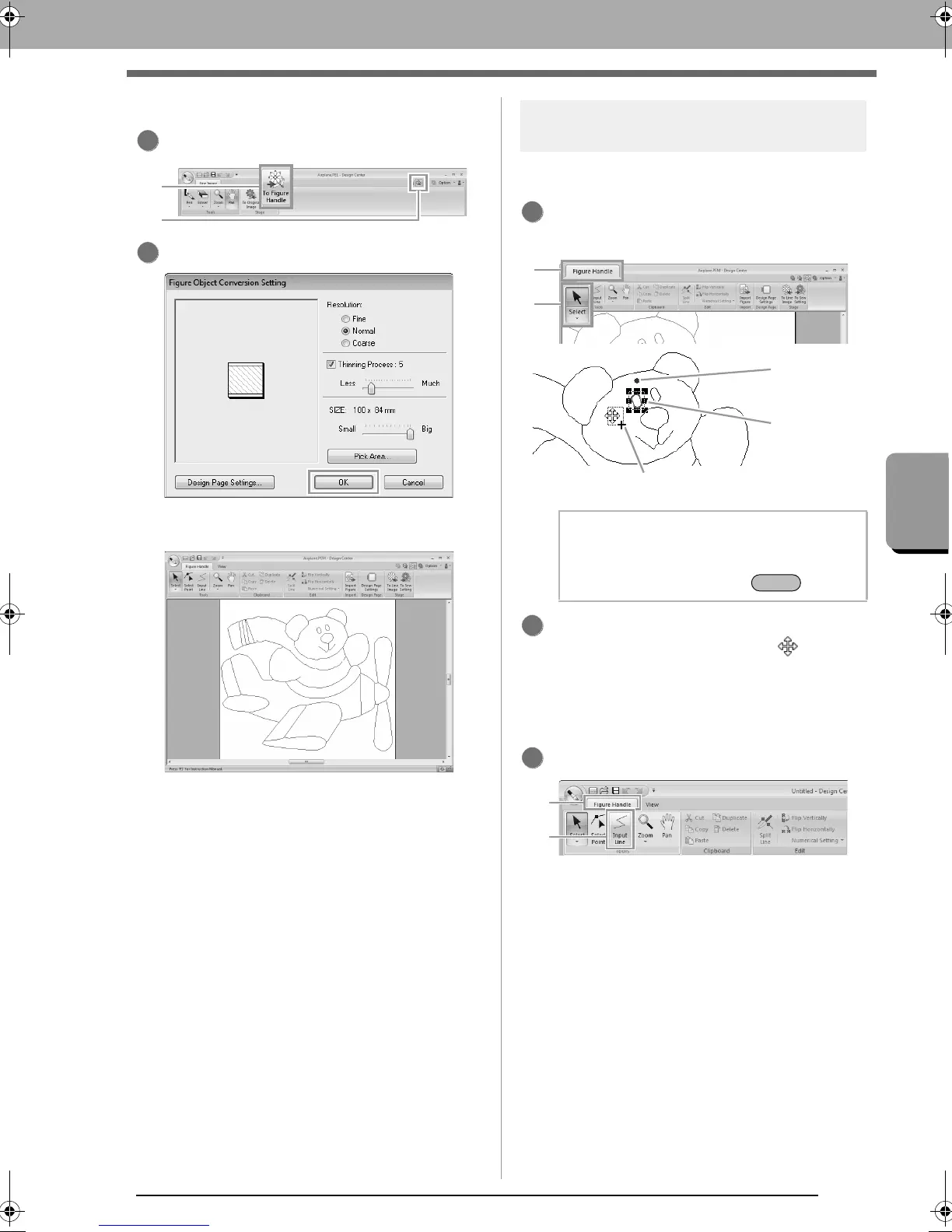
When the line image is finished, click, 1 or 2.
Click OK.
The line image is converted to a figure
handle image.
Step 3 Figure Handle Stage
■ Moving outlines
Click 1, then 2, and then click the outline to be
moved.
Move the pointer over the outline so that the
shape of the pointer changes to , and then
drag the outline.
■ Adding lines to the figure handle
image
Click 1, then 2.
2
b Memo:
Drag a handle to change the size or angle. To
delete the outline, press the key.
Scale handles
Outline
appears
in red
Rotation
handle
2
1
XE8656-001.book Page 187 Monday, May 24, 2010 5:44 PM



 To Next Page
 Loading...


