90
Tutorial 3: Entering text
Tutorial 3: Entering text
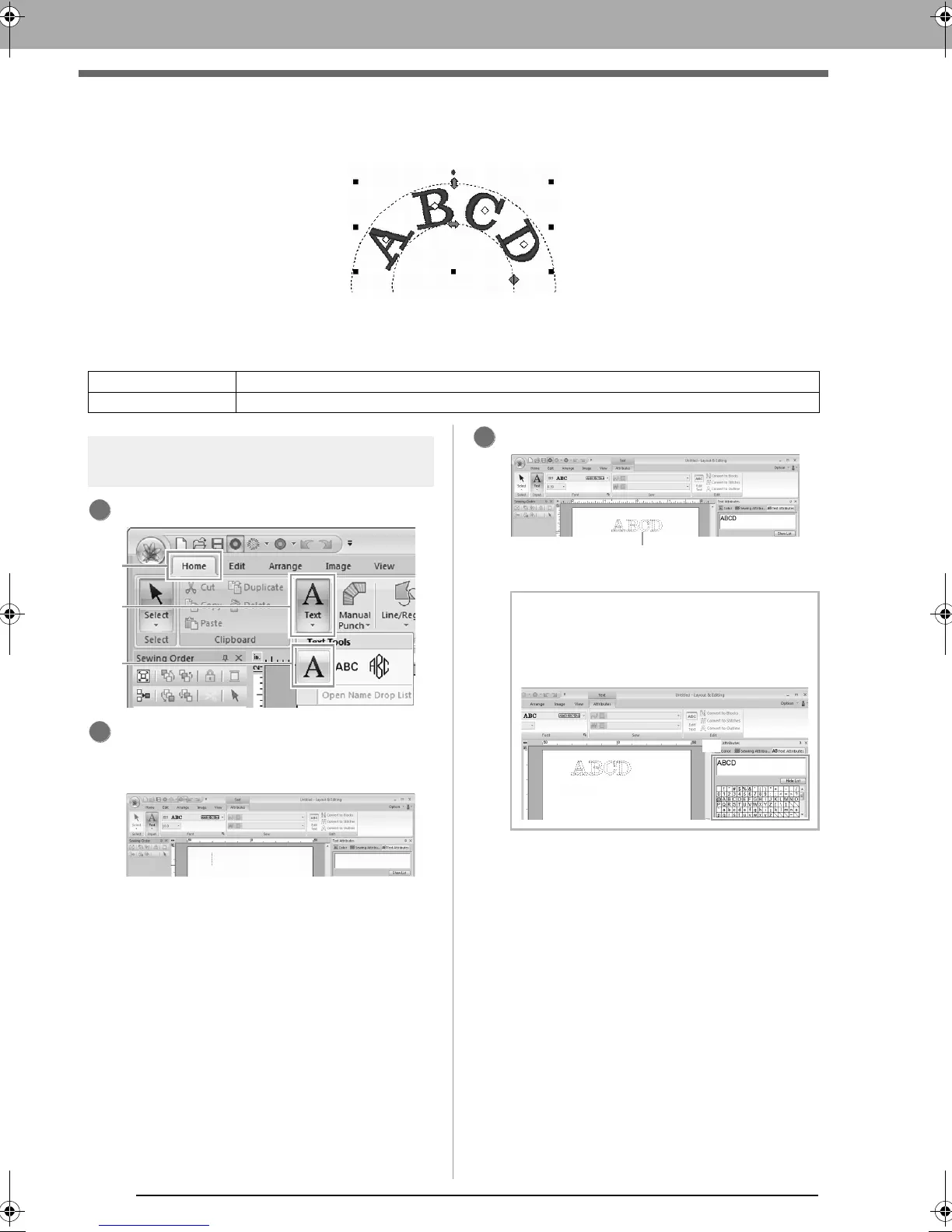
This section describes the procedures for entering text and arranging it in the Transform style with a fan shape.
The sample file for this tutorial can be found at the following location.
Documents (My Documents)\PE-DESIGN NEXT\Tutorial\Tutorial_3
Step 1 Entering Text
Click 1, then 2, then 3.
Click in the Design page.
A vertical dashed line will appear on the
Design Page for typing directly on-screen.
From the keyboard, type in “ABCD”.
Step 1 Entering Text
Step 2 Transforming text
b Memo:
Text can also be entered by clicking
characters in the character table (1) in the
Text Attributes
tab.
123
The entered text appears.
le_text.fm Page 90 Thursday, May 27, 2010 8:19 PM



 To Next Page
 Loading...


