243
Programmable Stitch Creator
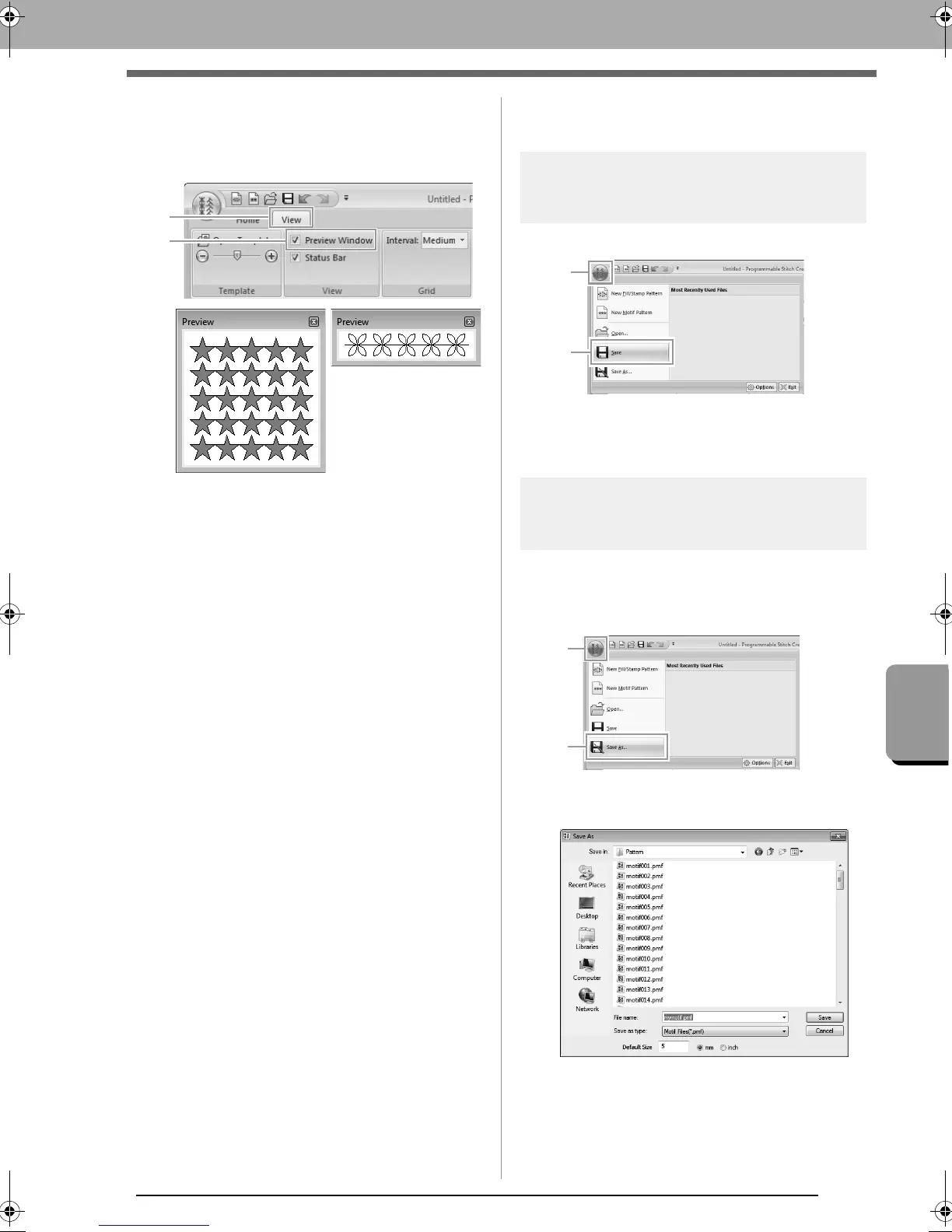
Preview window
Preview window
To switch between displaying and hiding the
Preview window, click 1, then 2.
Saving Patterns
Overwriting
Click 1, then 2.
If no file name has been specified or if the
file cannot be found, the Save As dialog
box appears.
Saving with a new name
The files are saved as.pas files in Fill/Stamp mode,
and as .pmf files in Motif mode.
1. Click 1, then 2.
2. Select the drive and the folder, and then type
in the file name.
When saving a motif pattern, specify the
size beside Default Size. Click mm or
inch to select the measurement units.
In Fill/Stamp mode
In Motif mode
XE8656-001.book Page 243 Monday, May 24, 2010 5:44 PM



 To Next Page
 Loading...


