226
Outputting a Catalog of Embroidery Designs
Outputting a Catalog of Embroidery
Designs
Printing
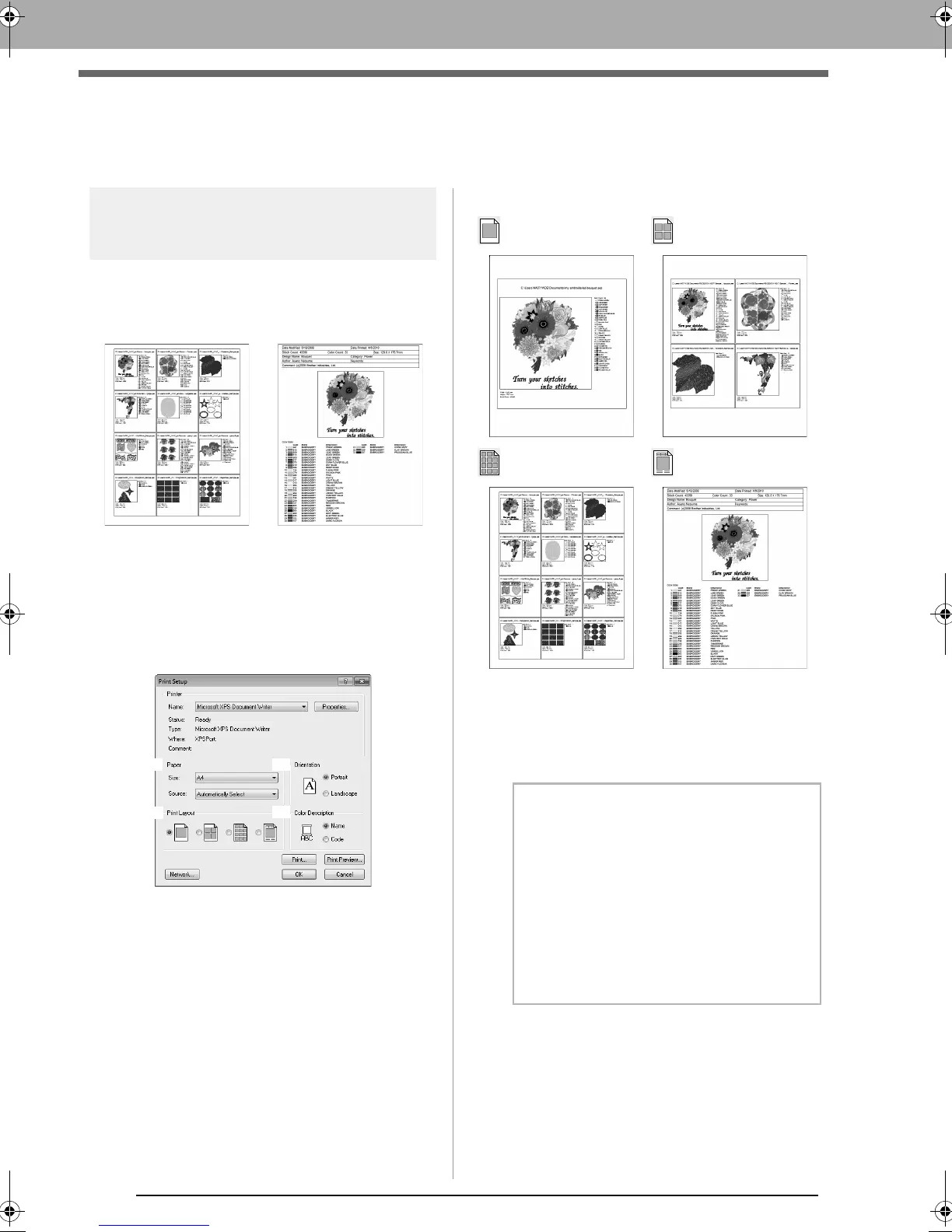
Images of all embroidery designs in the selected
folder can be printed as a catalog or as an
instruction guide.
1. In the folder pane, select the folder containing
the embroidery designs.
2. Click File, then Print Setup.
3. Under Paper (1) and Orientation (2), select
the appropriate settings.
4. Select Print Layout (3).
5. Under Color Description (4), select whether
the thread colors appear as the name of the
color or as the brand and thread number.
6. Click Print.
Catalog style 1 Catalog style 4
Catalog style 12 Instruction Guide style
b Memo:
• If one or more embroidery designs were
selected in the contents pane, only the
selected designs are printed.
• If the brand name, thread number or file
properties is too long, some of the text may
not be printed.
•If
File
, then
Print
is clicked, the embroidery
designs are printed according to the
settings already selected in the
Print Setup
dialog box.
XE8656-001.book Page 226 Monday, May 24, 2010 5:44 PM



 To Next Page
 Loading...


