61
Applying Sewing Attributes to Lines and Regions
Basic Layout & Editing Operations
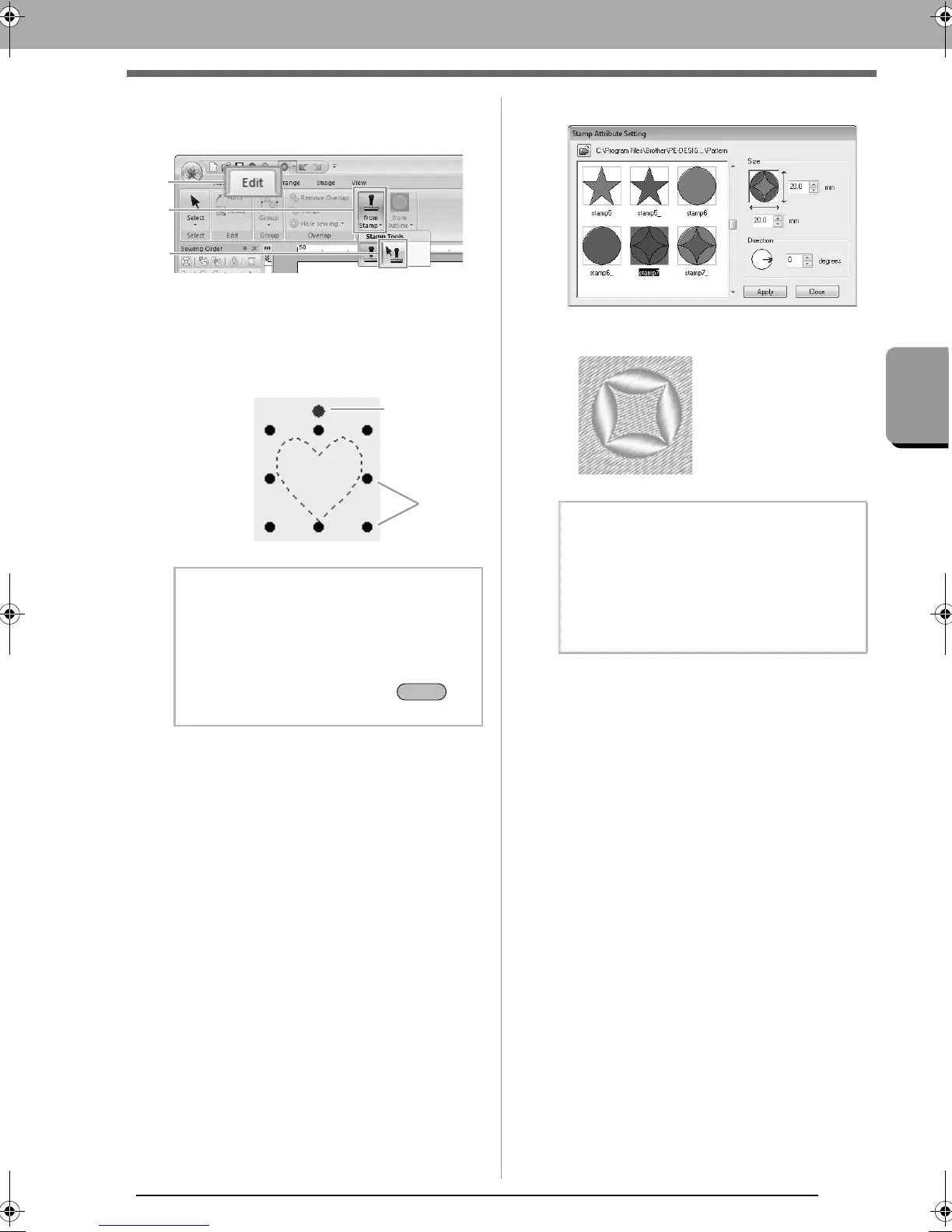
■ Editing a stamp
1. Click 1, then 2, then 3.
2. Click the object with the stamp.
“Marching lines” appear around the
selected object.
3. Click the stamp.
4. Edit the stamp.
• To change the stamp pattern, select a
different pattern, and then click Apply.
b Memo:
• Only one stamp can be selected at a time.
• To enlarge the pattern, drag a scale handle.
• To rotate the pattern, drag the rotation
handle.
• To delete the pattern, press the
key.
Scale
handles
Rotation handle
b Memo:
• If the size of a pattern is changed, the size
of the stamp does not change. Be sure to
check the stamp after editing a pattern.
• If a pattern containing a stamp is edited, be
sure to check the stamp after editing is
finished.
le_basic.fm Page 61 Thursday, May 27, 2010 8:18 PM



 To Next Page
 Loading...


