59
Applying Sewing Attributes to Lines and Regions
Basic Layout & Editing Operations
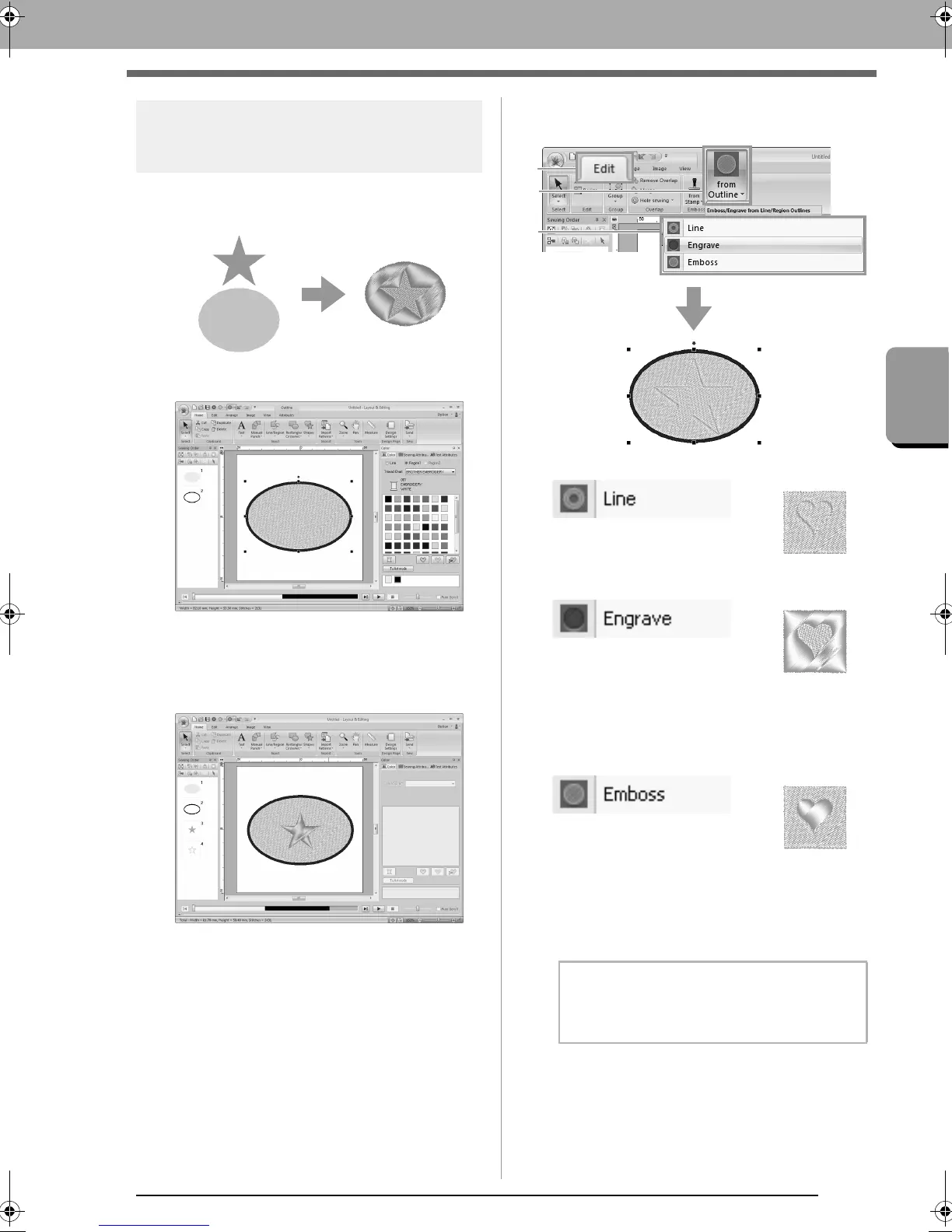
Embossing/Engraving
Multiple patterns can be selected to create an
engraved/embossed effect.
1. Draw a shape.
In this example, the fill stitch is selected for
region sewing.
2. Draw a shape overlapping the shape drawn in
step 1.
3. Select the two shapes, and then click 1, then
2, then 3.
The bottom pattern is
engraved with the outline of
the shape on top.
An engraving is made in the
bottom pattern from the
shape on top.
For best result, select Satin
Stitch for region sewing of
the bottom pattern.
An embossing is made in
the bottom pattern from the
shape on top.
For best result, select Fill
Stitch for region sewing of
the bottom pattern.
b Memo:
This effect can be edited with the Edit Stamp
tool.
XE8656-001.book Page 59 Monday, May 24, 2010 5:44 PM



 To Next Page
 Loading...


