MVX250i E, MVX200i E, MVX200 E
DISASSEMBLING
28
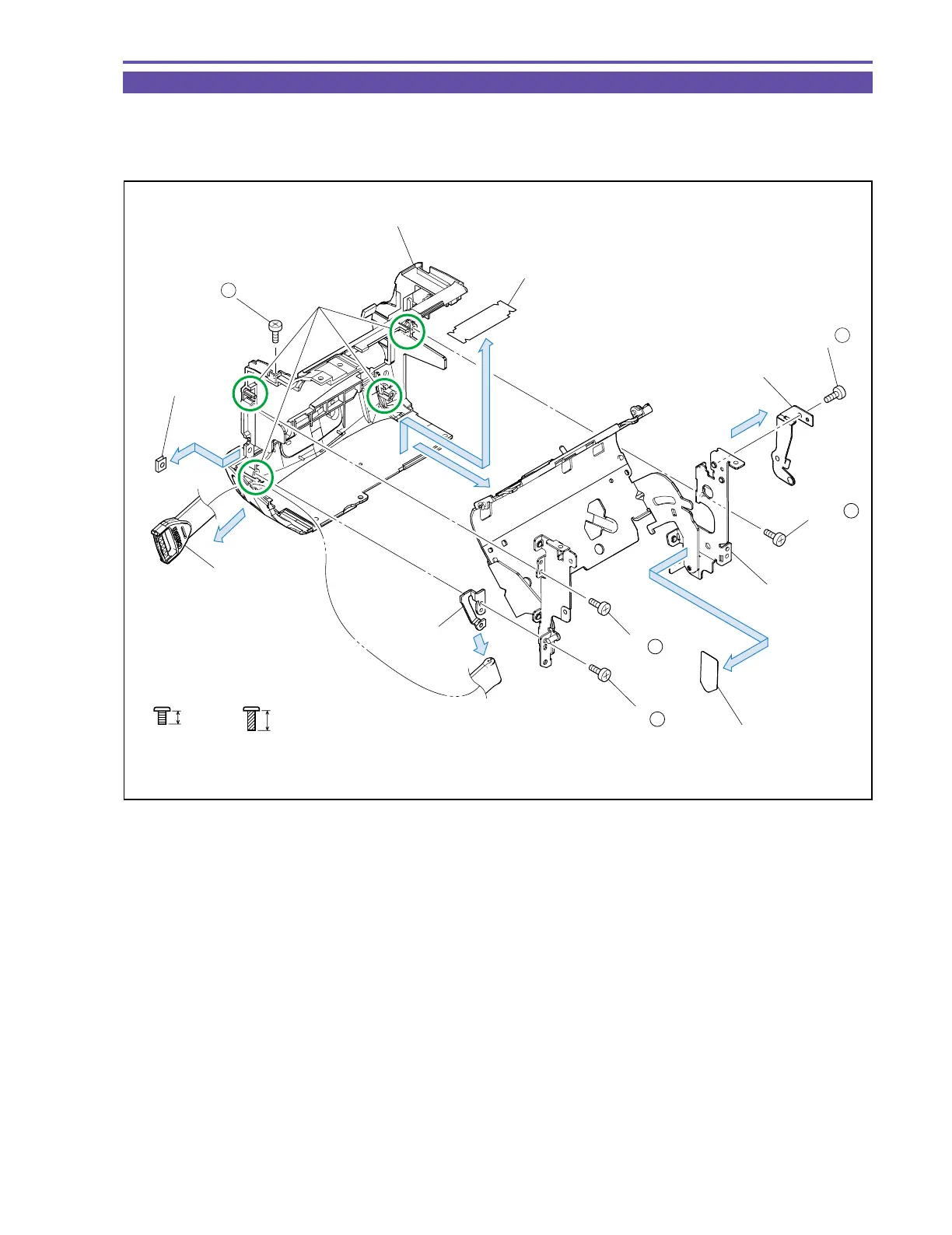
1-20 Disassembly of Left Cover Unit - 3
(1) Remove four screws (d × 1, t × 3), and detach the Cassette Arm Ass’y, Grip Hook Pin, and Grip Hook.
(2) Remove one screw (d × 1), and detach the Click Spring.
(3) Detach the GND Tape1, 2 and the Cassette Arm Sheet.
3mm
Metal
M1.7
d
Black
M1.7
(self tap)
4.5mm
t
Left Cover
(2)
(1)
(3)
(3)
(1)
(1)
(3)
Click Spring
Cassette Arm Ass'y
Cassette Arm Sheet
GND Tape 1
GND Tape 2
Grip Hook
Grip Hook Pin
Dowel A
(1) - d
(2) - d
(1) - t
(1) - t
(1) - t
Fig. 25



 To Next Page