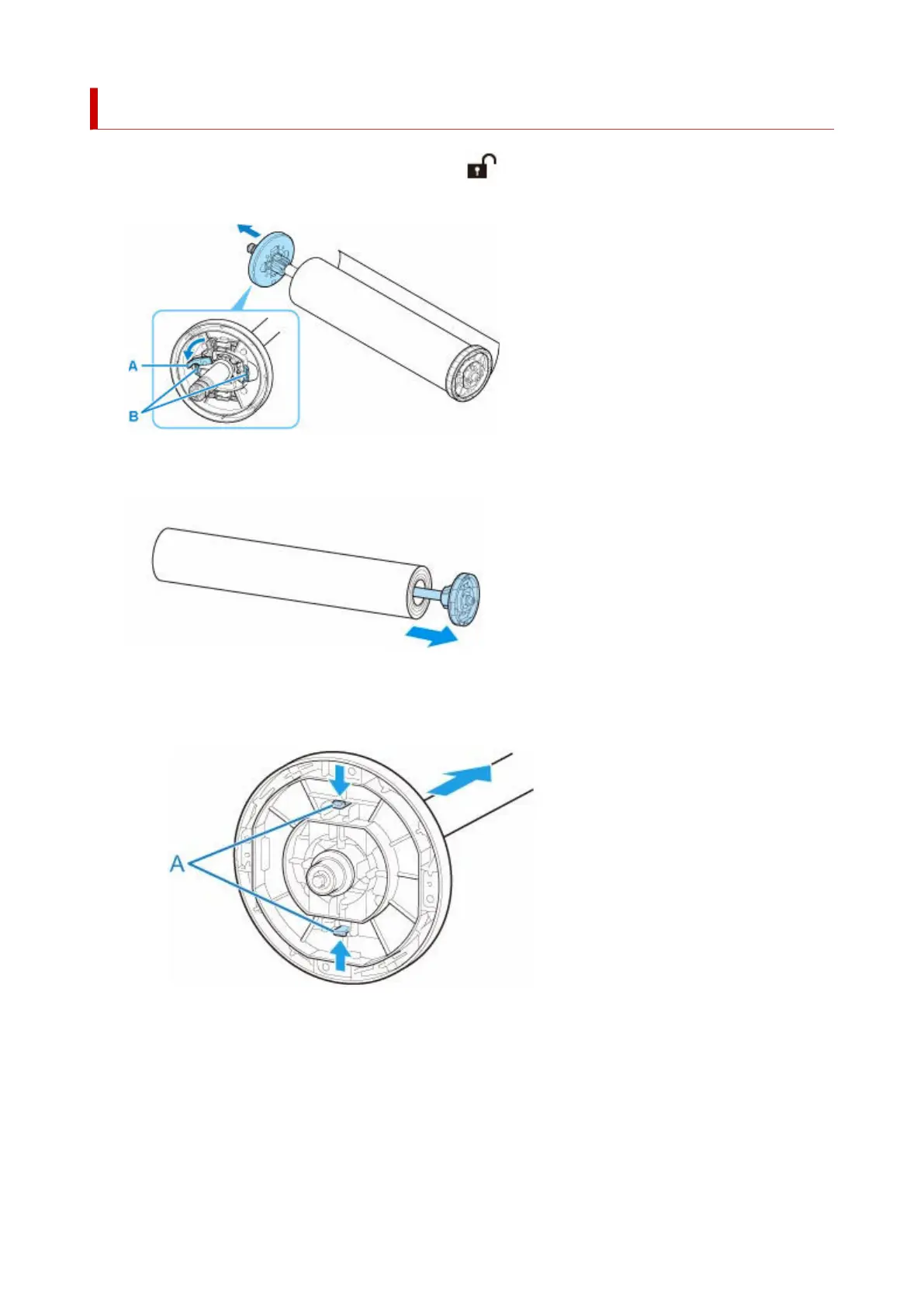
Removing Rolls From the Roll Holder
1. Rotate the holder stopper lever (A) towards to release the lock, and while holding it in1.
position (B), remove holder stopper from the roll holder.
2.
Remove roll holder from roll paper.
2.
3. To remove 3-Inch Paper Core Attachment, press tabs (A) inward and remove attachment.3.
• roll holder Side•
•
holder stopper Side
•
124












 To Next Page