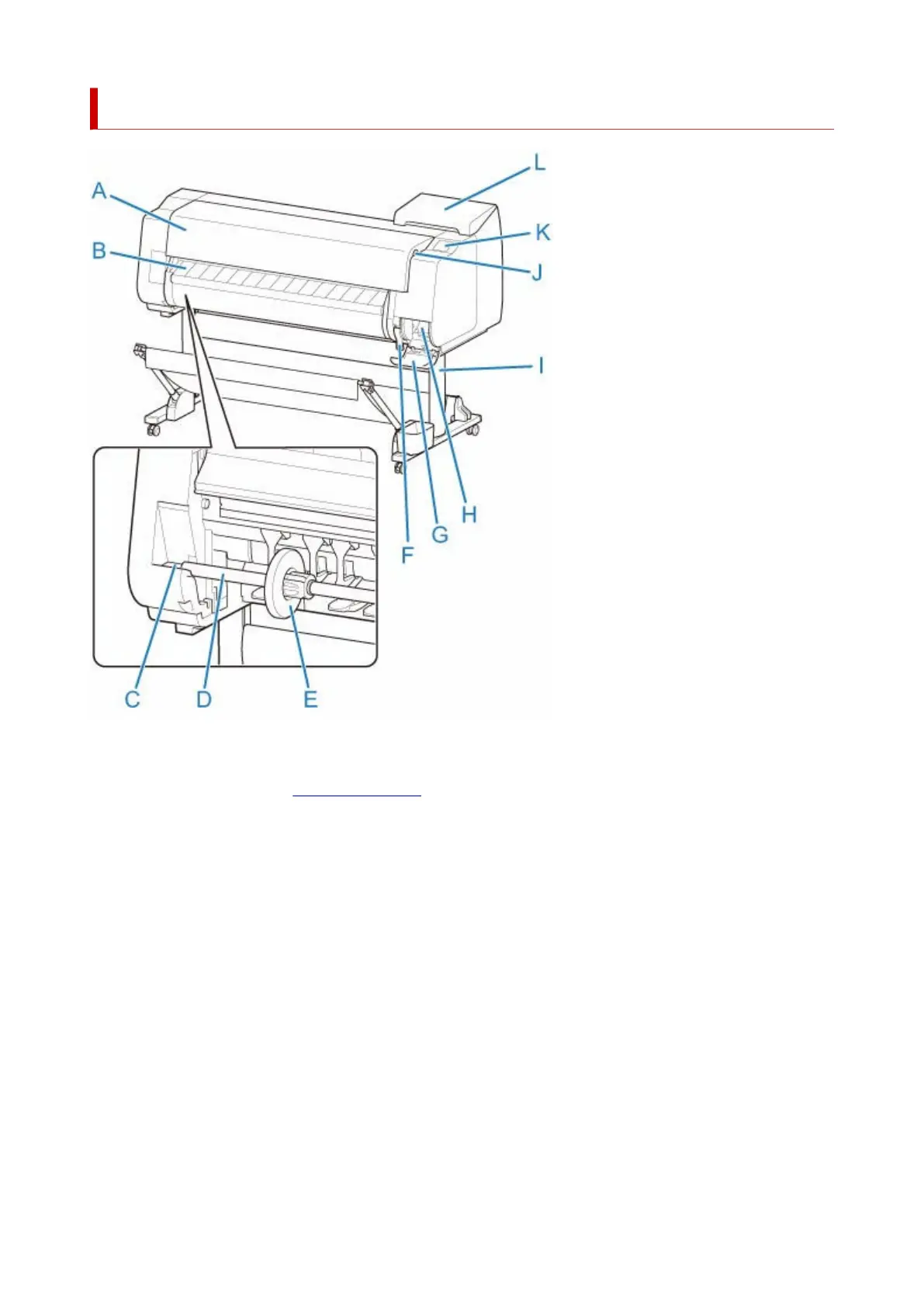
Front
(A) Top Cover
Open this cover to install the print head, load paper, and remove any jammed paper from inside the
printer as needed. (See "Top Cover (Inside).")
(B) Output Guide
Guides printed documents as they are ejected. Open this guide when loading a roll.
(C) Roll holder Slot
Slide the Roll Holder into this slot.
(D) Roll Holder
Load the roll on this holder.
(E) Holder Stopper
Secure the roll on the Roll Holder with this part.
(F) Release Lever
To release paper retainer, lift the lever.
(G) Maintenance Cartridge Cover
Open this cover to replace the maintenance cartridge.
43












 To Next Page