Printing with ICC Profiles (Specifying an ICC Profile from the
Printer Driver)
Print from an application software that cannot identify or specify input ICC profiles by using the color space
of the input ICC profile (sRGB) found in the data.
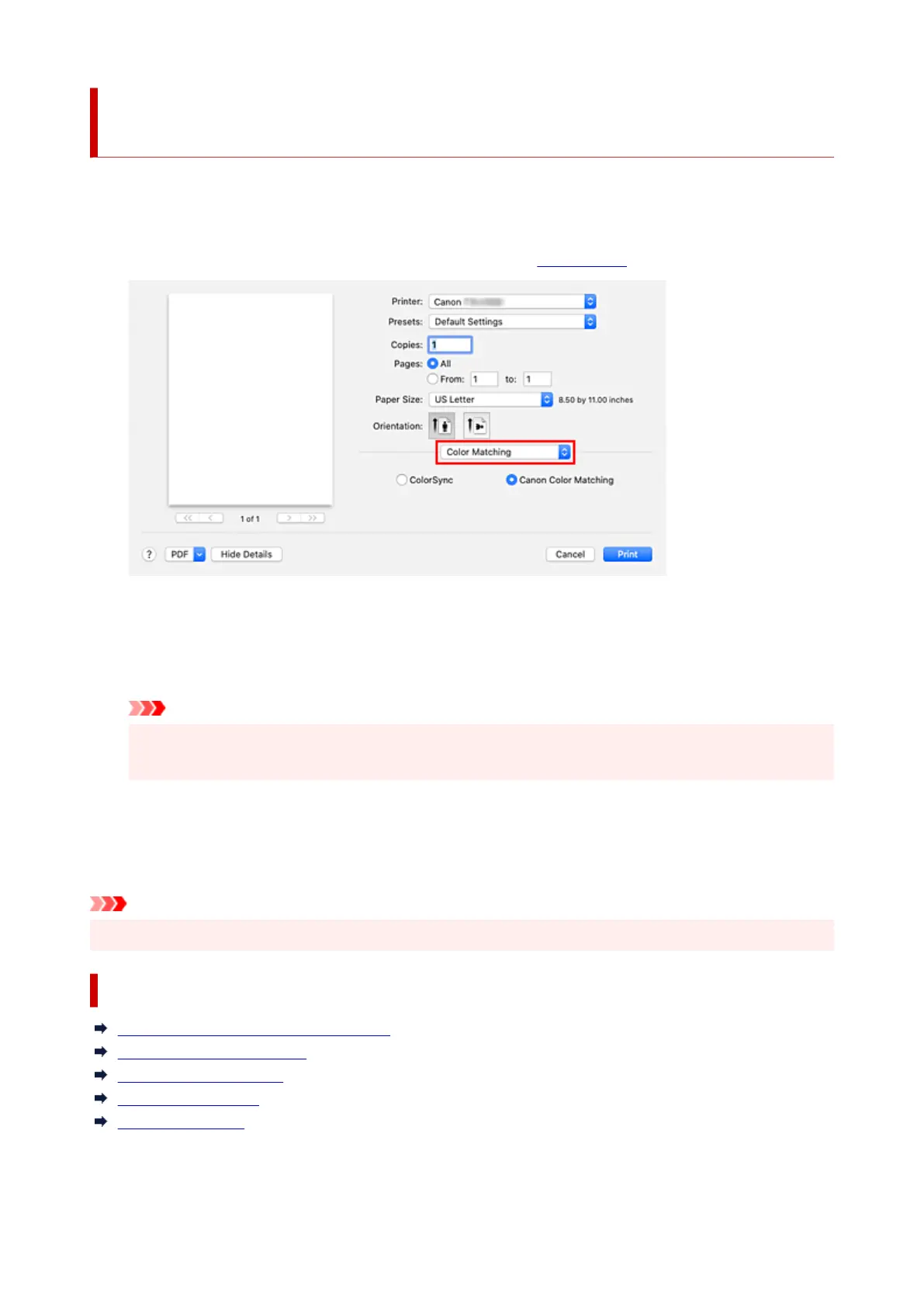
1. Select Color Matching from the pop-up menu of the Print Dialog1.
2. Select color correction2.
Select ColorSync.
You can leave Profile set to Automatic.
Important
• If you choose a Profile setting other than Automatic or "Printing Paper ICC Profile", the printer
will not be able to print with the correct colors.
3. Complete the setup3.
Click Print.
When you execute print, the printer uses the color space of the image data.
Important
• You cannot specify an input ICC profile from the printer driver.
Related Topics
Setting the Print Quality Level (Custom)
Specifying Color Correction
Adjusting Color Balance
Adjusting Brightness
Adjusting Contrast
592












 To Next Page