Canceling Print Jobs from macOS
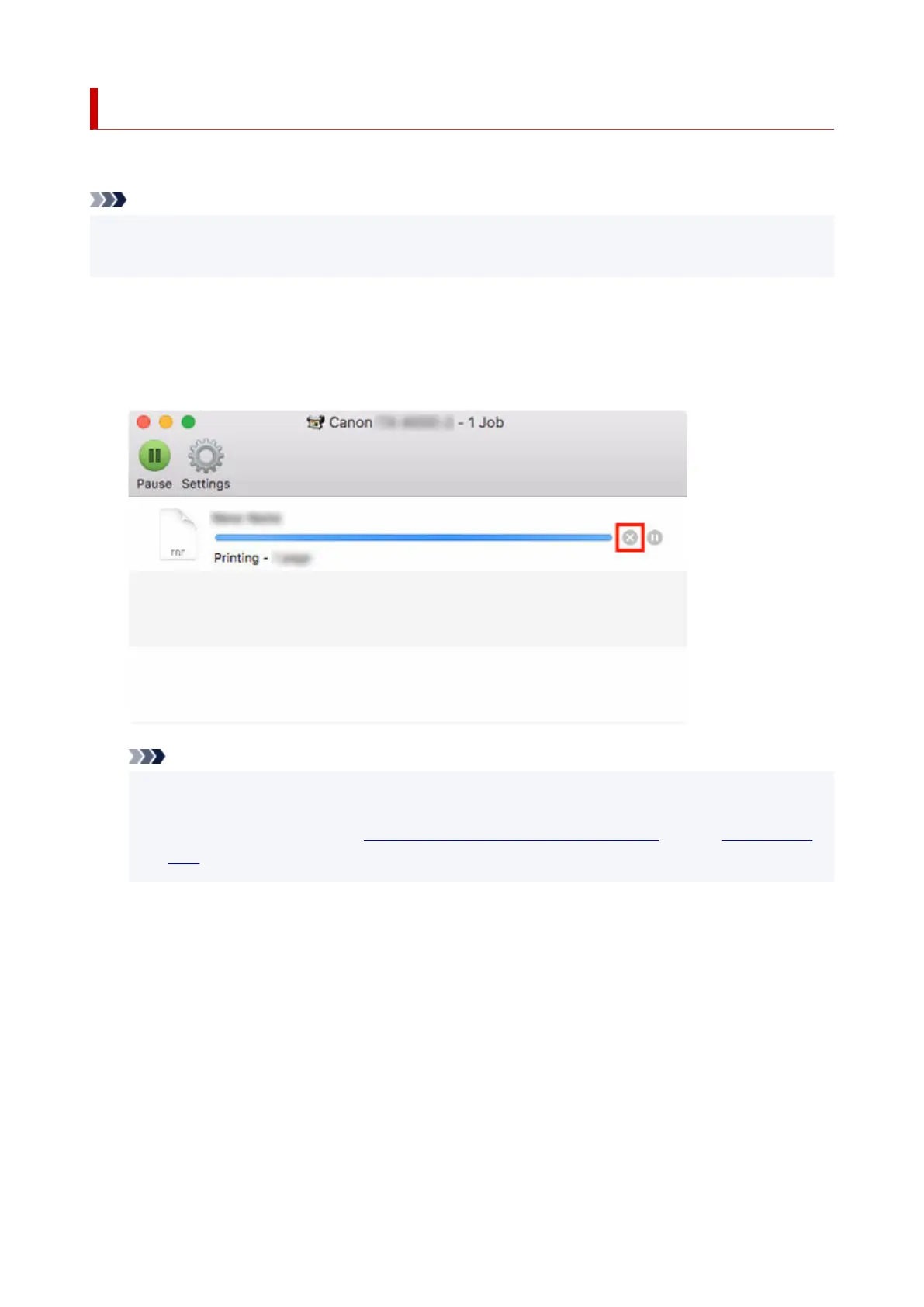
In the printer window, you can cancel jobs that are being sent to the printer.
Note
• Print jobs are shown in the printer window while they are being sent from the computer. After•
transmission, jobs are not displayed even during printing.
1.
Click the printer icon in the Dock to display the printer window.
1.
2.
Either click × for the job to cancel printing or select the job to cancel printing and then click
2.
Delete to delete the job.
Note
• If the job to be canceled is not shown in the printer window (that is, if the print data has already•
been received by the printer), you can cancel printing from the operation panel on the printer or
from RemoteUI. For details, "
Canceling Print Jobs from the Control Panel" or see "Deleting Print
Jobs."
81












 To Next Page