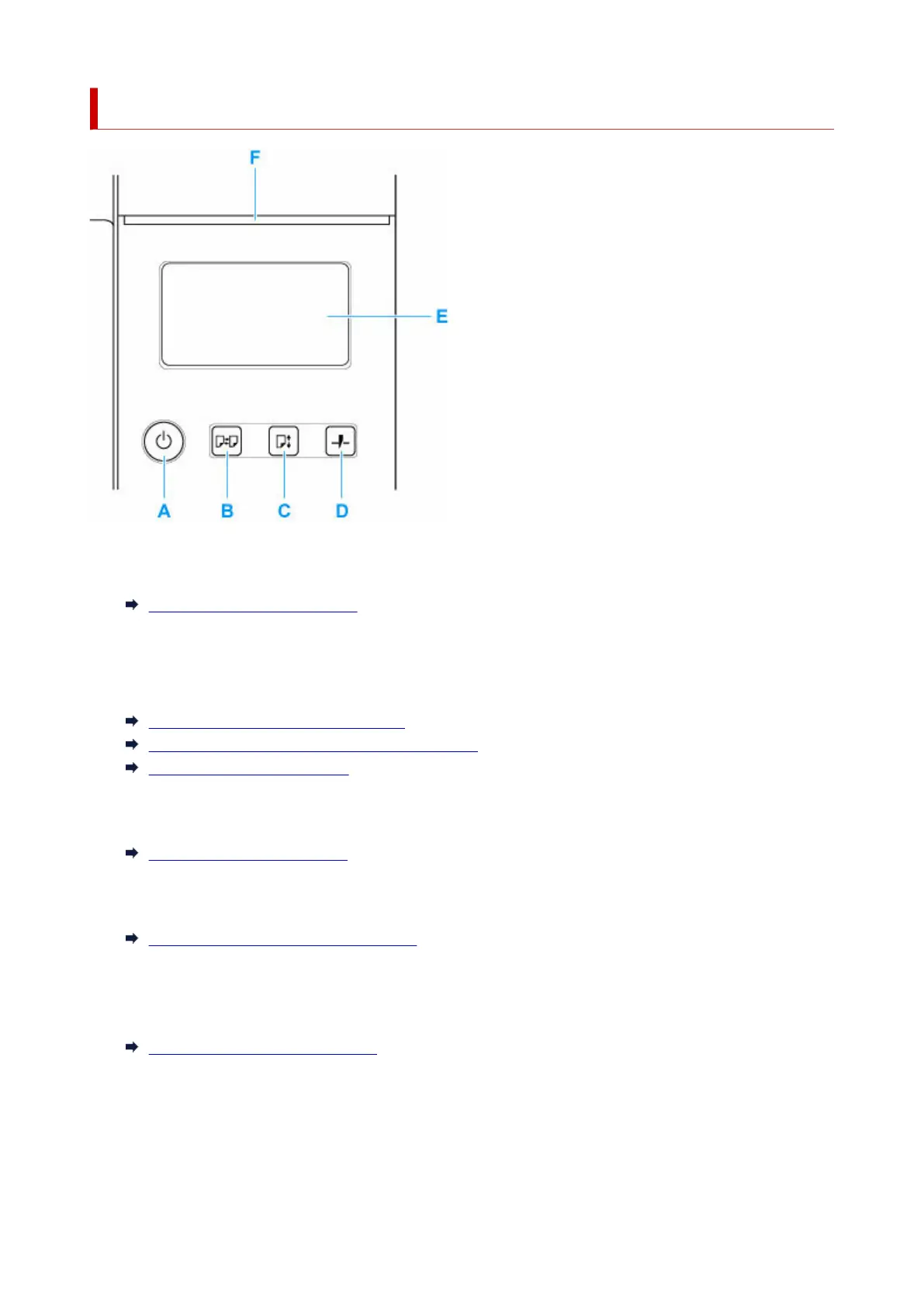
Operation Panel
A: ON button/ON lamp
Turns the printer on and off.
Turning the Printer On and Off
The ON lamp is lit when the printer is on or in Sleep mode.
B: Load button
Loads the paper when it is set or replaced.
Loading the Upper Roll on the Printer
Loading the Lower Roll on the Roll Unit (Option)
Loading Sheets in the Printer
C: Feed button
Changes the paper position when the roll paper is loaded.
Feeding Roll Paper Manually
D: Cut button
Cuts the paper when the roll paper is loaded.
Specifying the Cutting Method for Rolls
E: Touch Screen
Shows printer menus, as well as the printer status and messages. You can select menu items and
display buttons by gently touching the screen with your fingertip.
Home Screen Menu Composition
F: Status lamp
• Flashing (white)•
During printing, this lamp flashes when the printer is receiving or processing print jobs. Otherwise,
this lamp flashes when the print job is paused or the printer is updating the firmware.
50












 To Next Page