Loading the Upper Roll on the Printer
Follow these steps to load rolls in the printer.
When selecting Enable in Roll paper auto feed, the roll paper is fed automatically by simply loading it.
Important
• Always load rolls when the printer is on. If the printer is off when you load a roll, the paper may not be•
advanced correctly when you turn the printer on.
• Before loading a roll, confirm whether the inside of the top cover or the output guide is soiled. If these•
areas are dirty, we recommend cleaning them in advance. (See "Cleaning Inside the Top Cover.").
• If Paper retention settings is set to Release, the roll paper is not fed automatically.•
• For details on the paper that can feed roll paper automatically, see "Paper Information List."•
Note
• When using the roll unit, you can also load roll paper on the roll unit separately from the printer that is•
described here. (See "Loading the Lower Roll on the Roll Unit (Option).")
• When roll paper cannot be fed automatically, see "Roll Paper Is not Switched Automatically."•
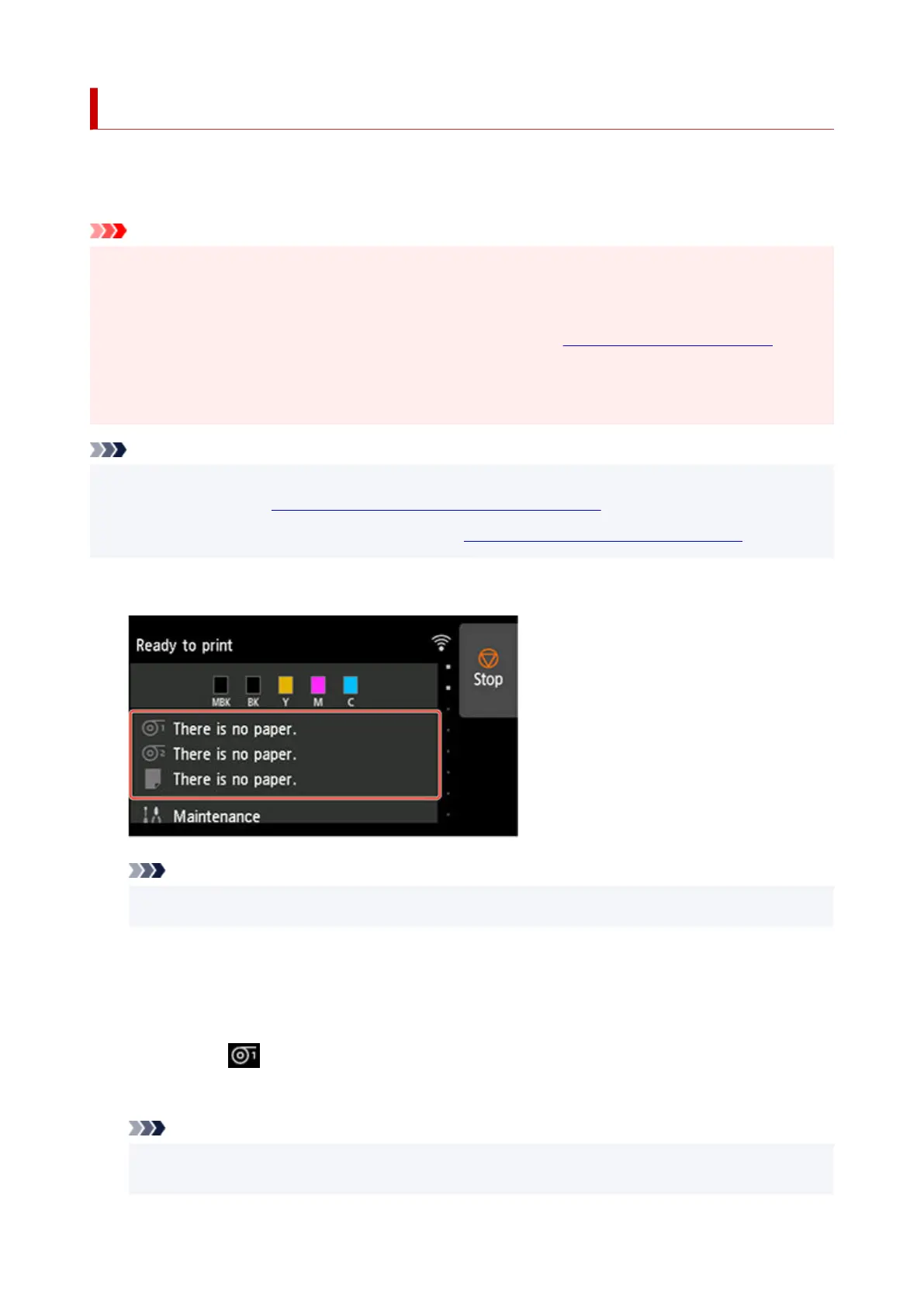
1. Tap paper settings display area on Home screen of touch screen.1.
Note
•
If the Home screen does not appear, tap the HOME button.
•
•
When selecting Enable in Roll paper auto feed.
•
Go to step 2.
•
When selecting Disable in Roll paper auto feed.
•
1.
Tap area.
1.
2.
Tap Load paper or Replace paper, check message that appears, and then tap Yes.
2.
Note
•
If any cut sheet has been fed, or roll paper that will not be used has been fed from Roll 1 (Upper),
•
a message is shown requesting you to remove it.
98












 To Next Page