Pen 0 to Pen 15
Specifies Width, Color, and Line attributes settings for each of the 16 pens (numbered 0 to 15) that make
up each palette.
This setting item is displayed by tapping in the following order.
Printer settings > Print settings > HP-GL/2 print settings > Line & pen manager > Pen setup > Define
palette > Palette A or Palette B
• Width•
Specifies the line width as one of the values below.
0.04mm/0.08mm/0.13mm/0.18mm/0.25mm/0.35mm
0.50mm/0.65mm/0.70mm/0.80mm/0.90mm/1.0mm
1.4mm/2.0mm/3.0mm/5.0mm/8.0mm/12.0mm
• Color•
Specifies the line color from the color palette number from 0 to 255 indicated by the color sample printed
with Print color list for palettes.
• Line attributes•
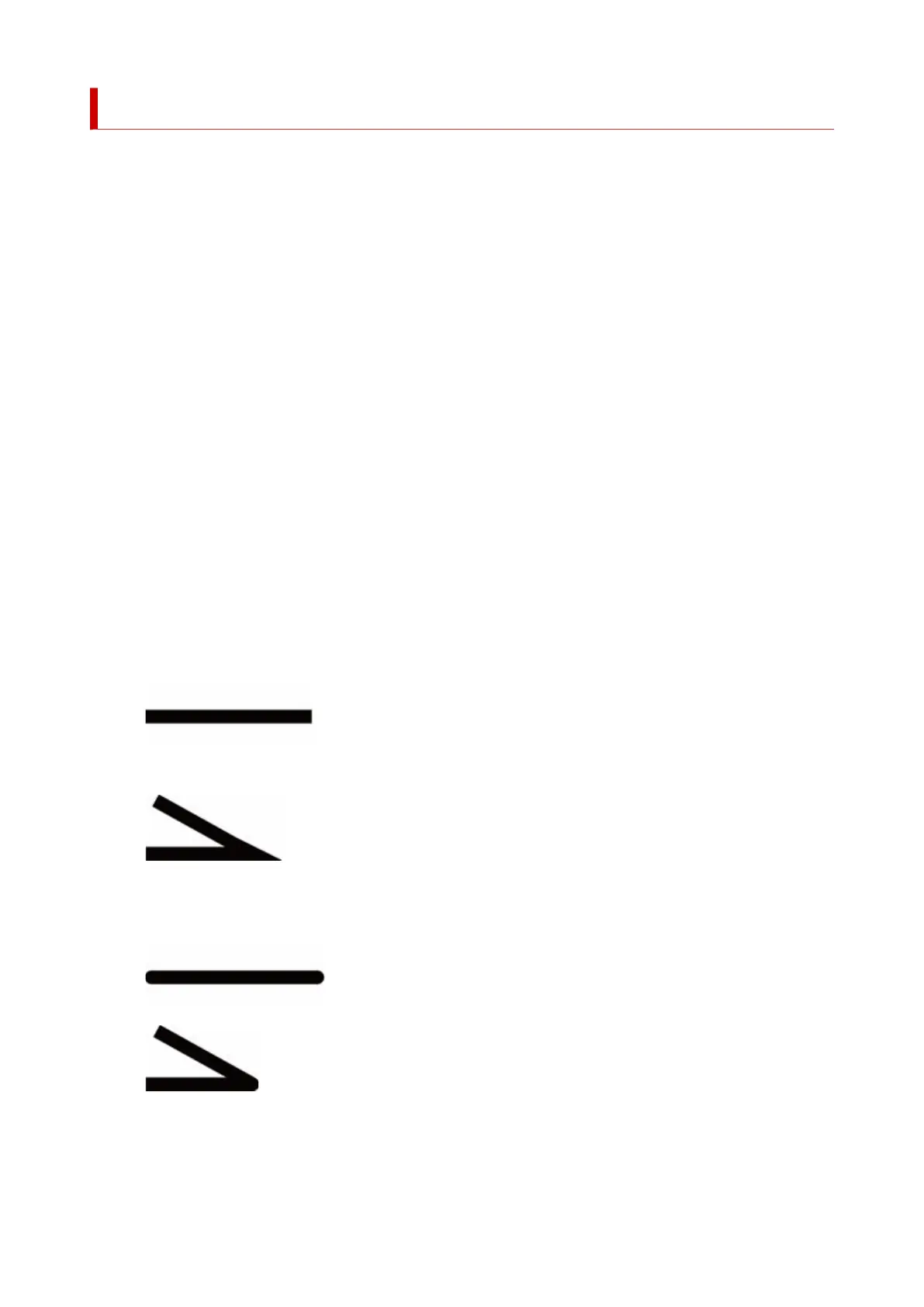
Specifies line cap and joint attributes.
◦ No setting◦
Leaves line caps unchanged.
Leaves line joints mitered.
◦ Circle settings◦
Rounds line caps and line joints.
307












 To Next Page