Printing by Automatically Switching Upper-level and Lower-
level Roll Papers
You can print by automatically switching Roll Paper 1 and Roll Paper 2 depending on the print job.
The procedure for printing by automatically switching Roll Paper 1 and Roll Paper 2 is as follows:
1. Select the paper size from the Print Dialog1.
For the Paper Size, select the same size as the source document created by the application software.
2.
Select Quality & Media from the pop-up menu
2.
3.
Select the media type
3.
For Media Type, select the same paper type loaded in the printer.
If Auto (Use Printer Settings) is selected, the paper configured in printer settings is printed.
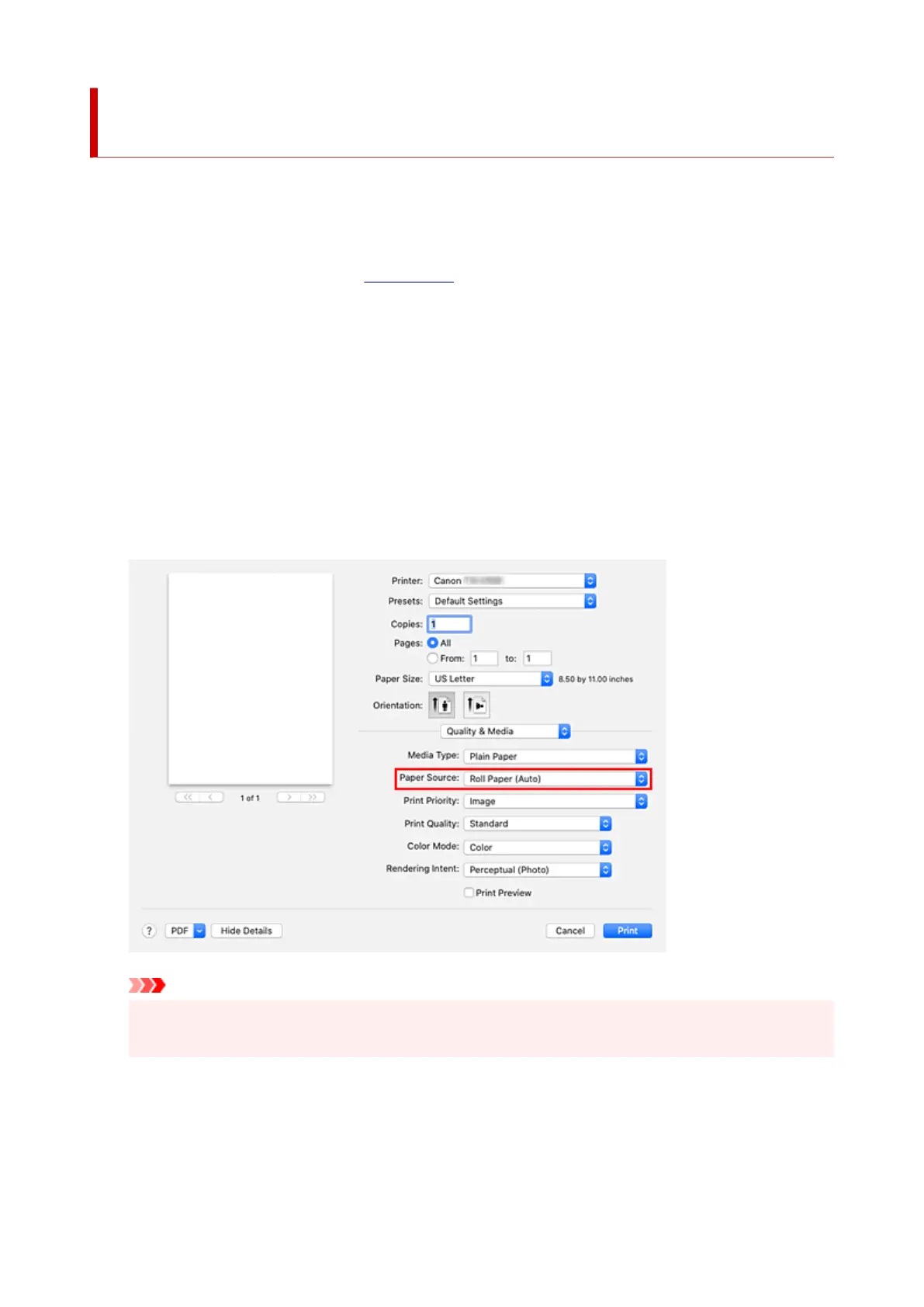
4. Select the paper source4.
For Paper Source, select Roll Paper (Auto).
Important
•
The paper feed method will differ depending on the lower level (roll paper 2) settings or roll unit
option settings.
5.
Select Page Processing from the pop-up menu
5.
6.
Selecting Roll Paper Width
6.
For Roll Paper Width, select the width of the roll paper loaded in the printer.
569












 To Next Page