Adjusting Color Balance
You can adjust the color tints when printing.
Since this function adjusts color balance of the output by changing the ink ratios of each color, it changes
the total color balance of the document. Use the application software when you want to change the color
balance significantly. Use the printer driver only when you want to adjust the color balance slightly.
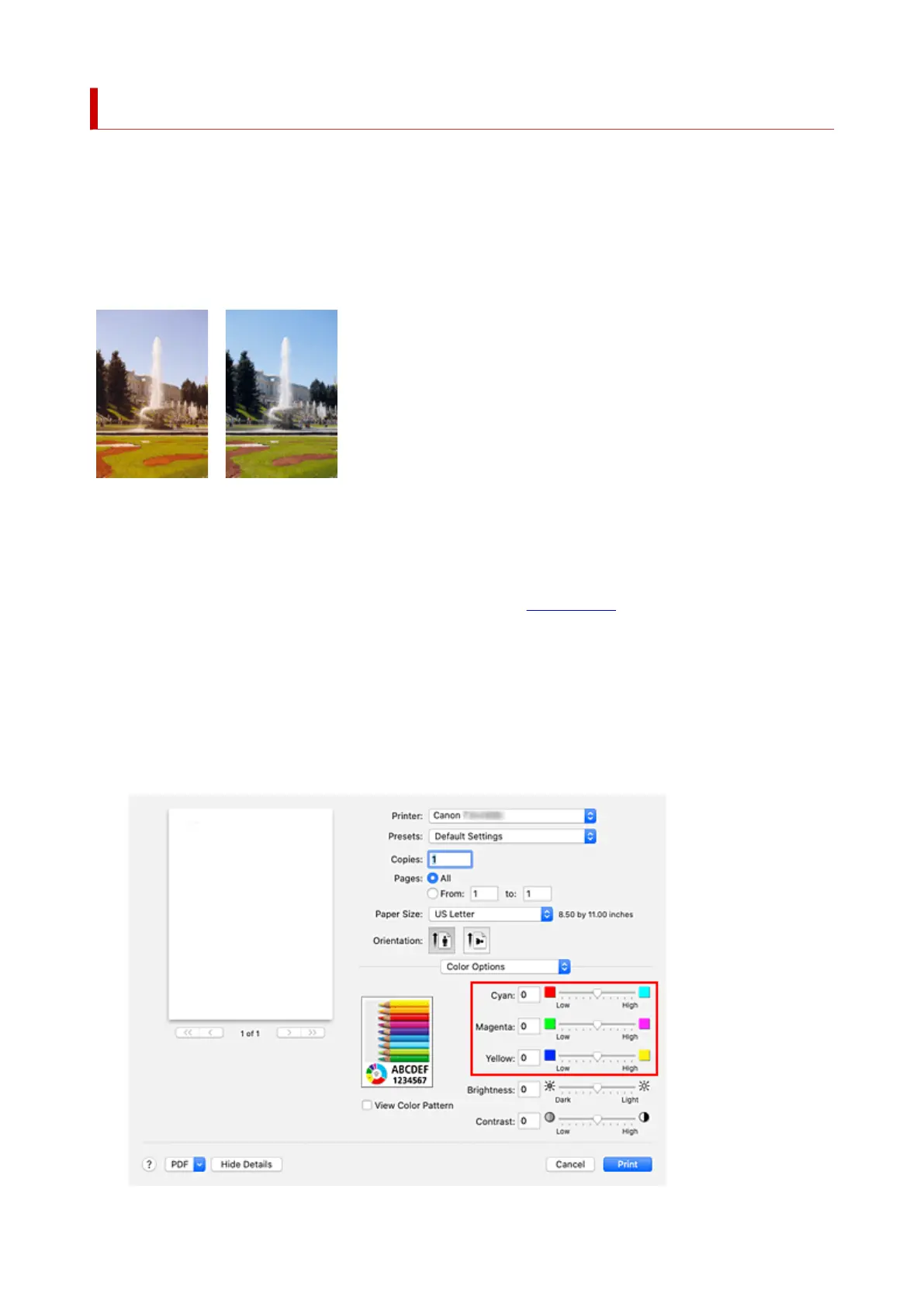
The following sample shows the case when color balance is used to intensify cyan and to diminish yellow so
that the overall colors are more uniform.
No adjustment Adjust color balance
The procedure for adjusting color balance is as follows:
1. Select Color Options from the pop-up menu of the Print Dialog1.
2. Adjust color balance2.
There are individual sliders for Cyan, Magenta, and Yellow. Each color becomes stronger when the
corresponding slider is moved to the right, and becomes weaker when the corresponding slider is moved
to the left. For example, when cyan becomes weaker, the color red becomes stronger.
You can also directly enter a value linked to the slider. Enter a value in the range from -50 to 50. The
current settings are displayed in the settings preview on the left side of the printer driver.
579












 To Next Page