Registering a Changed Printing Profile
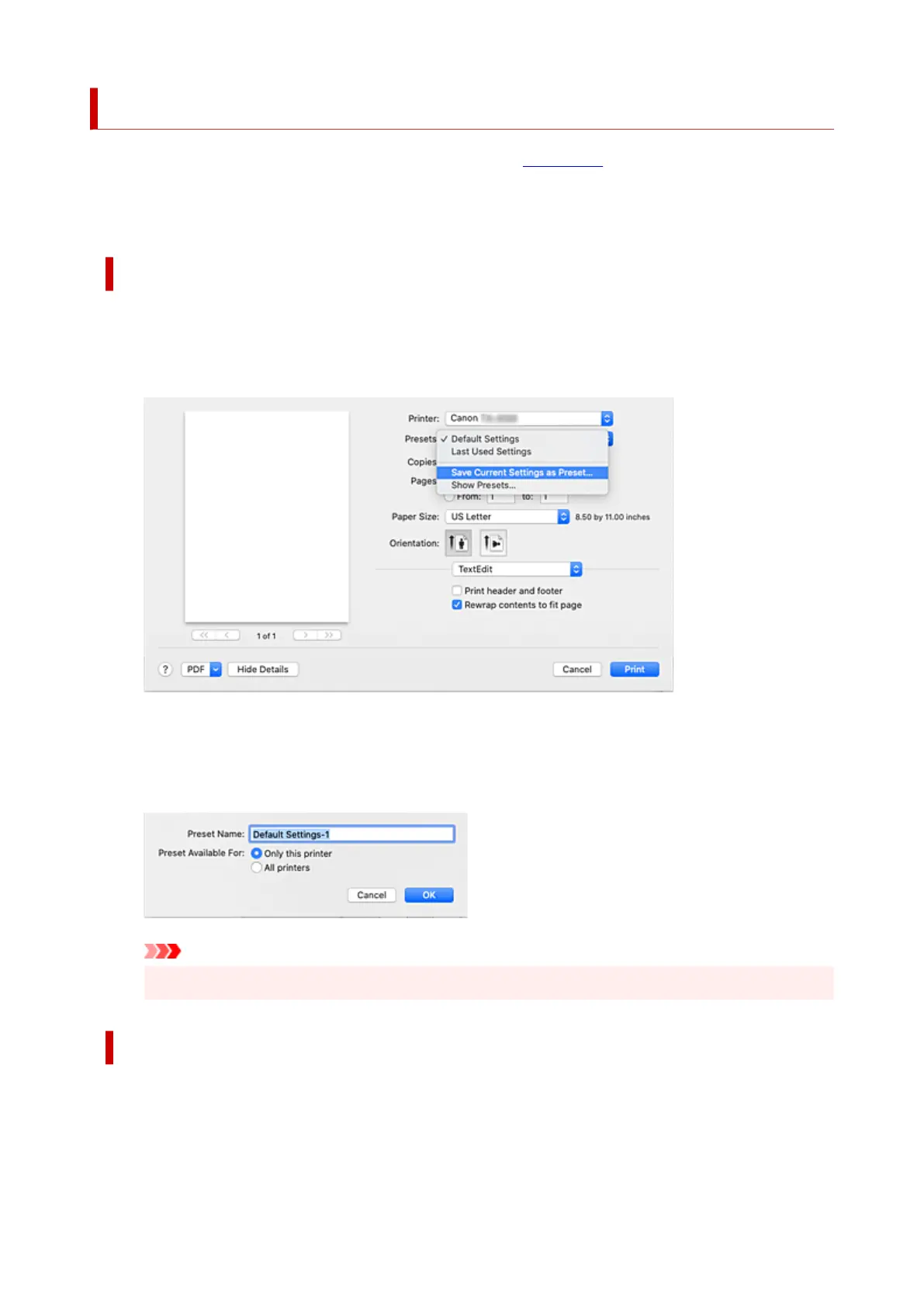
You can name and register the printing profile you made in the Print Dialog. The registered printing profile
can be called up from Presets to be used. You can also delete the unnecessary printing profile.
The procedure for registering a printing profile is as follows:
Registering a Printing Profile
1.
In the Print dialog, set the necessary items
1.
2.
Select Save Current Settings as Preset... from the Presets
2.
3.
Save the settings
3.
In the displayed dialog, enter a name in Preset Name, and if necessary, set Preset Available For.
Then click OK.
Important
•
There are also print settings that cannot be saved to preset.
Using Registered Printing Profile
1.
On Presets in the Print dialog, select the name of printing profile you want to use
1.
Printing profile in the Print dialog will be updated to the called profile.
665












 To Next Page