Printing from macOS
Print from the application menu after registering the printer.
Important
• We recommend exiting unnecessary applications before printing. Running several applications while•
printing may interrupt the transfer of print data and affect printing quality.
Registering the printer
The printer needs to be registered in Print & Scan (identified as Printers & Scanners or Print & Fax in
other versions of macOS X) in System Preferences before printing.
For instructions on registering printers, see "Sharing the Printer on a Network (macOS)."
Important
• During this setup process, the printer will not be listed among available printers if it is off or•
disconnected.
Printing from the application software
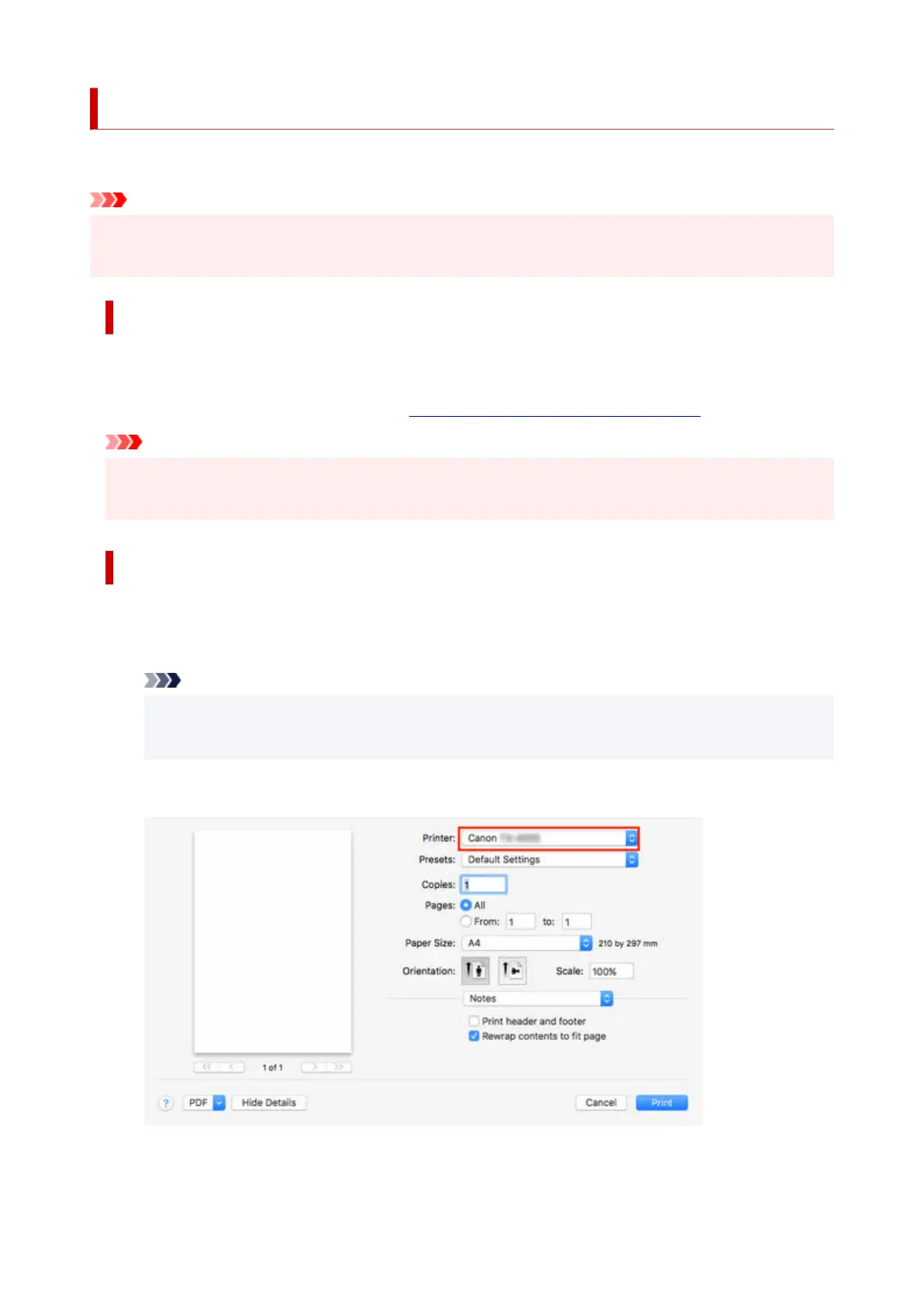
1. In the application software, select Print from the File menu to display the dialog box for1.
printing conditions.
Note
• This dialog box includes basic printing options and enables you to choose the printer, specify•
the range of pages, number of copies, and so on.
2.
Select the printer in the Printer list.
2.
3.
Click Print to start printing.
3.
75












 To Next Page