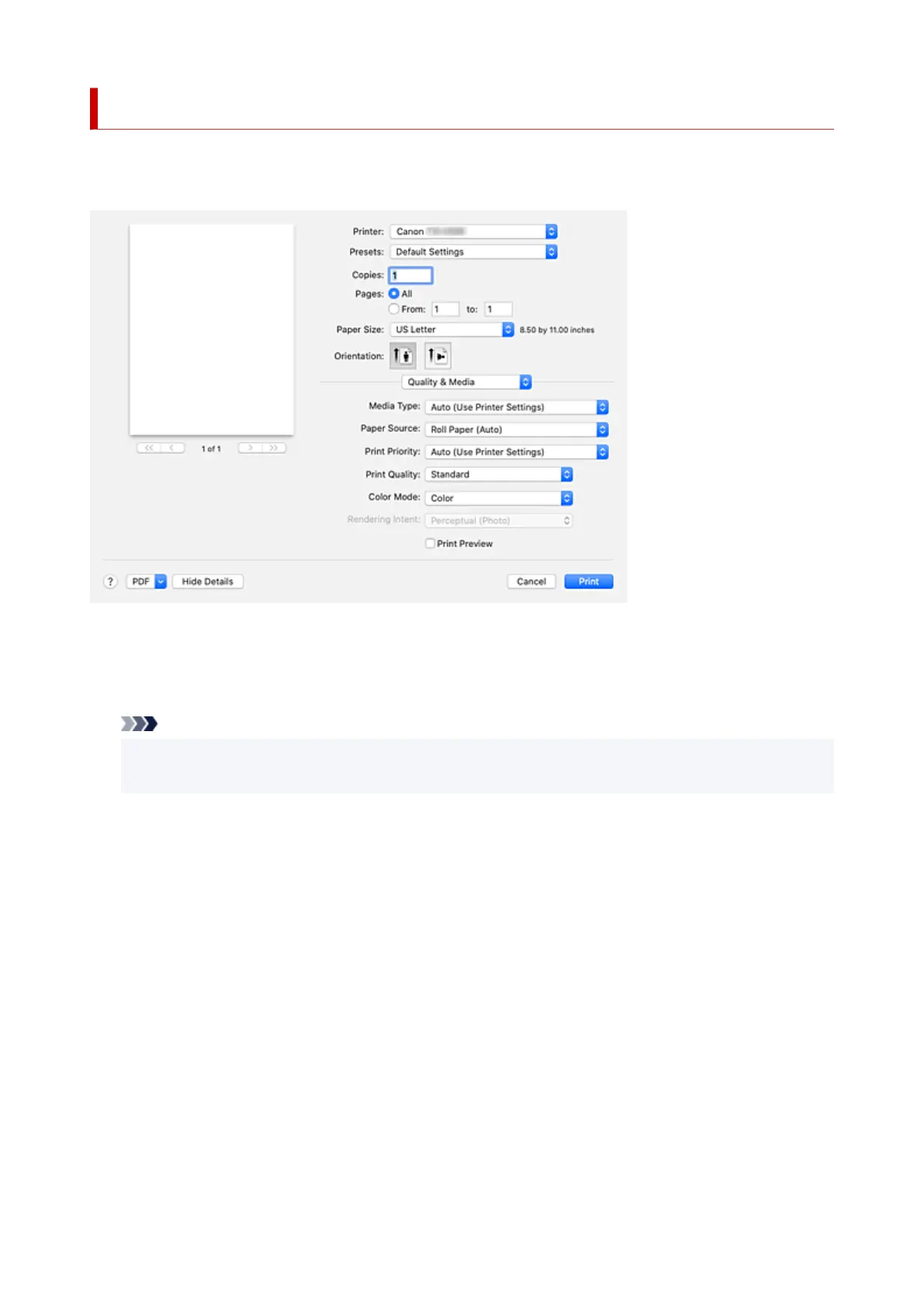
Quality & Media
This dialog allows you to create a basic print setup in accordance with the paper type. Unless special
printing is required, normal printing can be performed just by setting the items in this dialog.
Media Type
Select the type of media to be used.
You must select the type of media actually loaded in the printer. This selection enables the printer to
carry out printing properly for the material of the media used.
Note
• After updating media information of the printer, start up the Canon IJ Printer Utility2 and update
media information.
Paper Source
Select the source from which paper is supplied.
Roll Paper (Auto)
Depending on the paper settings on the printer driver and the paper information registered to the
printer, the printer automatically determines which roll paper to use and then feeds that paper.
Roll 1
Paper is fed from Roll 1.
Roll 2
Paper is fed from Roll 2.
Cut Sheet
Feeds paper using the cut paper.
Print Priority
Select elements to prioritize for print results.
Image
Prioritize image results when printing.
686












 To Next Page