Switching Roll Unit Modes
Before using the roll unit, follow these steps to select the mode you want to use.
Important
• After switching the roll unit function, you must use a separate computer to apply the roll unit settings to•
the printer driver. For details, see "Reflect Roll Unit Settings in the Printer Driver" (Windows) or "Reflect
Roll Unit Settings in the Printer Driver" (macOS).
• If you change the roll unit from a take-up device to a feed device, first cut the paper that has been taken•
up.
1.
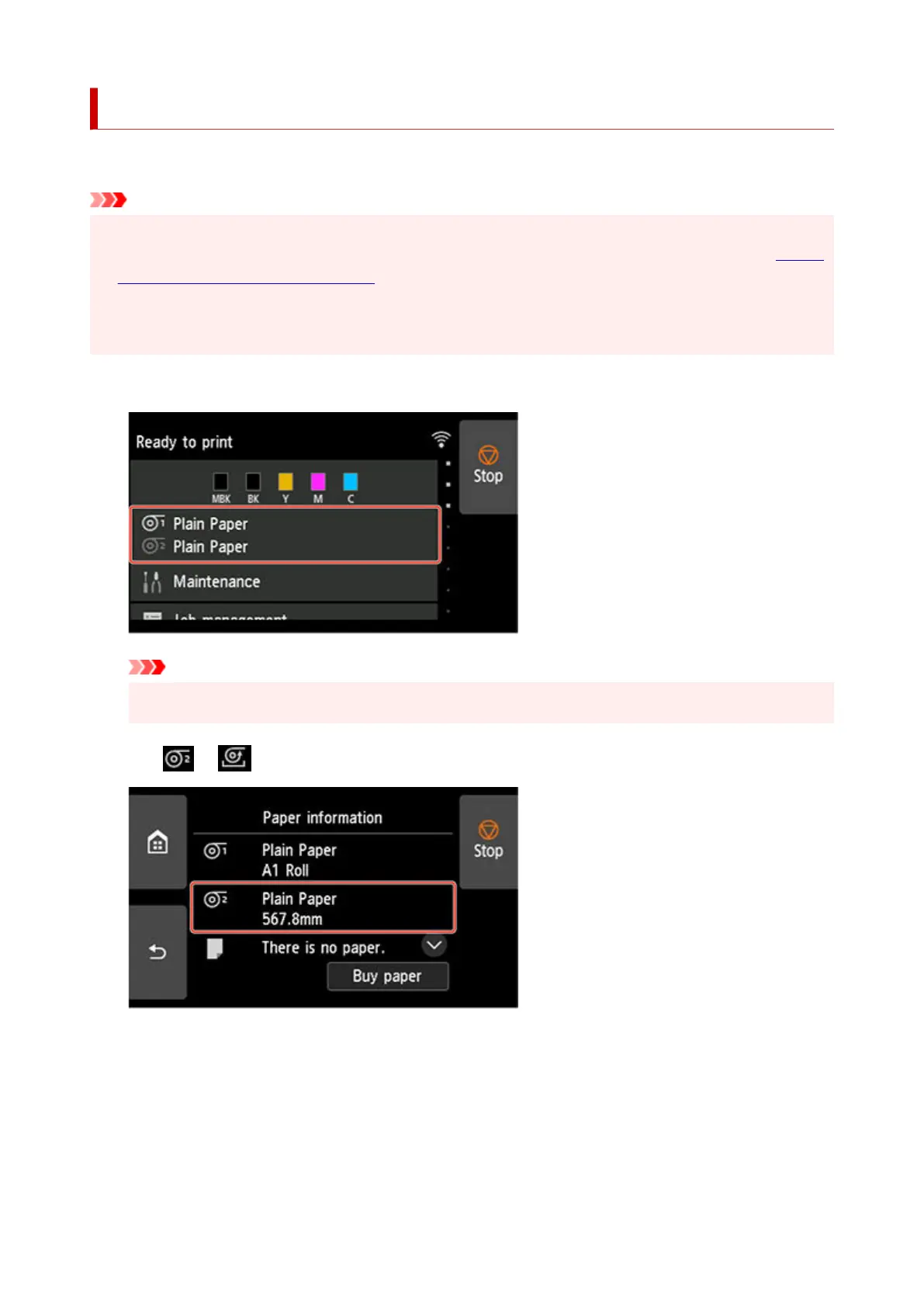
Tap paper settings display area on Home screen of touch screen.
1.
Important
•
If the Home screen does not appear, tap the HOME button.
•
2.
Tap or area.
2.
3.
Change function of roll unit.
3.
•
Using as feed device
•
1.
Tap Roll unit use settings.
1.
2.
Tap ON when message confirming roll unit's change to feed mode appears.
2.
184












 To Next Page