Cutting Roll Paper after Printing
The procedure for cutting roll paper automatically and printing cut guidelines is as follows:
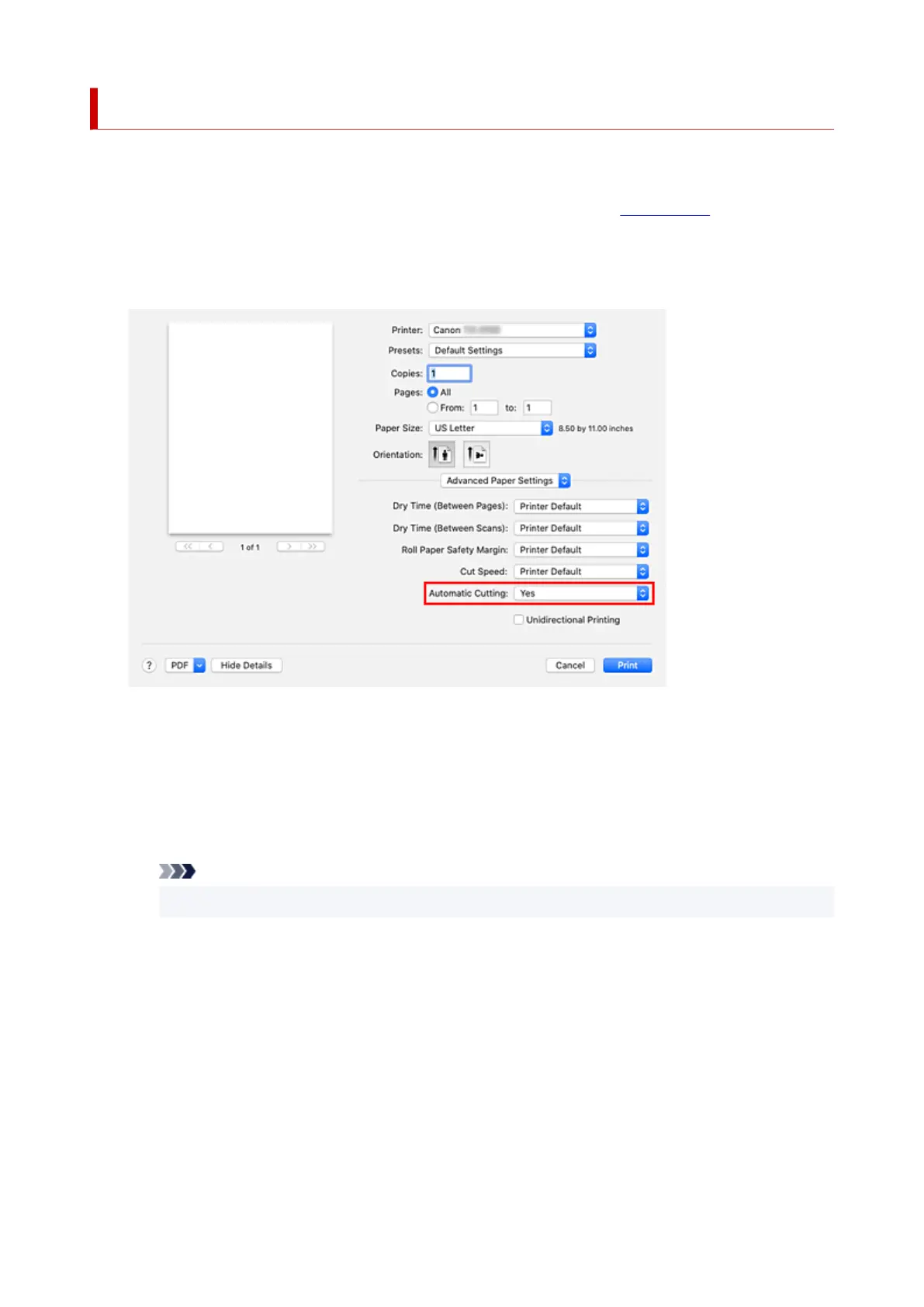
1. Select Advanced Paper Settings from the pop-up menu of the Print Dialog1.
2.
Setting Auto Cut
2.
From Automatic Cutting, select the setting that matches your purpose.
Yes
The roll paper is cut automatically after printing.
None
The roll paper is not cut after printing.
Print Cut Guideline
Cut guidelines are printed for cutting the roll paper manually after printing.
Note
•
The default setting for automatic cutting is Yes.
3.
Complete the setup
3.
Click Print.
When you print, the status after printing is set to whatever was set in Automatic Cutting.
635












 To Next Page