Switching the Paper Source to Match the Purpose
This printer has three paper sources: Roll 1, Roll 2, and Cut Sheet.
You can facilitate printing by selecting a paper source setting that matches your media type or purpose.
The procedure for setting paper source is as follows:
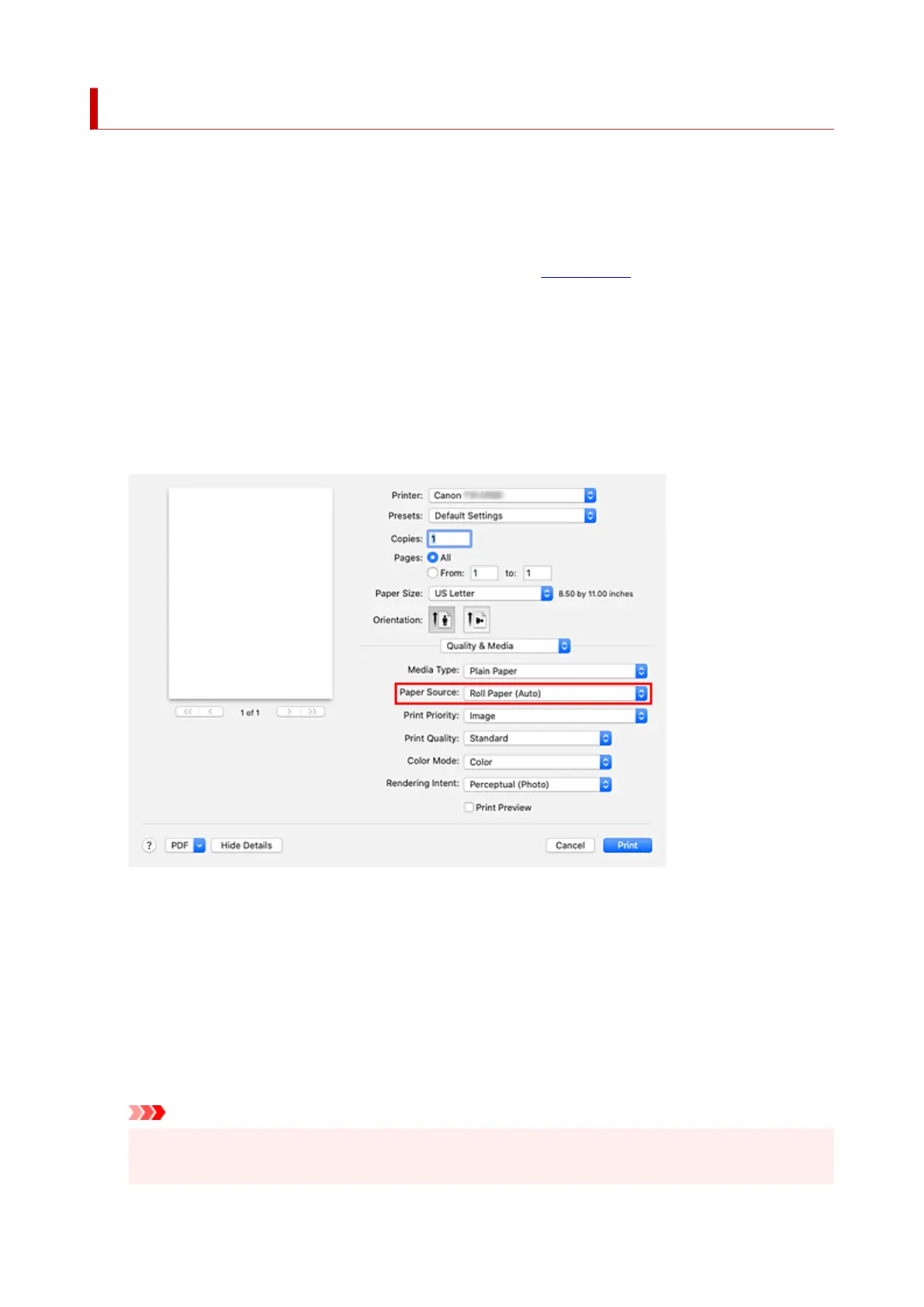
1. Select Quality & Media from the pop-up menu of the Print Dialog1.
2.
Select the media type
2.
For Media Type, select the same paper type loaded in the printer.
If Auto (Use Printer Settings) is selected, the paper configured in printer settings is printed.
3.
Select the paper source
3.
For Paper Source, select the item below that matches your purpose.
Roll Paper (Auto)
Feeds paper by automatically switching between Roll 1 and Roll 2 according to the print job.
Roll 1
Feeds paper from Roll 1.
Roll 2
Feeds paper from Roll 2.
Cut Sheet
Feeds paper that was cut to a specific paper size.
Important
•
The paper feed method will differ depending on the lower level (roll paper 2) settings or roll unit
option settings.
633












 To Next Page