Saving Roll Paper by Rotating Document 90 Degrees
When printing a portrait document on roll paper, you can save paper by rotating the document 90 degrees
and printing the document so that it is oriented horizontally relative to the paper.
The procedure for saving paper by rotating the document 90 degrees is as follows:
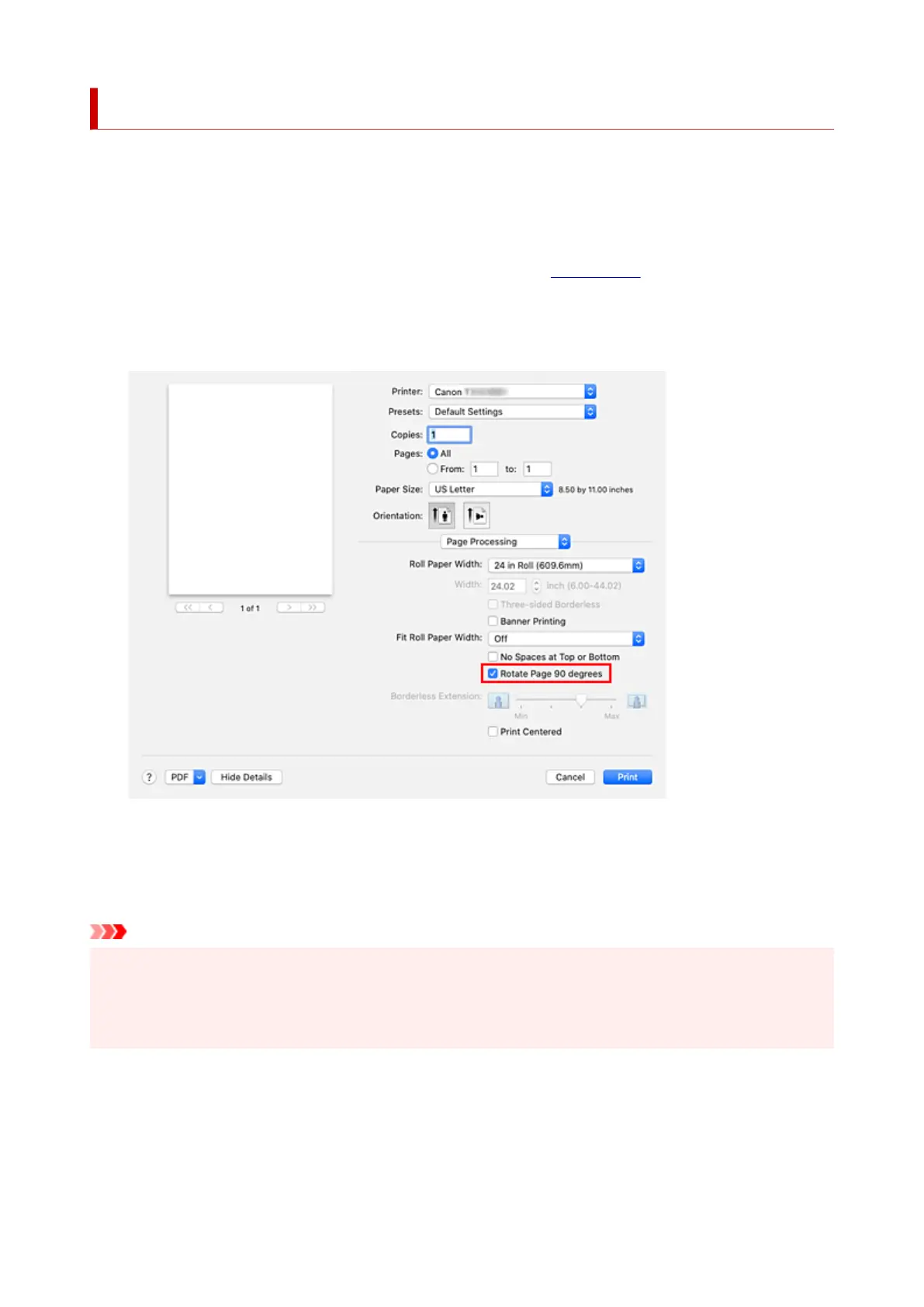
1. Select Page Processing from the pop-up menu of the Print Dialog1.
2.
Selecting Paper Saving
2.
Select the Rotate Page 90 degrees check box.
3.
Complete the setup
3.
Click Print.
When you print, you can rotate a portrait document 90 degrees to save paper.
Important
• If the Banner Printing check box is selected for Page Processing, Rotate Page 90 degrees is grayed
out and cannot be set.
• When selecting paper in portrait format from Paper Size in the print dialog, when this is longer than the
width selected in Roll Paper Width, Rotate Page 90 degrees cannot be used.
631












 To Next Page