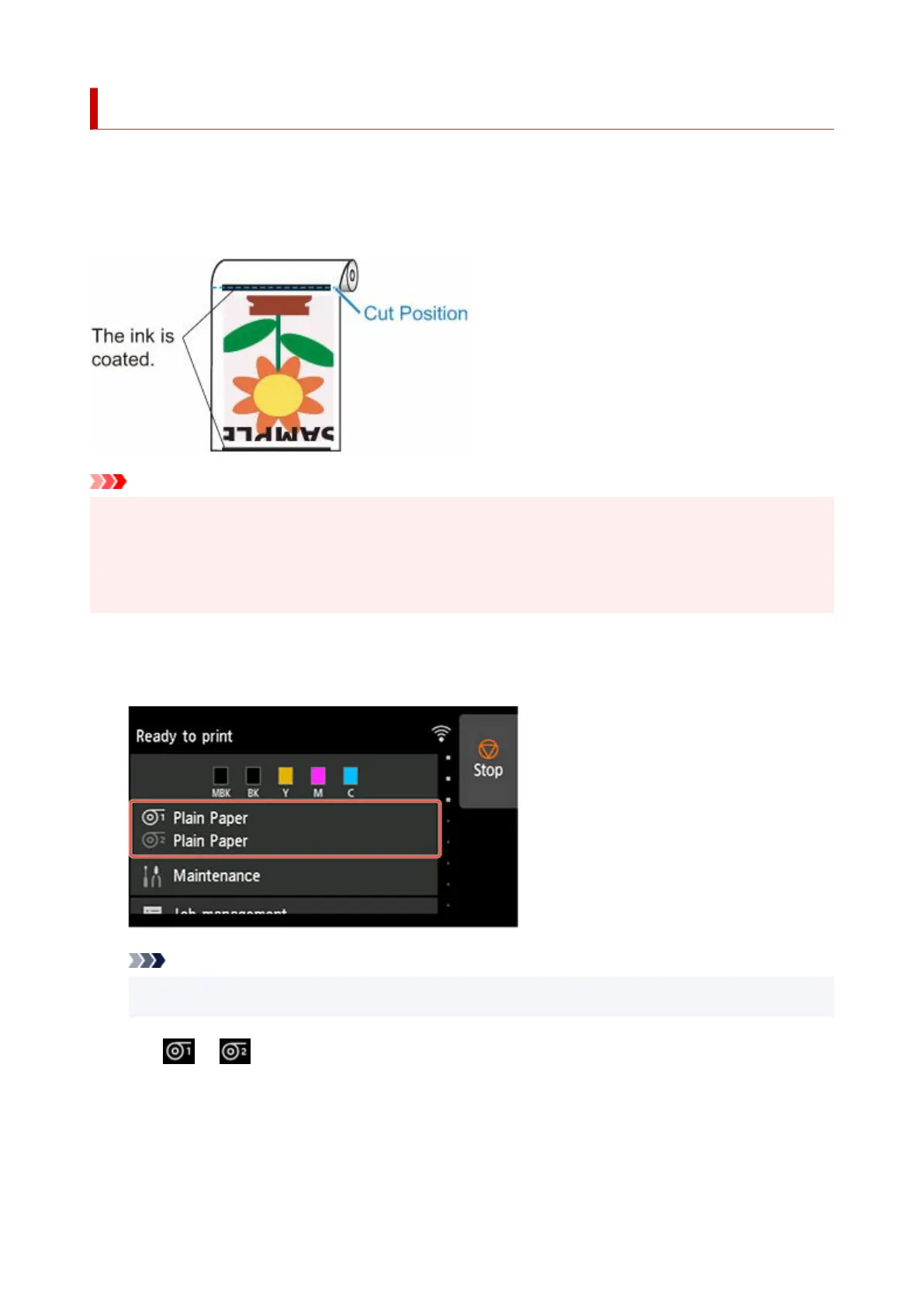
Reducing Dust from Cutting Rolls
If the paper tends to generate dust when cut, such as with Backlit Film, you can reduce flying dust by setting
Cut-dust reduction to ON from the touch screen menu, which will coat the leading and trailing edges of the
printed document with ink. As a result, you can reduce problems with the print head. You can set Cut-dust
reduction according to the media type.
Important
• Do not set Cut-dust reduction to ON for paper that wrinkles easily, such as Plain Paper or lightweight•
paper. If not cut properly, the paper may jam.
• Borderless printing is not available when Cut-dust reduction is set to ON. When performing borderless•
printing, set Cut-dust reduction to OFF.
Follow these steps to set Cut-dust reduction to ON.
1. Tap paper settings display area on Home screen of touch screen.1.
Note
•
If the Home screen does not appear, tap the HOME button.
•
2.
Tap or area.
2.
3.
Tap Paper settings.
3.
4.
Tap Advanced.
4.
148












 To Next Page