• If you stand the roll holder vertically and set the roll paper by dropping, the roll holder may be•
damaged.
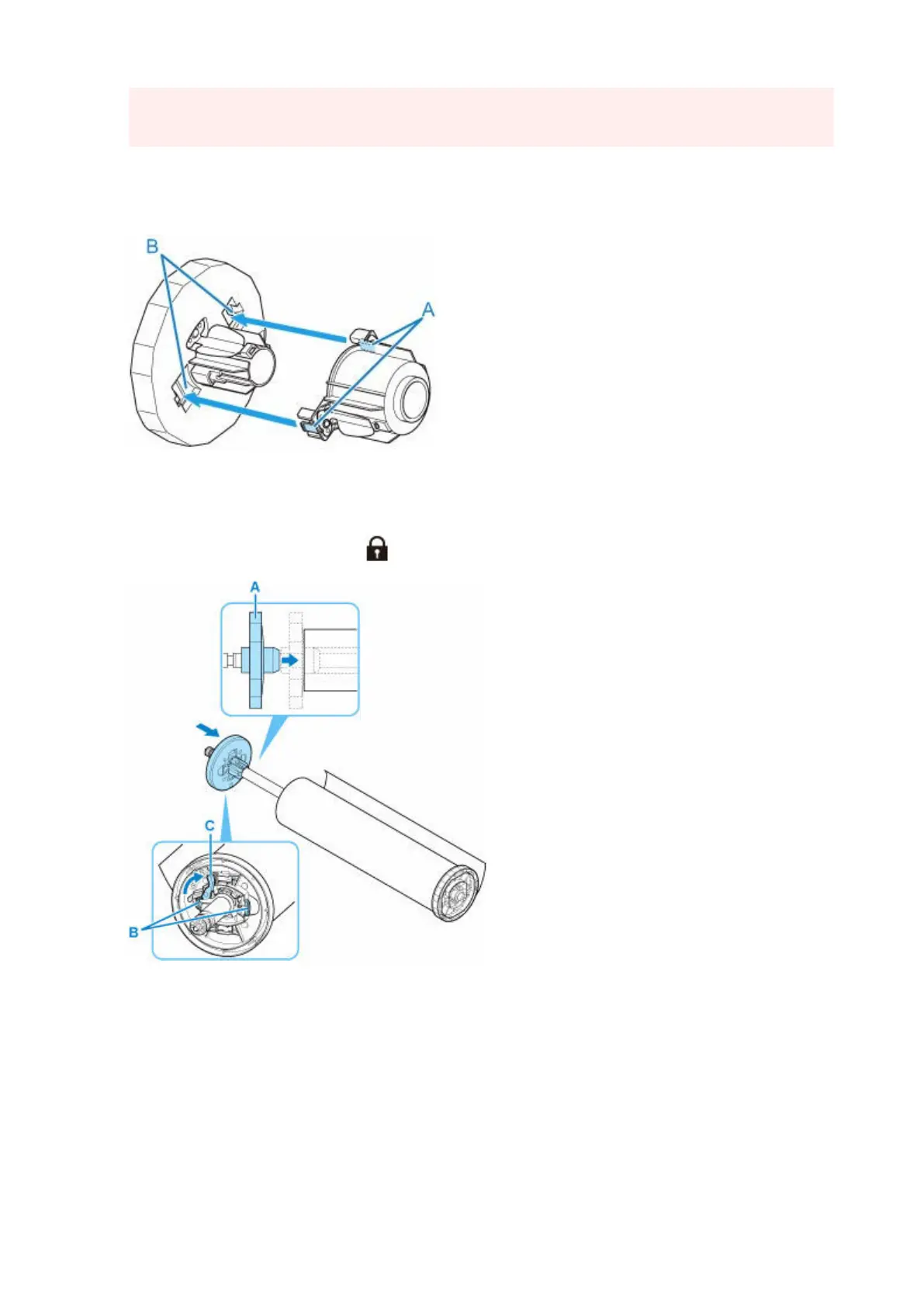
4. If using 3-inch core roll paper, attach 3-Inch Paper Core Attachment to holder stopper.4.
Align the tabs (A) of the attachment with the holes (B) of the holder stopper, and insert firmly.
5.
Insert holder stopper from left into roll holder as shown, and then while holding in position
5.
(B), push firmly until holder stopper flange (A) touches roll paper. Lock the holder stopper
lever (C) by rotating it towards .
97












 To Next Page