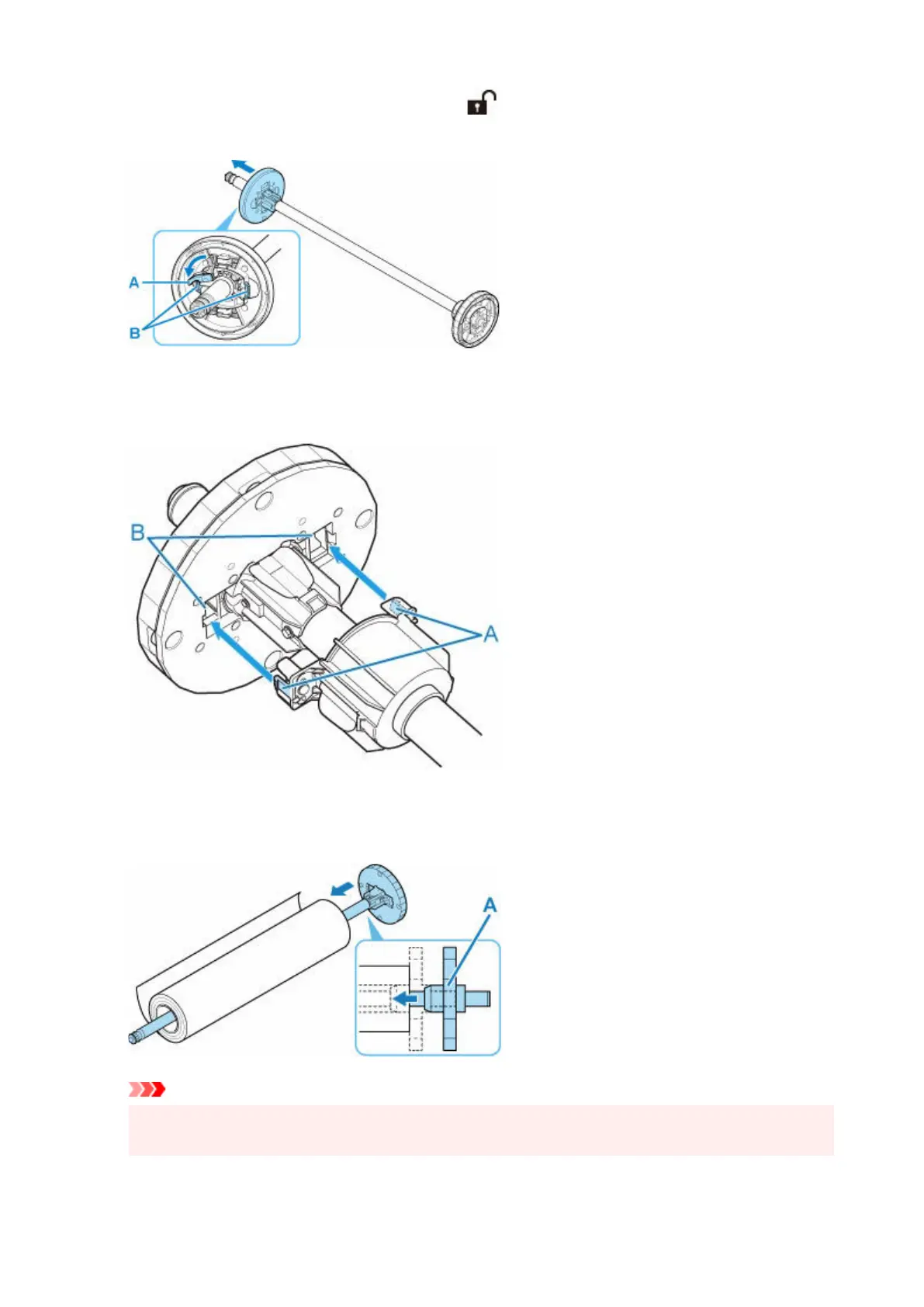
1. Rotate the holder stopper lever (A) towards to release the lock, and while holding it in1.
position (B), remove holder stopper from the roll holder.
2.
If using 3-inch core paper, align 3-Inch Paper Core Attachment tabs (A) with Roll Holder
2.
holes (B) and insert firmly.
3. With leading edge of roll paper facing forward as shown, insert Roll Holder from right side of3.
roll. Insert firmly until roll paper touches flange (A) of Roll Holder.
Important
•
When loading a roll, be careful to avoid hitting the printer hard with the roll. This may damage the
•
Roll Holder.
96












 To Next Page