3. Tap Wireless Direct.3.
4. Tap Settings.4.
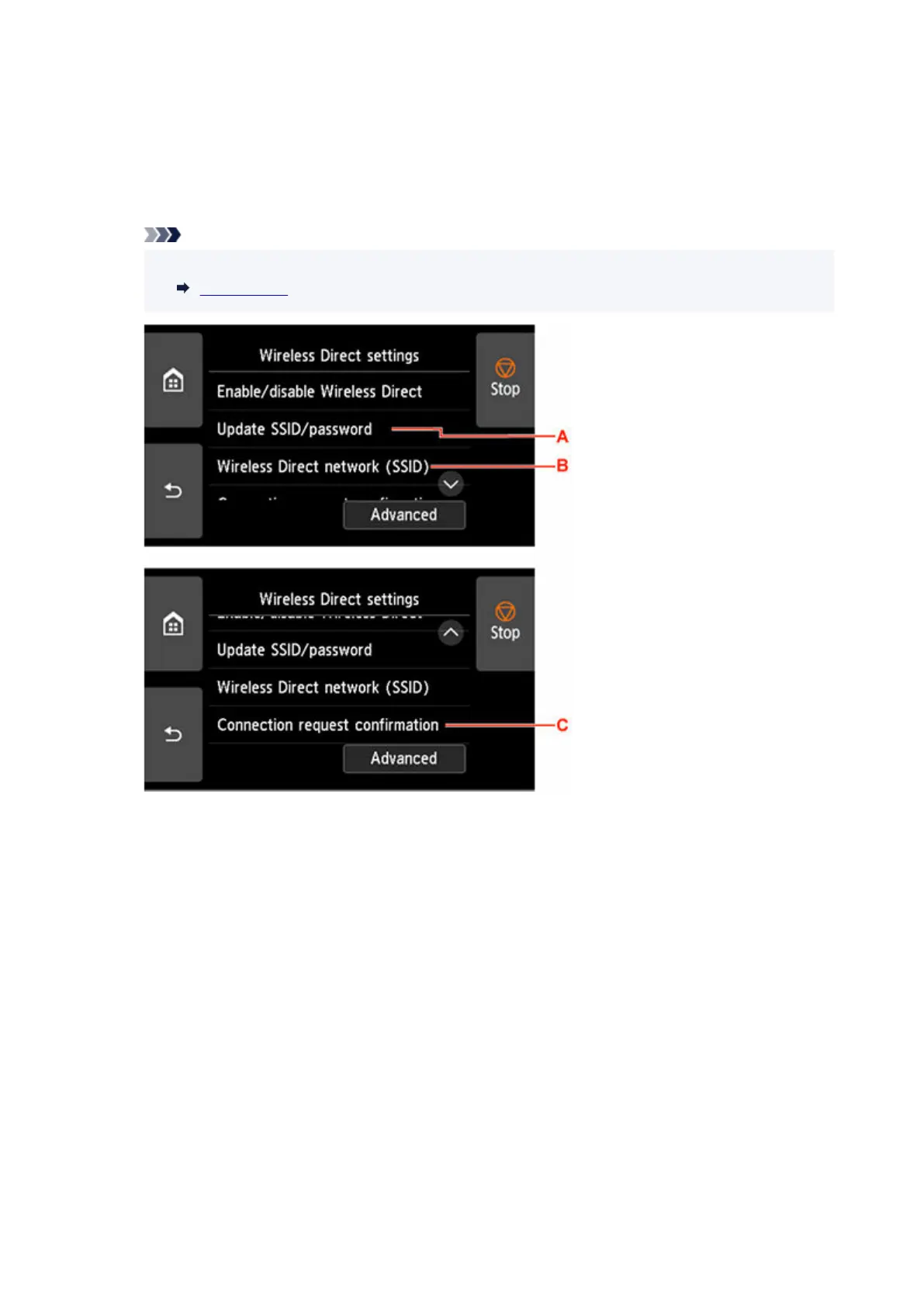
5. Change settings as necessary.5.
Note
• Tap Advanced, open the detailed settings of the network.
LAN settings
• To update the identifier (SSID) and the password for wireless direct•
Tap A to display the confirmation screen. To update the identifier (SSID) and the password, tap
Yes.
To check the security setting and the updated password, tap Yes on the screen displayed next.
To check the updated password, tap Show password.
• To change the printer's name displayed on the Wi-Fi Direct compatible device•
Tap B to display the printer's name (device name) displayed on a Wi-Fi Direct compatible
device.
Follow the procedure below to change the name.
1. Tap touch screen.1.
2. Enter device name (up to 32 characters).2.
3. Tap OK to finish entering device name.3.
4. Tap OK to finish specifying device name.4.
383












 To Next Page