Important
•
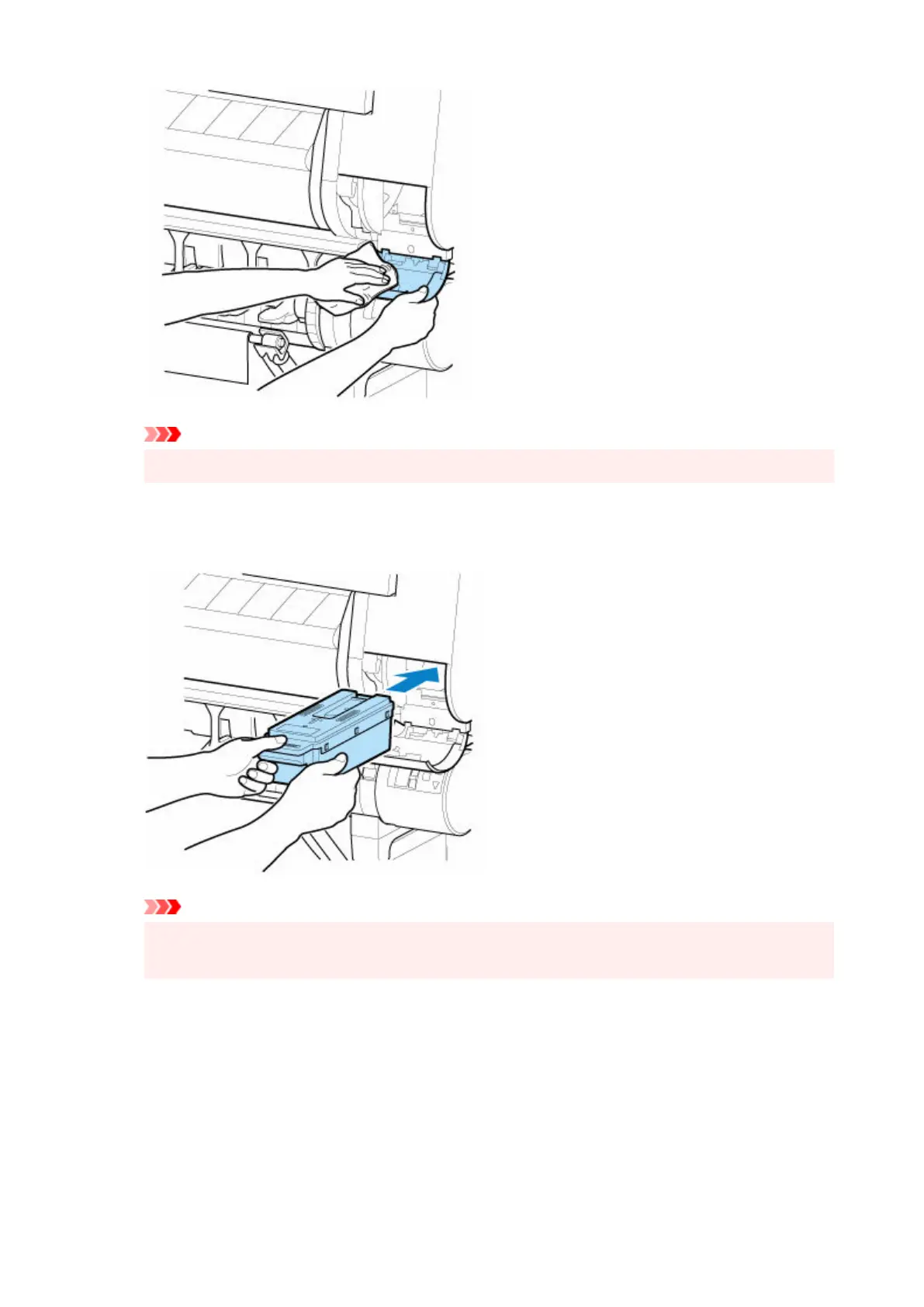
Support the maintenance cartridge cover from underneath as you wipe it.
10. Keeping the new maintenance cartridge level, insert it all the way in.10.
The maintenance cartridge is initialized.
Important
•
Do not remove the maintenance cartridge during initialization immediately after replacing the
maintenance cartridge. The maintenance cartridge may become damaged.
11.
Close maintenance cartridge cover.
11.
482












 To Next Page