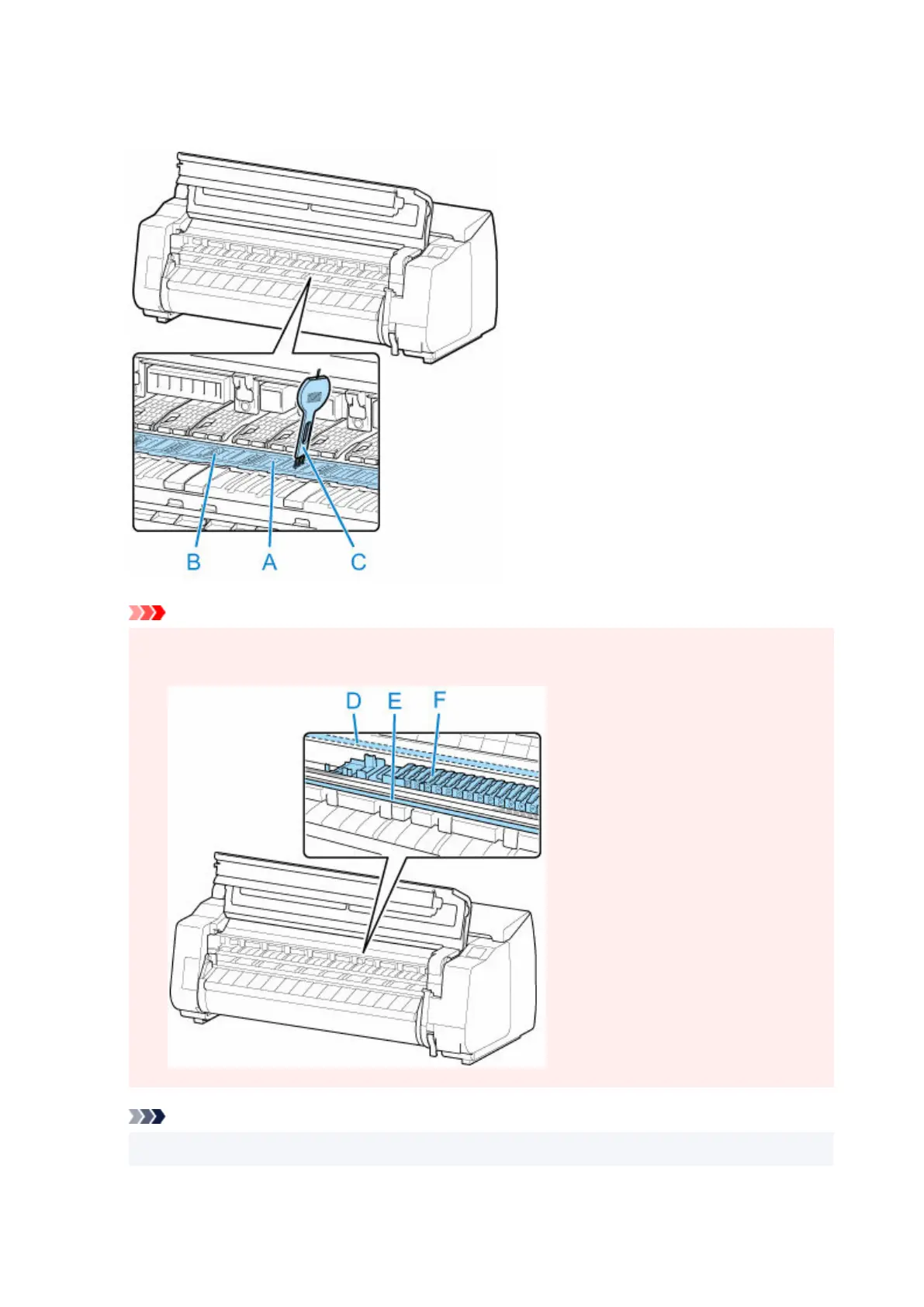
5. If paper dust has accumulated in vacuum holes (A) on platen or in borderless printing ink5.
grooves (B), use cleaning brush (C), provided with printer, to wipe it away.
Important
• Do not touch the linear scale (D), carriage shaft (E), or ink tube stabilizer (F). Touching these may•
cause malfunction.
Note
•
If the cleaning brush is dirty, rinse it in water.
503












 To Next Page