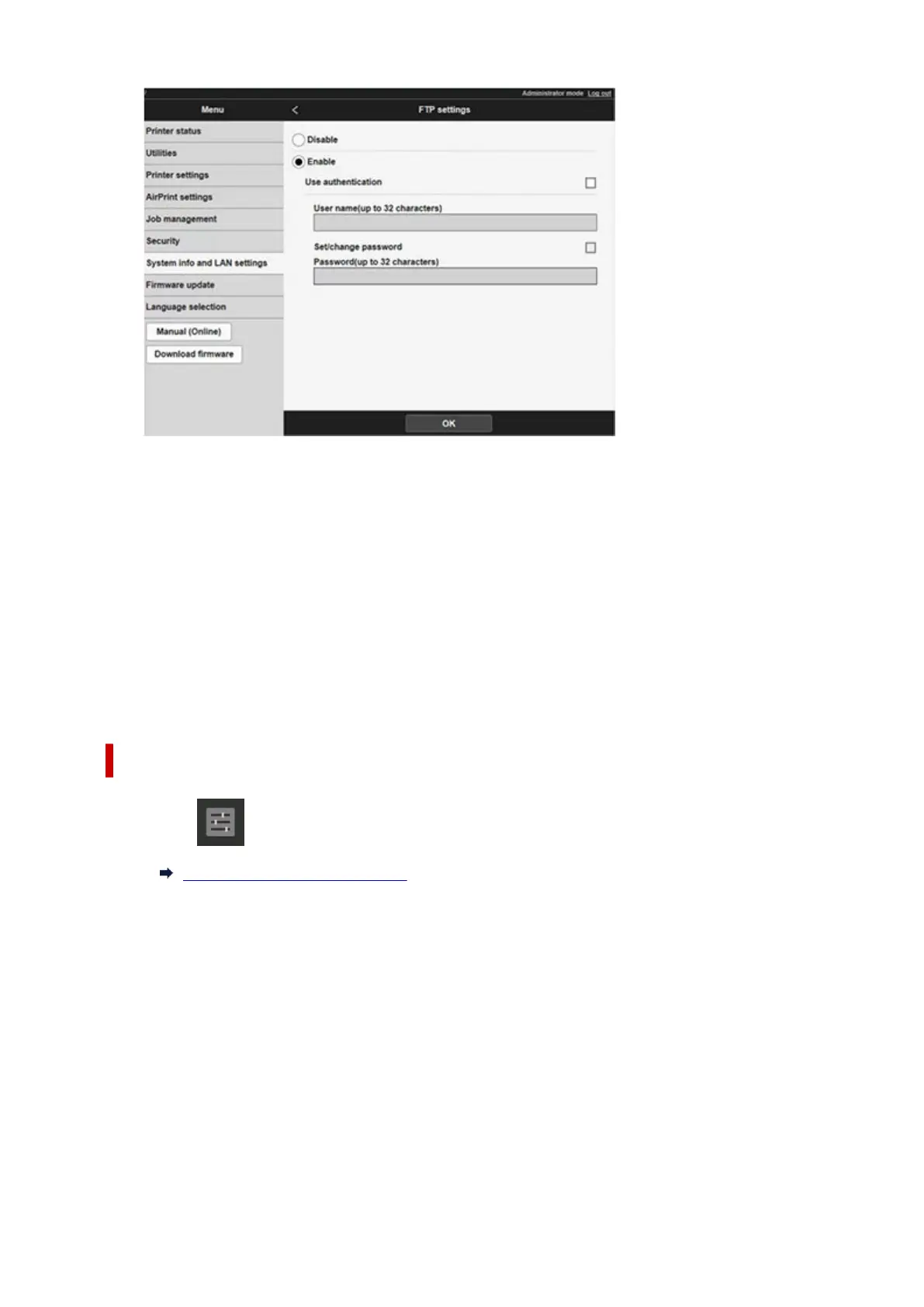
8.
Select Use authentication check box and Set/change password check box, and then
8.
enter a user name and password.
The user name and password you enter in this step are used for FTP authentication.
Enter the same value for FTP settings of imageRUNNER ADVANCE.
9. Select OK.9.
Please wait momentarily appears and returns to the startup screen.
10. Close web browser.10.
Perform enlarge settings on the operation panel.
1. Select Printer settings on HOME screen.1.
Home Screen Menu Composition
2.
Tap Print settings.
2.
3.
Tap Direct print settings from FTP.
3.
4.
Select the number to set and tap.
4.
650












 To Next Page