CAPINTEC, INC. CAPRAC
®
-t
6-8 WELL COUNTER INITIALIZATION April 2021
Calibrated On Field
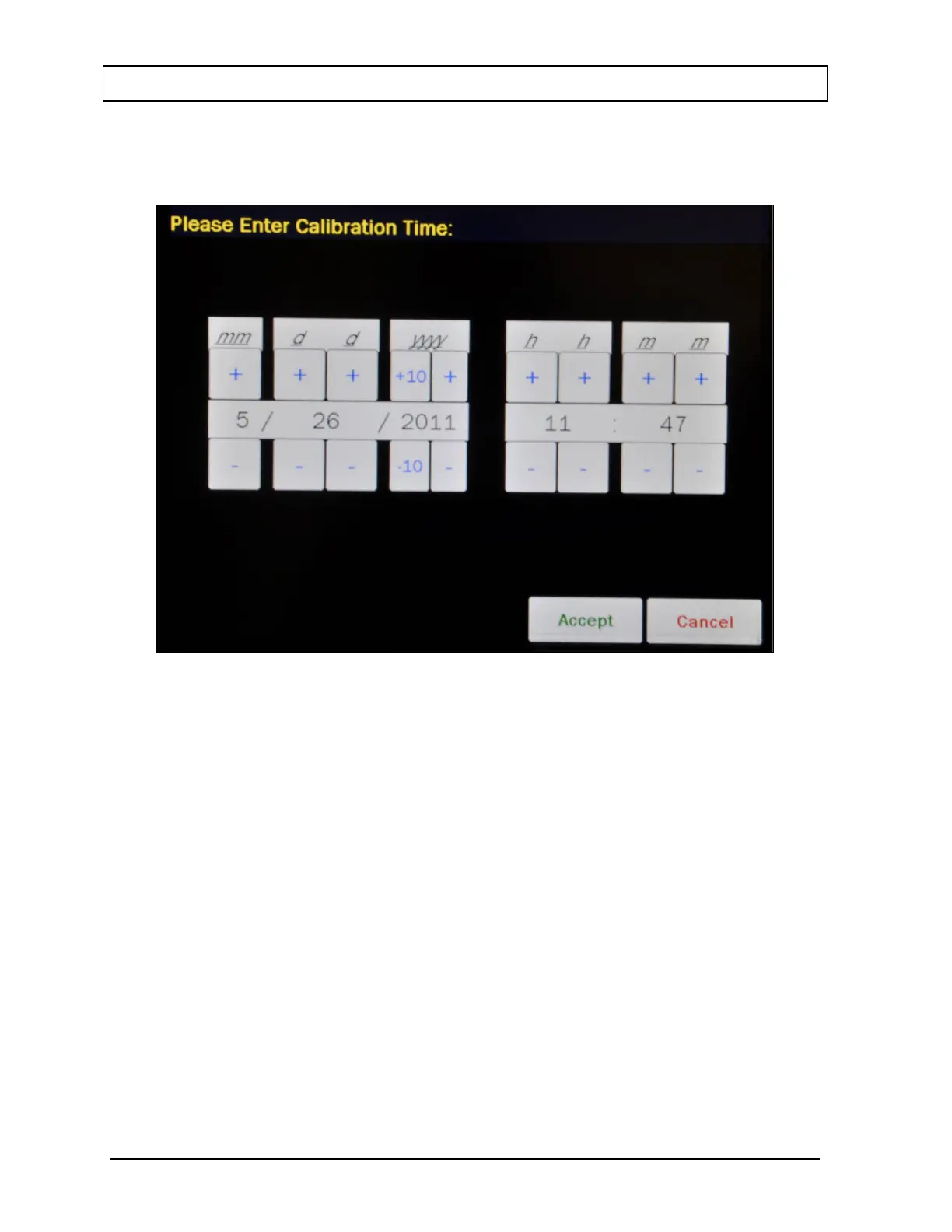
For the Test Source calibration date, Figure 6-7 Date/Time Screen will appear.
Figure 6-7 Date/Time Screen
The screen displays the currently set date and time. Above and below each of the fields are
+ and – buttons, respectively. To adjust the displayed value for a specific field, touch the +
button to increase the displayed value or the – button to decrease the displayed value.
For the year, +10 and -10 buttons are provided to quickly change the tens column of the
years.
Adjust the displayed date and time to show the calibration date/time of the Test Source.
Touch the ACCEPT button to accept the set calibration date and time. Figure 6-5 Test
Source Setup Screen will re-appear with Calibrated On: field box populated with the entered
calibration date and time.
To cancel any changes and return to Figure 6-5 Test Source Setup Screen, touch the
CANCEL button.
Calibrated Activity Field
For the Test Source Calibrated Activity data, Figure 6-8 Enter Activity Screen will appear.



 To Next Page