Appendix B VSD Parameters
B-3
B.1 PF 400 Integral Keypad
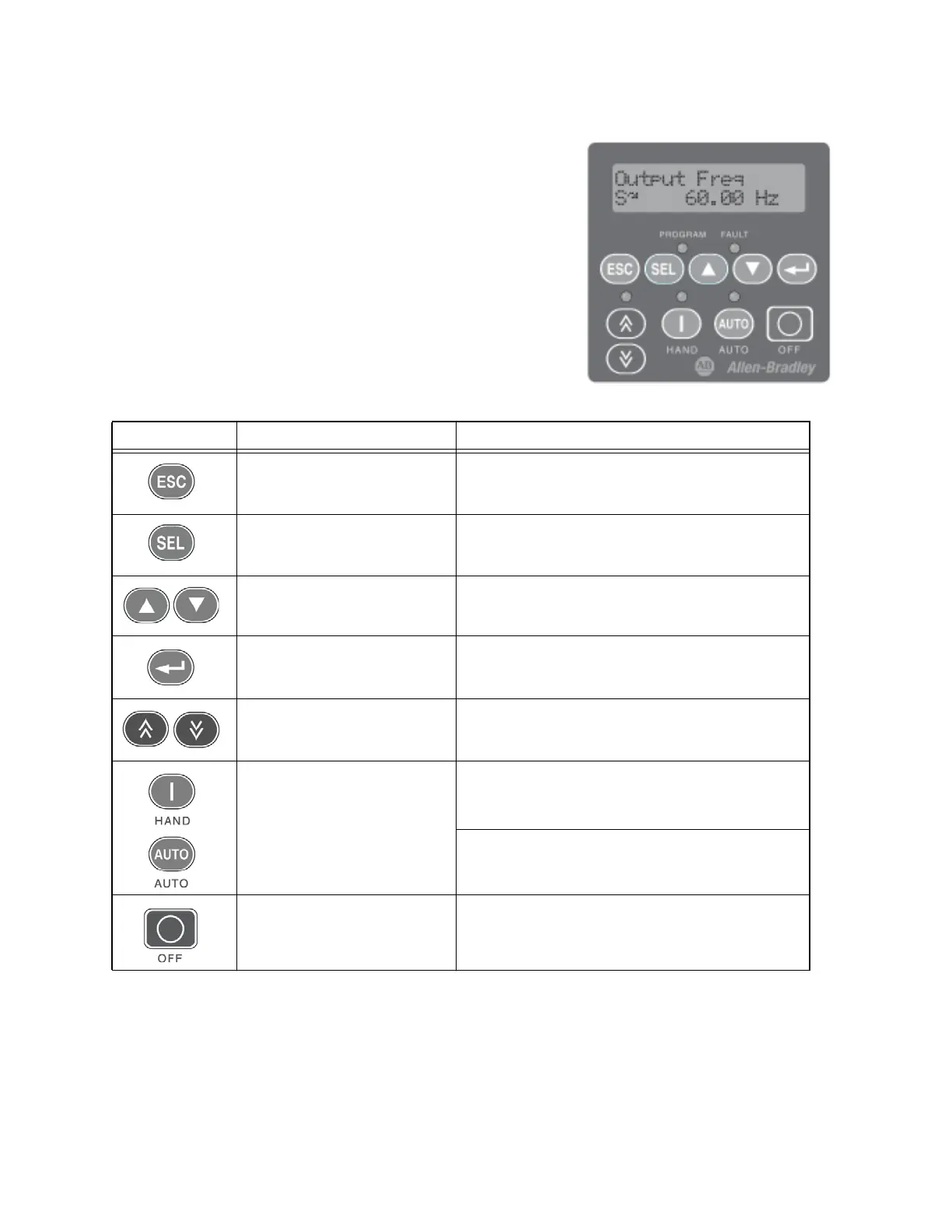
The Variable Speed Drive is programmed using the integral key-
pad. Keypad functions are described below.
(1) Important: Certain digital input settings can override drive operation. Refer to the PowerFlex 400 User Manual for
details.
VSD Keypad Functions - PF 400
Key Name Description
Escape Back one step in programming menu.
Cancel a change to a parameter value and exit Program
Mode.
Select Advance one step in programming menu.
Select a digit when viewing parameter value.
Up Arrow
Down Arrow
Increase/decrease the value of a flashing digit.
Scroll through groups and parameters.
Enter Advance one step in programming menu.
Save a change to a parameter value.
Digital Speed Increment and Dec-
rement Arrows
Used to control speed of drive. Default is active.
Control is activated by parameter P038 [Speed Refer-
ence] or P042 [Auto Mode].
Run/Start & Hand
1
Auto
1
Used to start the drive. Default is Hand mode as con-
trolled by parameter P042 [Auto Mode].
Control is activated by parameter P036 [Start Source] or
P042 [Auto Mode].
Used to select Auto control mode.
Controlled by parameter P042 [Auto Mode].
Stop/Off Used to stop the drive or clear a fault.
This key is always active.
Controlled by parameter P037 [Stop Mode].



 To Next Page