Falcon Lead Lag Appendix E
E-18
7.4 - Enable Master
When all slaves have been enabled and configured, go to the Master host and under Lead Lag
Master Configuration change Master Enable to ‘Enabled’.
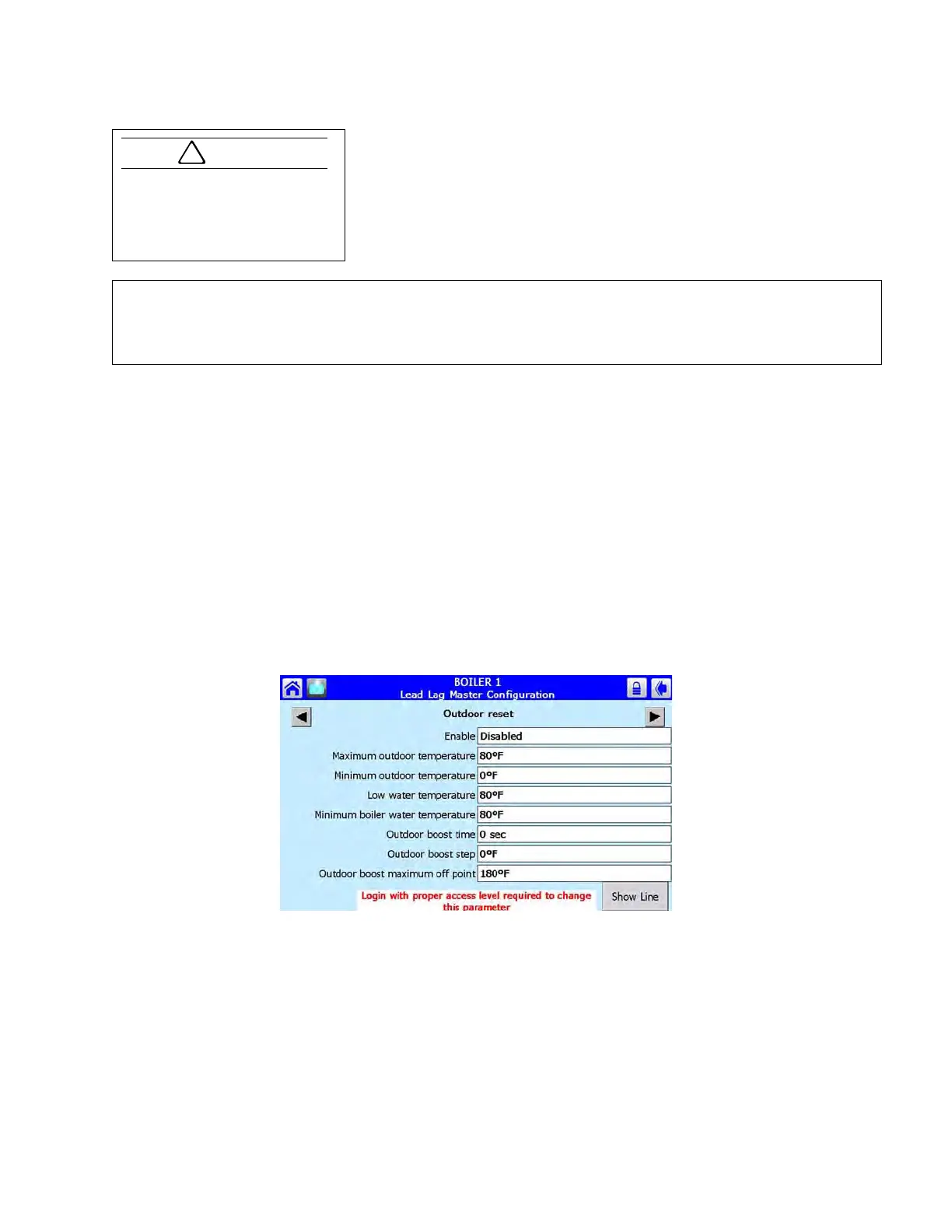
7.5 - Outdoor Reset Configuration (hot water only)
Before the Outdoor Reset feature can be used, the outdoor temperature sensor must be connected
to a slave boiler on the lead lag network and configured.
Outdoor reset parameters are configured on the lead lag Master host. Starting from the Home page
on the Falcon Master host, go to the Lead Lag Master configuration group, then go to <Advanced
Settings>.
The example below shows how a given set of parameter values determines an outdoor reset curve.
In the example:
Minimum outdoor temperature = 0 deg F
CH setpoint = 180 deg F
Maximum outdoor temperature = 80 deg F
Low water temperature = 70 deg F
The end points (x
1
, y
1
) and (x
2
, y
2
) of the ODR curve are defined by (x
1
= MIn. OD Temp., y
1
=
Setpoint) and (x
2
= Max. OD Temp., y
2
=Low Water Temp,)
Once the lead lag Master host has been configured and enabled, an additional pushbutton <VIEW LEAD LAG>/
<VIEW INDIVIDUAL> will appear on the touchscreen home page of the Master and any configured slaves. On the
Master host boiler, this button toggles between two display menu paths: one for the individual boiler and one for the
lead lag system. On remaining slave boilers, <VIEW LEAD LAG> shows that boiler’s lead lag status and the active
service only.
!
Caution
After cloning parameters with the
PIM: If using boilers of different
sizes/models, it will be neces-
sary to reset the min/max modu-
lation speed settings.



 To Next Page