VSD Parameters Appendix B
B-4
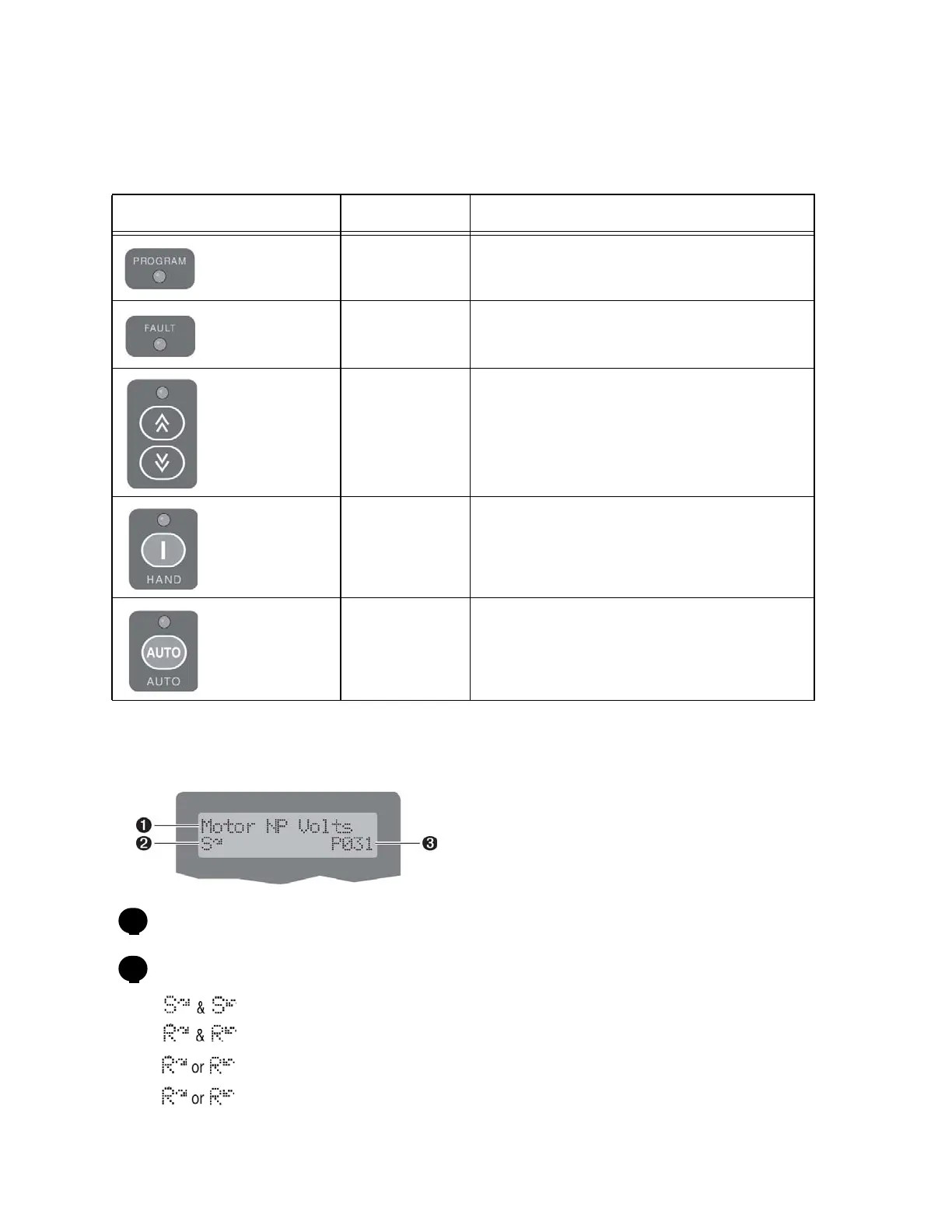
B.2 PF 400 LED Status Indicators
B.3 VSD LCD Display - PF 400
Parameter Name
Run/Stop Status:
= Stopped
= Running
flashes to indicate that the drive is stopping, but is still decelerating.
flashes when DC Injection is commanded.
VSD LED Indicators - PF 400
LED LED State Description
Program Status
Steady Red Indicates parameter value can be changed.
Fault Status
Flashing Red Indicates that the drive is faulted.
Speed Status
Steady Green Indicates that the digital speed control keys
are enabled.
Hand Status
Steady Green Indicates that the Run/Start key is enabled.
Auto Status
Steady Yellow Indicates that the drive is in Auto mode.
1
2



 To Next Page