Section 4 — Commissioning
4-12 Part No. 750-363
4.10.2 Power-Up
1. Ensure the boiler is properly wired for the available power supply. Refer to the wiring diagram provided
with the boiler or to the appropriate wiring diagram in Section 2 - Installation.
2. Verify the voltage (control voltage is 115V-1Ph) to ensure it is within specifications.
4.10.3 Operation Check: Gas Valve, Gas Pressure Switches, Combustion Air Proving Switch, Ignition Fail
Before initial firing of the burner, the gas valve, Low Gas Pressure Switch (LGPS), High Gas Pressure Switch
(HGPS), and Combustion Air Proving Switch (CAPS) should be checked for proper operation.
• Before proceeding, review Section C - Control Setpoints for initial LGPS, HGPS, and CAPS settings.
Note:Close the downstream manual gas shut-off valve before checking pressure switches and
CAPS.
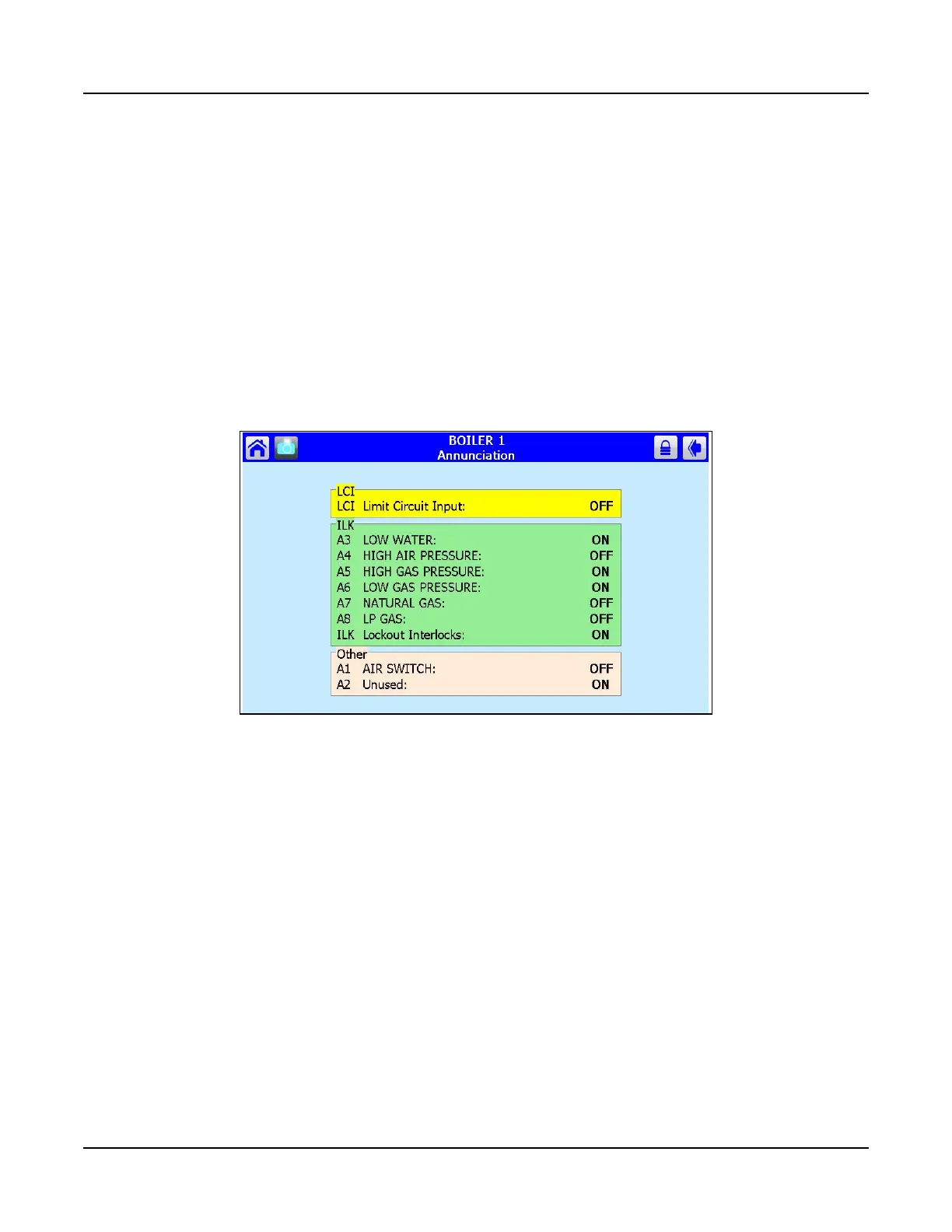
While performing the following safety checks, use the Falcon Annunciation screen to monitor the status of
the circuits involved. Press <Annunciation> on the Operation page to access this screen.
LGPS
1. To check the Low Gas Pressure Switch, first close the upstream manual shutoff valve (both manual
shutoff valves should now be closed).
2. Start the burner and wait 10 seconds during purge for CAPS to be made.
3. Turn the LGPS setting to maximum.
4. Open the test cock to bleed the gas line.
5. The controller should lock out. The screen will indicate Lockout 67 ILK OFF.
6. Reset the controller and change the LGPS setting back to minimum to proceed.
Figure 4-10 Annunciation Screen



 To Next Page