Section 4 — Commissioning
Part No. 750-363 4-13
CAPS
1. Initiate burner sequence.
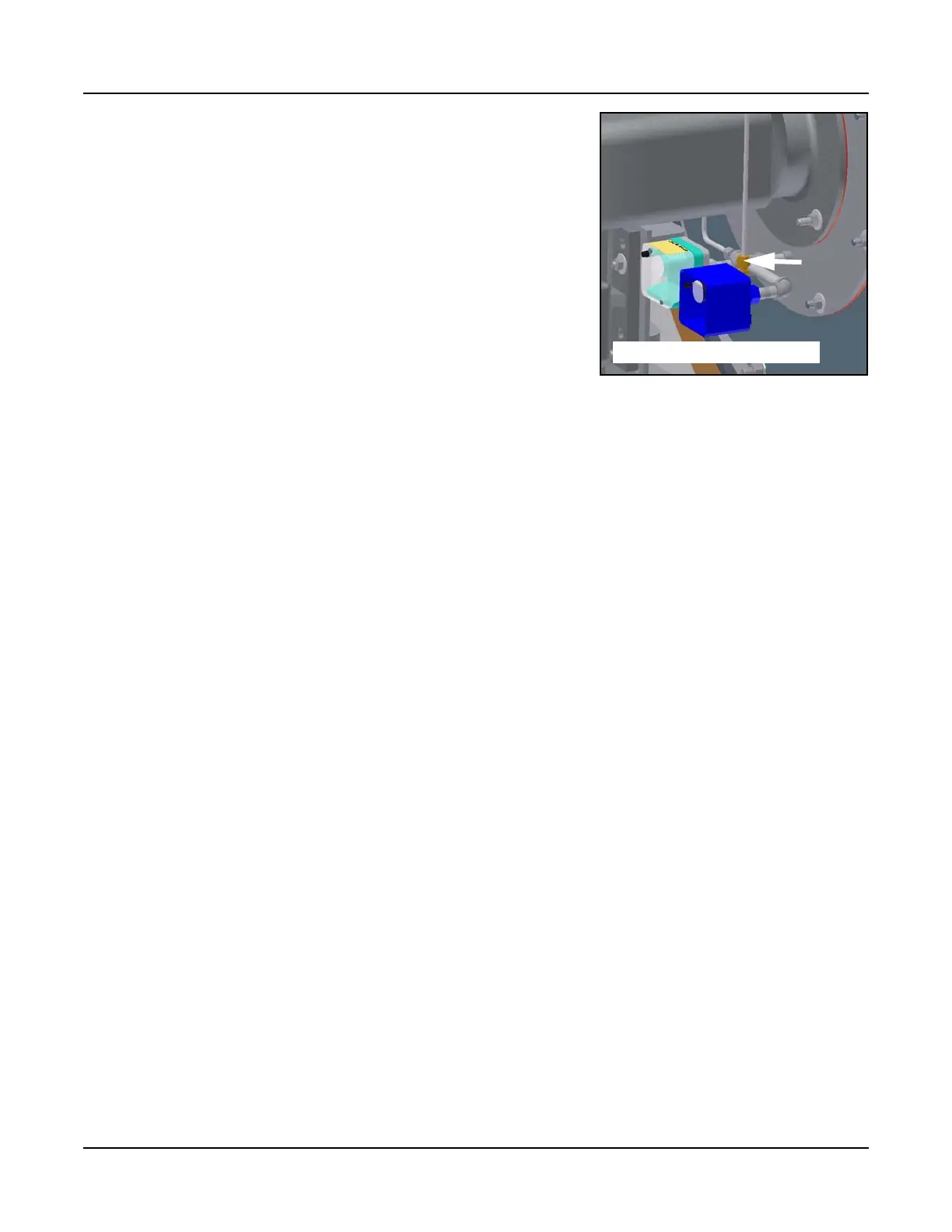
2. During purge cycle, set Combustion Air Proving Switch to its max-
imum setting.
3. The Falcon should lock out on an airflow failure. The display will
show Lockout 65 Interrupted Airflow Switch OFF.
Note: If the CAPS fails to open even when set to maximum, test by disconnecting the
low-pressure line to the switch and initiating burner sequence. The switch should now
break during the purge cycle. Reconnect low-pressure side after a successful CAPS
check.
4. Following a successful CAPS check, dial the CAPS back to its min-
imum setting and reset the Falcon.
HGPS and GAS VALVE
1. Open the upstream manual shutoff valve and wait a few moments for gas pressure to rise.
2. Lower the switch setting to minimum.
3. Initiate burner sequence. During the main flame establishing period, verify gas valve LEDs energize, indi-
cating both safety shutoff valves open.
4. The Falcon should lock out on an interlock failure (Lockout 67).
5. Reset Falcon.
6. Open the downstream manual shutoff valve to clear the lockout condition.
7. Dial the HGPS back to its maximum setting and reset.
IGNITION FAILURE CHECK
1. A test of the UV scanner circuit can also be performed at this time. Shut off pilot gas manual valve and
attempt to start the burner. The Falcon should lock out, indicating Lockout 109 Ignition Failure.
2. Reopen pilot gas manual valve.
After verifying proper operation of LGPS, HGPS, CAPS, and Gas Valve, re-open the downstream manual shut-
off valve.
4.10.4 PIlot Tests
PILOT FAIL CHECK
Close the gas pilot shutoff valve. Also shut off main fuel supply. Attempt to start the burner. There should be
an ignition spark, but no pilot flame. The Falcon will lock out, indicating pilot failure.
Reset the Falcon, open the pilot shutoff valve, and re-establish fuel supply before continuing.
PILOT HOLD TEST
On the Falcon display, go to Configure>Ignition and turn <Pilot Hold> to ON. Open the manual valve on the
pilot gas train, keeping the downstream main gas valve closed. Initiate the burner sequence. The burner will
go through prepurge and will go to trial for pilot ignition. Once the pilot is lit, check for flame signal on the
Falcon display and visually inspect the pilot flame through the sight port on top of the boiler. Once a good pilot
flame has been established, open the downstream main gas shutoff valve and turn the Pilot Hold setting to
OFF. The Falcon will proceed to main flame trial for ignition.
CAPS low pressure connection


 To Next Page