VSD Parameters Appendix B
B-6
B.5 Drive Parameter List - PF 400
Parameters marked * must be changed from default
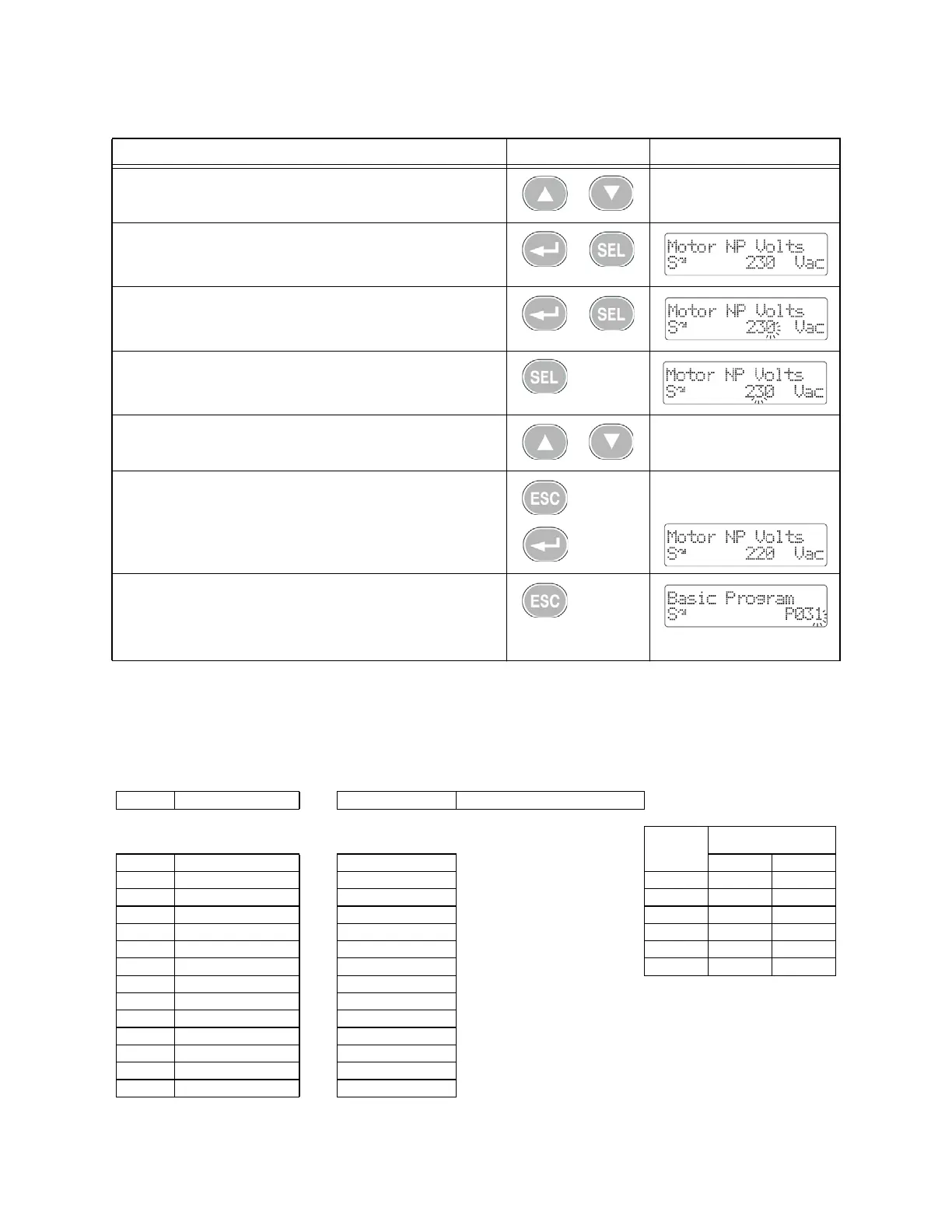
7. Press the Up Arrow or Down Arrow to scroll through the parameters
in the group.
8. Press Enter or Sel to view the value of a parameter. If you do not
want to edit the value, press Esc to return to the parameter number.
9. Press Enter or Sel to enter program mode to edit the parameter
value. The right digit will flash and the Program LED will illuminate if
the parameter can be edited.
10. If desired, press Sel to move from digit to digit or bit to bit. The
digit or bit that you can change will flash.
11. Press the Up Arrow or Down Arrow to change the parameter value.
12. Press Esc to cancel a change. The digit will stop flashing, the previ-
ous value is restored and the Program LED will turn off.
Or
Press Enter to save a change. The digit will stop flashing and the
Program LED will turn off.
13.Press Esc to return to the parameter list. Continue to press Esc to
back out of the programming menu.
If pressing Esc does not change the display, then b001 [Output
Freq] is displayed. Press Enter or Sel to enter the last group menu
viewed.
CFLC VSD Parameters - PF400
Par. No. Parameter Name Default Value W/ CFLC
Table 1.1
Basic
Display
Boiler Model Parameter
b1 Output Freq Read Only P34 P35
b2 Commanded Freq Read Only
4000 15 60
b3 Output Current Read Only
5000 15 60
b4 Output Voltage Read Only
6000 14 60
b5 DC Bus Voltage Read Only
8000 14 60
b6 Drive Status Read Only
10000 13 58
b7 Fault 1 Code Read Only
12000 13 57
b8 Process Display Read Only
b9 Not Used
b10 Output Power Read Only
b11 Elapsed MWh Read Only
b12 Elapsed Run Time Read Only
b13 Torque Current Read Only
b14 Drive Temp Read Only
Editing VSD Parameters - PF 400 (Continued)
Step Key(s) Example Displays



 To Next Page