Section 4 — Commissioning
Part No. 750-363 4-5
The Demand display will show one of the following:
Burner enable off
Off (burner switch on but no demand)
Central Heat
Domestic Hot Water (if configured)
Burner state shows the currently active step in the burner operating sequence.
The central portion of the display can be toggled between the following:
Pumps shows the on/off status of boiler and system pumps.
Modulation shows fan speed RPM settings for Demand, Limited, and Override rates
Setpoints shows the ON, Modulation, and OFF temperature setpoints.
4.5.3 Operation Page
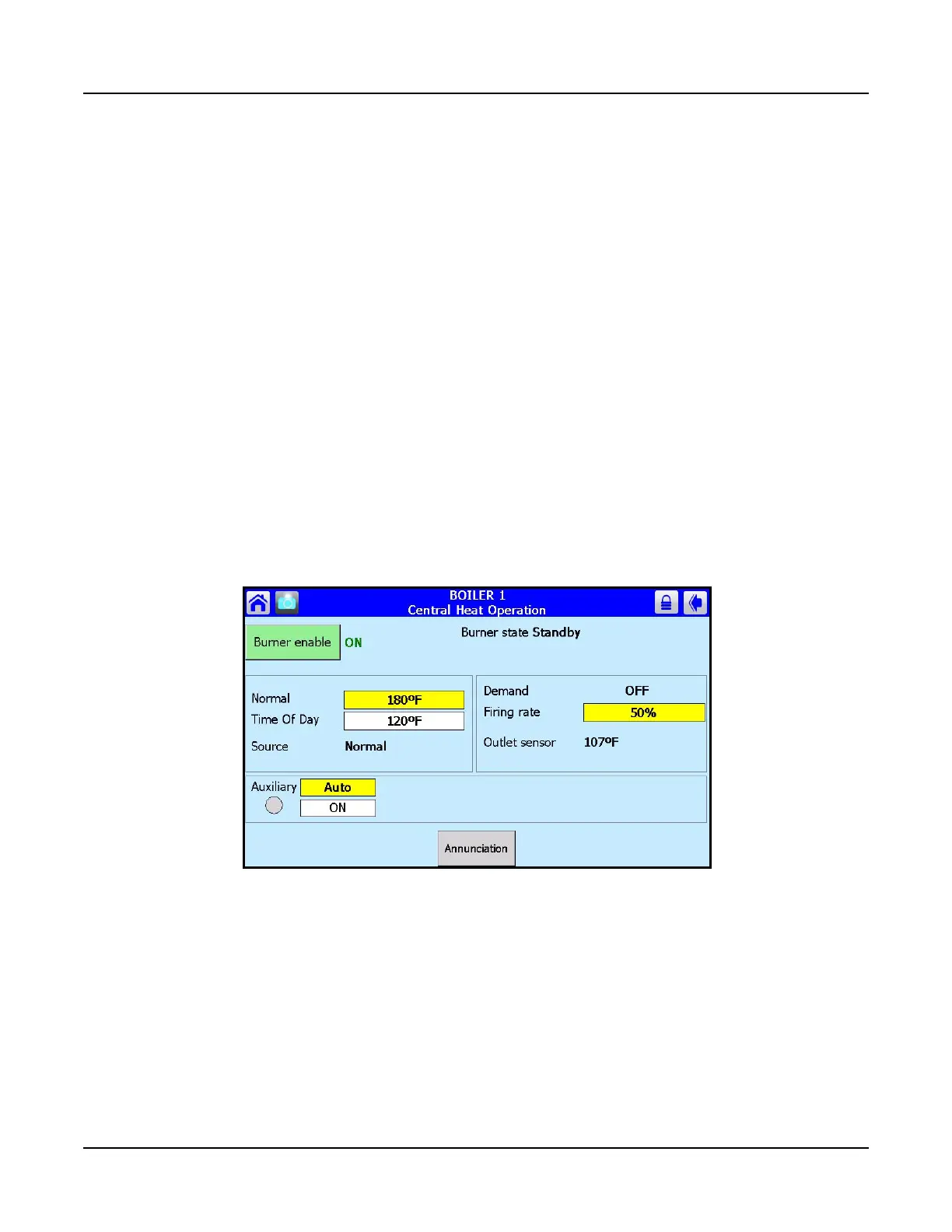
The operation page (Figure 4-4) displays the Falcon running operation, including setpoint and firing rate
values. From this page the user can change setpoints, manually control the boiler’s firing rate, manually
turn pumps on, view annunciation information, and switch between heating loops (Central Heat and
Domestic Hot Water). If a password is required to change any of the settings on this page, the user can
press the Login button to enter the password.
The burner is enabled from this page by turning the <Burner switch> screen button ON.
Figure 4-4 Operation Page



 To Next Page