Section 4 — Commissioning
Part No. 750-363 4-7
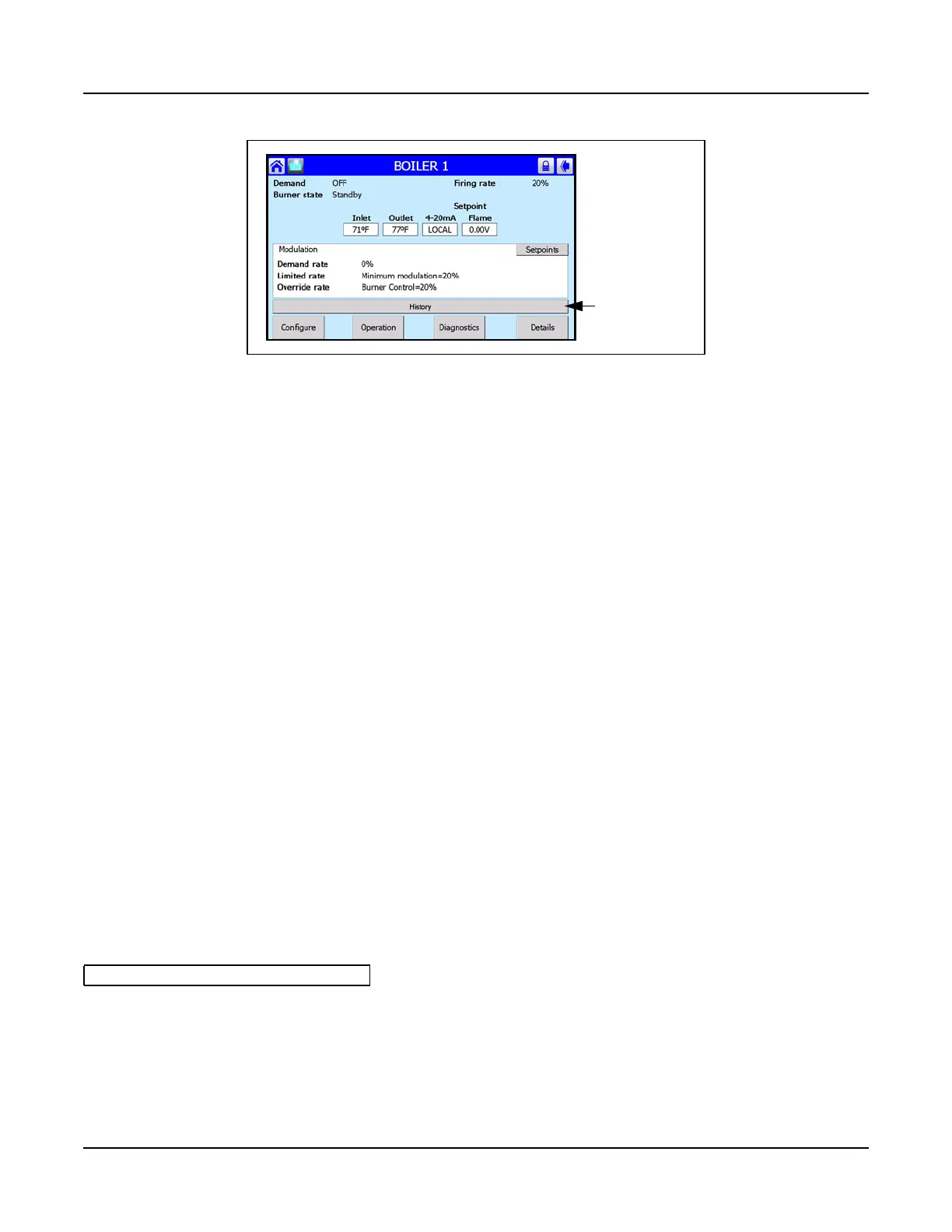
To obtain more information for a particular message, press that item in the respective history list. For Alerts,
burner cycle and hours of operation at the time of occurrence will be displayed. For Lockouts, in addition
to cycle and hours the screen will show on/off status of all interlocks at the time of the lockout. This
information can be used to help pinpoint the cause of a particular Lockout.
See also Section 5 - Service and Maintenance.
4.6 CONTROLLER CONFIGURATION
The Falcon controller should be factory configured for the specific CFLC boiler model. Prior to starting the
boiler, verify that the factory default settings are correct for your application. Please refer to CB default
settings, APPENDIX A, and make any changes at this time if needed.
Falcon configuration is organized into the following functional groups:
4.6.1 Changing Falcon Parameter Settings
To access the Falcon configuration menu, press <Configure> on the Status page.
Figure 4-6 Alarm Banner
See APPENDIX A for Falcon parameter list
Alarm Banner
• System Identification & Access
• CH - Central Heat ConfigurCation
• Outdoor Reset Configuration
• DHW - Domestic Hot Water Configuration
• Modulation Configuration
• Pump Configuration
• Statistics Configuration
• High Limits
• Stack Limit
• Other Limits
• Anti-condensation Configuration
• Frost Protection Configuration
• Annunciation Configuration
• Burner Control Interlocks
• Burner Control Timings & Rates
• Burner Control Ignition
• Burner Control Flame Failure
• System Configuration
• Fan Configuration
• Lead Lag Configuration



 To Next Page