User's Manual
172
Procedure
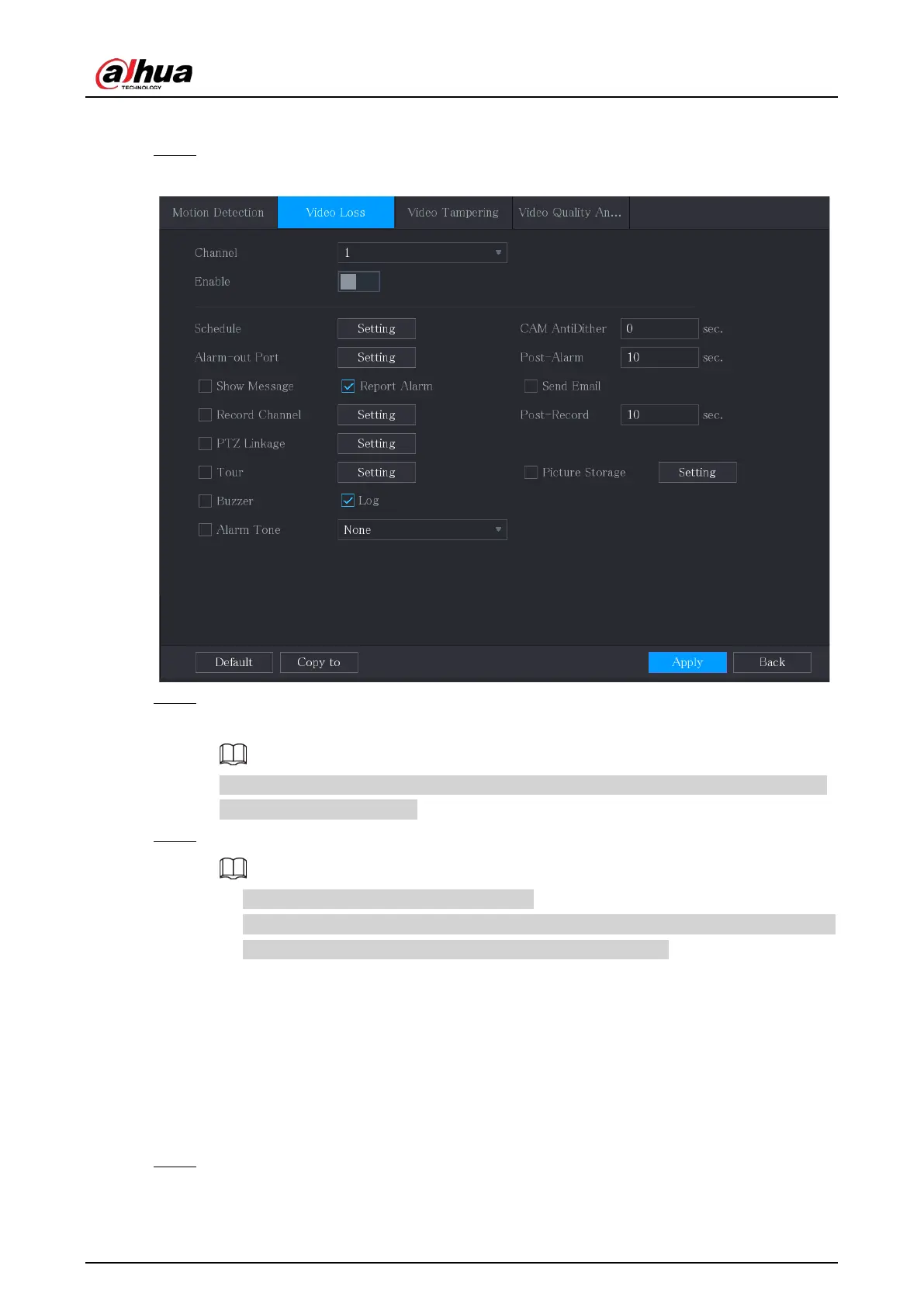
Step 1 Select
Main Menu
>
ALARM
>
Video Detection
>
Video Loss
.
Figure 5-126 Video loss
Step 2 Configure the settings for the video loss detection parameters. For details, see
"5.10.4.1
Configuring Motion Detection Settings".
For PTZ activation, different from motion detection, the video loss detection can activate
PTZ preset, tour, and pattern.
Step 3 Click
Apply
to complete the settings.
●
Click
Default
to restore the default setting.
●
Click
Copy to
, in the
Copy to
dialog box, select the additional channel(s) that you want
to copy the motion detection settings to, and then click
Apply
.
5.10.4.3 Configuring Tampering Settings
When the camera lens is covered, or the video is displayed in a single color because of the causes
such as sunlight status, the monitoring cannot be continued normally. To avoid such situations, you
can configure the tampering alarm settings.
Procedure
Step 1 Select
Main Menu
>
ALARM
>
Video Detection
>
Video Tampering
.


 To Next Page
 Loading...

