User's Manual
71
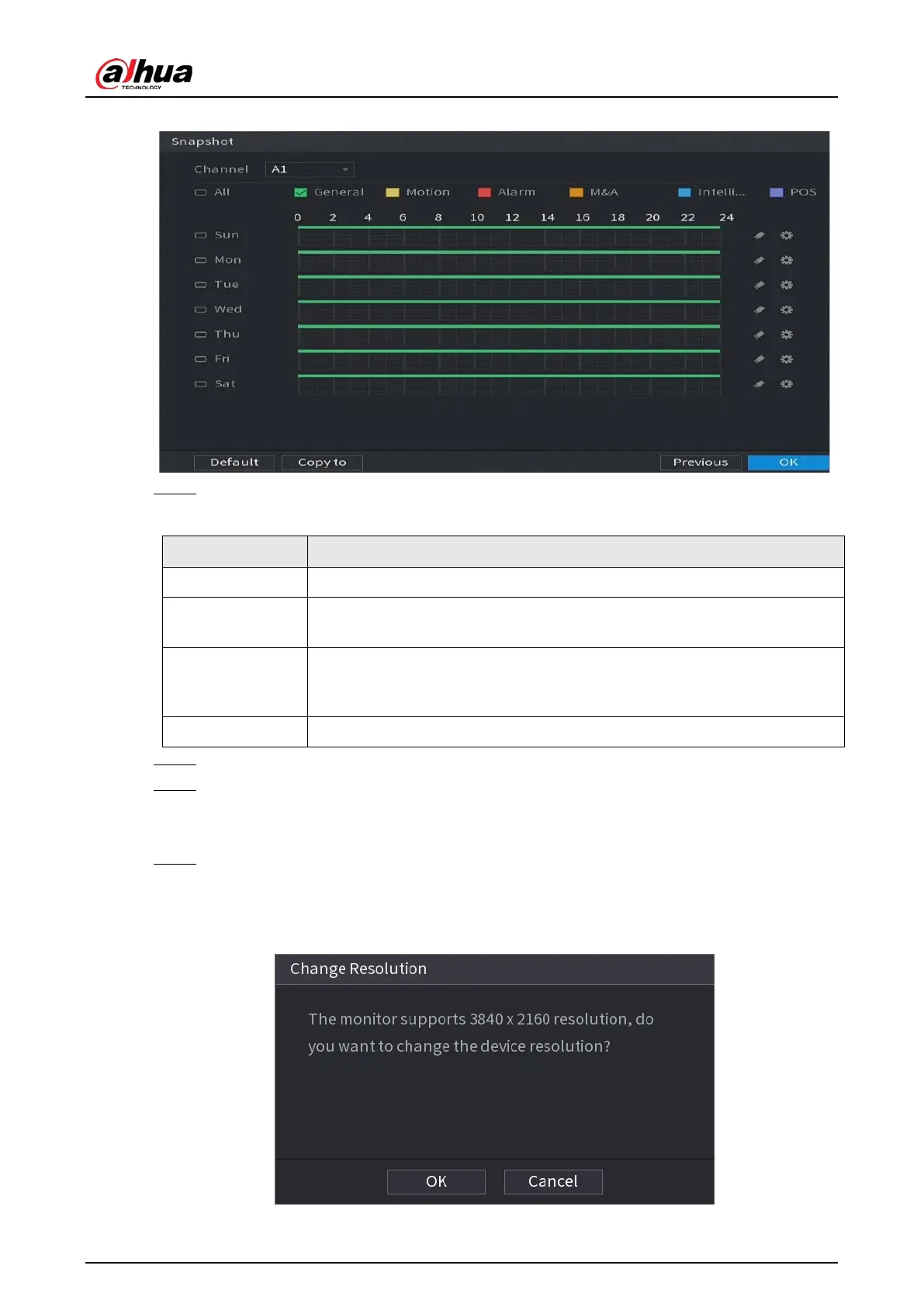
Figure 5-30 Snapshot
Step 2 Configure the snapshot settings parameters.
Table 5-10 Snapshot settings
Parameter Description
Channel In the
Channel
list, select a channel to take a snapshot.
Event type
Select the checkbox of the event type which includes
General
,
Motion
,
Alarm
,
M&A
,
Intelligent
, and
POS
.
Period
Define a period during which the configured snapshot setting is active. For
details about defining a period, see "5.1.4.9 Configuring Recorded Video
Storage Schedule".
Copy
Click
Copy to
copy the settings to other channels.
Step 3 Click
OK
.
Step 4 Click
OK
.
The live view screen is displayed. The setting up with startup wizard is completed. You can
start using the Device.
Step 5 (Optional) After the setting with startup wizard is completed, if the connected HDMI
display resolution is inconsistent with default resolution (1280 × 1024), a dialog box will
pop up. Choose to switch the resolution or not.
Figure 5-31 Change resolution


 To Next Page
 Loading...

